تسجيل الدخول مطلوب
سجّل الدخول بحساب iOSGods للمتابعة.
سجّل الدخول بحساب iOSGods للمتابعة.
جمّد عملاتك وتأكد من عدم نفاد الموارد أبداً في هذا Merge Gardens Hack Mod IPA المجاني، مما يتيح لك البناء والدمج دون إنفاق أموال حقيقية. استرخِ واستمتع بالمزيج الفريد من ألغاز الدمج والمطابقة الثلاثية بينما تستعيد حديقة غامضة مرتبطة بقصة عائلية مخفية. التقِ شخصيات جديدة، وافتح الأسرار، وتقدم عبر العصور بالسرعة التي تناسبك مع موارد غير محدودة في متناول يديك.
- جمّد العملات → احفظ موارد اللعبة الخاصة بك إلى الأبد
يأتي هذا التطبيق أيضًا مع iGameGod، مما يتيح لك الوصول إلى Auto Touch لأتمتة المهام المتكررة، وApp Speed Manager لضبط سرعة اللعب، وتعديل القيم عبر Memory Engine، والمزيد من أدوات ألعاب iOS القوية.
قم بتنزيل Merge Gardens Hack modded IPA من الروابط أعلاه. اضغط على زر التثبيت واتبع التعليمات لتثبيت هذا التعديل لـ iOS على iPhone أو iPad أو Apple Silicon.
هل تحتاج إلى مزيد من المساعدة؟ راجع الأسئلة الشائعة لتطبيق iOSGods للحصول على إجابات مفصلة ونصائح لاستكشاف الأخطاء.
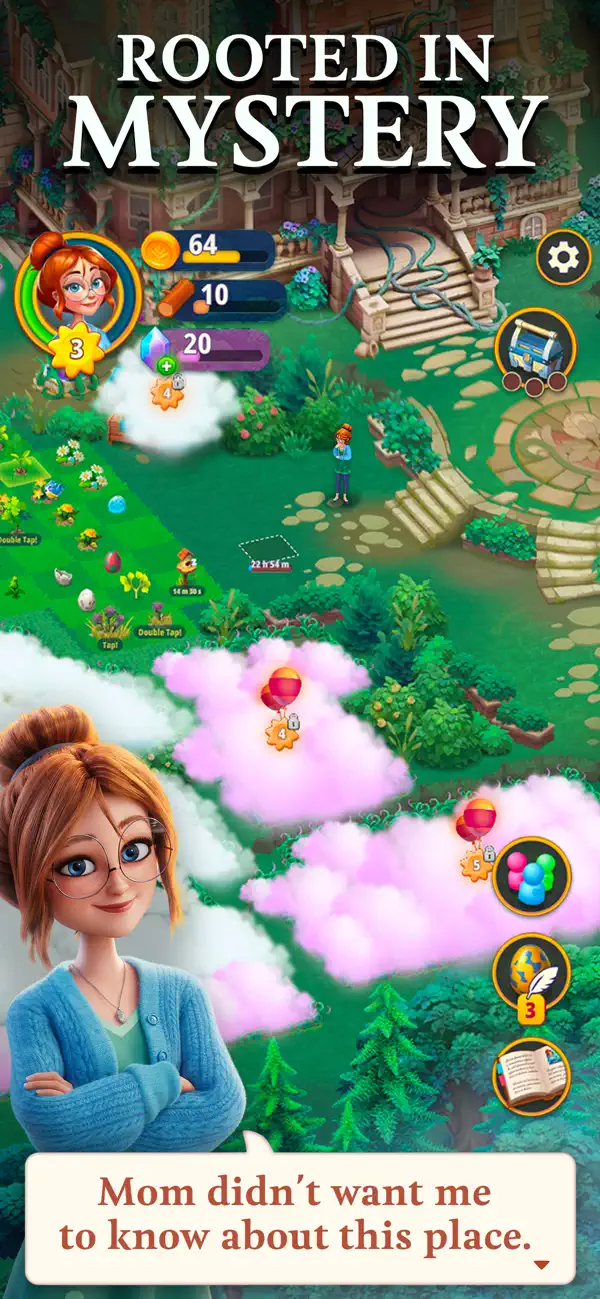
Enter a mysterious garden to unlock its secrets, and uncover a story rooted deep in the past.
When Daisy inherits her missing uncle's old estate — one that she didn't even know he had owned — her only mission is to get the old place in good enough shape to sell it. But as she quickly finds out, there are truly mysterious things going on with this mansion and its surrounding garden.
Relax with this unique mix of Merge and Match-3 Puzzles, let your creativity shine by fixing up the old garden, and meet exciting new characters as you progress through the story that will take you through the ages!
RESTORE AND DISCOVER
- Start your restoration by working on a small plot at the mansion’s gates.
- Clear Evergrowth to unlock and reveal secrets inside the new areas.
- Collect rare creatures to live in your garden.
MERGE
- Merge three of a kind to evolve them into superior items.
- Discover hundreds of wonderful items and creatures.
- Challenge your mind by completing quests beyond your mansion’s garden.
SOLVE PUZZLES
- Test your solving puzzle skills by completing hundreds of Match 3 puzzle levels.
- Pop and blast 3D blocks for irresistible combos.
- Earn rewards for your garden at each level.
Myrtlegrove Estate's garden is full of human-shaped topiary statues and peculiar plants with roots that seem to cover the entire land. What in the world has Daisy actually inherited? It’s now up to you and Daisy to renovate the estate while dealing with the strange circumstances that affected her forgotten ancestors and forced her mother to break all ties with the family. It’s time to find your Green Thumbs.
If you have comments, ideas or suggestions, we’d love to receive them at [email protected]

- iPhone أو iPad بجيلبريك أو بدون جيلبريك.
- Sideloadly أو بدائلها.
- كمبيوتر يعمل بنظام Windows/macOS/Linux مع تثبيت iTunes.
الخطوة 1: قم بتنزيل ملف .IPA المعدّل مسبقًا من الرابط أعلاه إلى الكمبيوتر الخاص بك. للتنزيل من تطبيق iOSGods App، اطلع على دليل تنزيل IPA من تطبيق iOSGods App الذي يتضمن مثالًا بالفيديو.
الخطوة 2: قم بتنزيل Sideloadly وتثبيته على جهاز Windows أو Mac.
الخطوة 3: افتح Sideloadly على الكمبيوتر، ووصّل جهاز iOS الخاص بك، وانتظر حتى يظهر اسم جهازك داخل Sideloadly.
الخطوة 4: بمجرد التعرّف على جهاز iDevice الخاص بك، اسحب ملف .IPA المعدّل الذي قمت بتنزيله وأفلِته داخل تطبيق Sideloadly.
الخطوة 5: أدخل البريد الإلكتروني لحساب Apple Account الخاص بك، ثم اضغط على «Start». سيُطلب منك بعد ذلك إدخال كلمة المرور. تابع وأدخل المعلومات المطلوبة.
الخطوة 6: انتظر حتى ينتهي Sideloadly من تحميل/تثبيت ملف IPA المعدّل. في حال واجهت أي مشاكل أثناء التثبيت، يرجى قراءة الملاحظة أدناه.
الخطوة 7: بعد اكتمال التثبيت ورؤية التطبيق على الشاشة الرئيسية، انتقل إلى Settings → General → Profiles / VPN & Device Management. ثم اضغط على البريد الإلكتروني الذي أدخلته في الخطوة 6، ثم اضغط على «الوثوق بـ [email protected]».
الخطوة 8: الآن انتقل إلى الشاشة الرئيسية وافتح التطبيق الذي تم تثبيته للتو وسيعمل كل شيء بشكل صحيح. قد تحتاج إلى اتباع تعليمات إضافية خاصة بكل تطبيق داخل النافذة المنبثقة للتعديل أثناء اللعب.
ملاحظة: بدءًا من iOS/iPadOS 16 وما بعده، يجب تفعيل وضع المطور (Developer Mode). بالنسبة لحسابات Apple Developer المجانية، ستحتاج إلى تكرار هذه العملية كل 7 أيام. إذا كانت لديك أي أسئلة أو مشاكل، يرجى قراءة قسم الأسئلة الشائعة حول Sideloadly في الموضوع.