ログインが必要
iOSGodsアカウントでサインインして続けてください。
iOSGodsアカウントでサインインして続けてください。
Star2 Random Defense(S2RD) iOS Mod IPA で無制限のリソースをアンロックし、この無料の iOS モッド IPA を使用して、グラインディングなしですべてのバトルを支配できます。食料、シルバー、エッセンス、エーテル、ゴールド、ダイヤモンド、エネルギーをフリーズして完全なコントロールを維持するか、ViP 機能をアクティブにして、減少する代わりに増加する無制限の供給を取得します。
- 食料をフリーズ → 供給を一定に保つ
- シルバーをフリーズ → 通貨の損失を防ぐ
- エッセンスをフリーズ → エッセンスバランスを維持
- エーテルをフリーズ → エーテルを現在のレベルでロック
- ゴールドをフリーズ → ゴールドの減少を停止
- ダイヤモンドをフリーズ → ダイヤモンド数を保持
- エネルギーをフリーズ → エネルギーの消費を防ぐ
ViP
- 無制限ゴールド → 減少する代わりに増加します
- 無制限ダイヤモンド → 減少する代わりに増加します
- 無制限エネルギー → 減少する代わりに増加します
このアプリにはiGameGodも搭載されており、繰り返し作業を自動化するAuto Touch、ゲーム速度を調整できるApp Speed Manager、Memory Engineによる値の編集など、強力なiOSゲーム用ツールをご利用いただけます。
Star2 Random Defense(S2RD) iOS Mod IPAを上のリンクからダウンロードします。インストールボタンをタップし、画面の指示に従ってiPhone、iPad、Apple SiliconにこのiOSアプリハックをインストールします。
さらにヘルプが必要ですか? 詳しい回答とトラブルシューティングはiOSGodsアプリ よくある質問をご覧ください。
Star2 Random Defense: S2RD
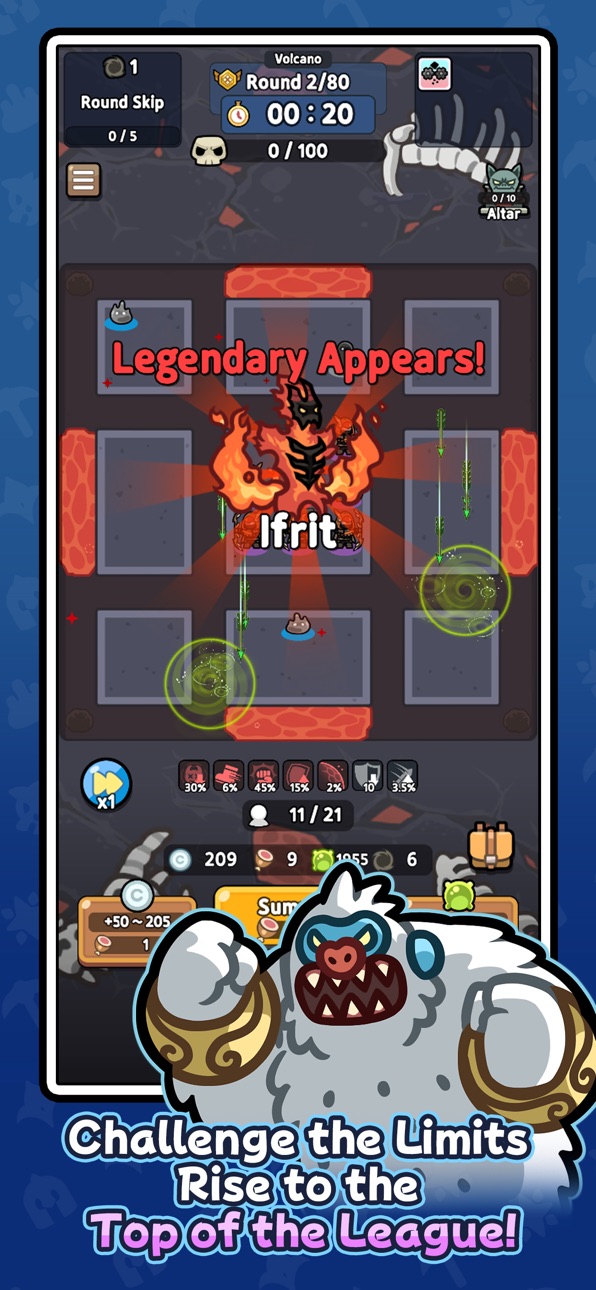
Relive the nostalgia, now in your hands! Crafted by the original creator, this mobile version of the classic random combination defense game is here. Dive into a vertical strategy defense game packed with unpredictable battles and endless strategic possibilities. Feel the thrill where a single choice can turn the tide of victory!
Random Summons and Strategic Choices
Every battle brings completely random heroes! Use limited resources to draw cards and craft the ultimate combination. A single card can shift the battle, and one decision can secure your win. Luck? Strategy? You’ll need both to triumph!
Trait System for Your Unique Build
Create your own playstyle with over 100 unique traits. Every match births a new build! Grow your heroes through a 7-tier system from basic to legendary and unleash overwhelming power.
Diverse Regions, Infinite Challenges
Jungle swamps, desert sandstorms, volcanic lava—each region demands a distinct strategy. With over 88 unique heroes and 200+ distinct cards, no two battles are ever the same.
Why S2RD?
- Thrill of Randomness: The excitement of unpredictable summons!
- Depth of Strategy: Endless combinations with cards and traits.
- Casual Fun: Vertical gameplay, perfect for anytime, anywhere!
With ever-changing combinations and tactics, no battle is ever repeated.
Level up heroes from the lowest tier to legendary through a 7-stage system and create your ultimate combination! Test the limits of luck and strategy with S2RD now. Every match is a new adventure!
※ Purchasing paid items incurs additional charges (including randomized items).
※ Payment amount and method: Subject to the payment amount and method specified for each product.
※ Payments in foreign currency may vary due to exchange rates and fees.
※ In-app purchases are subject to VAT.
[Terms and Conditions]
スクリーンショット © 各権利者 · App Store


iOSGods は Apple Inc.、Google LLC、および掲載アプリの開発者と提携しておらず、承認や協賛も受けていません。Apple、iOS、App Store は Apple Inc. の商標です。Android および Google Play は Google LLC の商標です。その他のアプリ名、アイコン、画像、商標はすべて各権利者に帰属します。

- 脱獄/Jailed済みまたは脱獄済みのiPhoneまたはiPad。
- Sideloadlyまたは代替手段。
- iTunesがインストールされているWindows/macOS/Linuxを実行しているコンピュータ。
ステップ1: 上のリンクから事前にハックされた.IPAファイルをコンピュータにダウンロードします。iOSGodsアプリからダウンロードする方法は、ビデオ例付きのiOSGodsアプリIPAダウンロードチュートリアルをご覧ください。
ステップ2: SideloadlyをダウンロードしてWindowsまたはMacにインストールします。
ステップ3: コンピュータでSideloadlyを開き、iOSデバイスを接続して、デバイス名がSideloadlyに表示されるまで待ちます。
ステップ4: iDeviceが認識されたら、ダウンロードしたModされた.IPAファイルをSideloadlyアプリにドラッグ&ドロップします。
ステップ5: Apple Accountのメールアドレスを入力し、「Start」を押します。次にパスワードの入力を求められます。必要な情報を入力してください。
ステップ6: Sideloadlyがハックされたipaのサイドロード/インストールを完了するのを待ちます。インストール中に問題が発生した場合は、以下の注意事項をお読みください。
ステップ7: インストールが完了し、ホーム画面にアプリが表示されたら、設定 → 一般 → プロファイル / VPNとデバイス管理に移動する必要があります。そこで、ステップ6で入力したメールをタップし、「Trust [email protected]」をタップします。
ステップ8: ホーム画面に戻り、新しくインストールされたアプリを開けば、すべて正常に動作するはずです。ゲーム内のハックのポップアップで、アプリごとの追加指示に従う必要がある場合があります。
注意: iOS/iPadOS 16以降では、デベロッパモードを有効にするが必要です。無料のApple Developerアカウントの場合、このプロセスを7日ごとに繰り返す必要があります。質問や問題がある場合は、トピックのSideloadly FAQセクションをお読みください。
Game Name iOS Mod IPA is an action adventure game enhanced with powerful gameplay boosts and quality-of-life improvements. Win battles faster, earn rewards quicker, and enjoy uninterrupted play without ads.
- Unlimited Gold - spend freely to unlock premium content
- Damage Multiplier - deal significantly more damage in combat
- Defense Multiplier - take less damage and survive longer
- Reward Multiplier - earn more loot from every battle
- Max Level - instantly reach the highest player rank
- No Ads - play without interruptions or advertisements
This app also comes with iGameGod, giving you access to Auto Touch to automate repetitive tasks, App Speed Manager for adjustable gameplay speed, Memory Engine value editing, and more powerful iOS game tools.
Game Name Mod IPAを上のリンクからダウンロードします。インストールボタンをタップし、画面の指示に従ってiPhone、iPad、Apple SiliconにこのiOSアプリハックをインストールします。
さらにヘルプが必要ですか 詳しい回答とトラブルシューティングはiOSGodsアプリ よくある質問をご覧ください。
----------------------------------------------------------
--------------------------------------------------