Inicio de sesión requerido
Inicia sesión con tu cuenta de iOSGods para continuar.
Inicia sesión con tu cuenta de iOSGods para continuar.

Obtén compras dentro de la aplicación ilimitadas sin gastar dinero real en The Blockheads Hack, un mod IAP gratuito para la querida aventura de sandbox basada en bloques. Construye, explora y crea sin que el muro de pago te detenga.
- IAP Gratuito → desbloquea elementos premium sin gastar dinero real (no funciona al comprar créditos en servidores en línea)
Esta app también incluye iGameGod, que te ofrece acceso a Auto Touch para automatizar tareas repetitivas, App Speed Manager para ajustar la velocidad del juego, edición de valores con Memory Engine y más potentes herramientas para juegos de iOS.
Descarga The Blockheads Hack - Free IAP Hack! modded IPA desde los enlaces de arriba. Toca el botón de instalación y sigue las instrucciones para instalar este hack iOS en tu iPhone, iPad o Mac con Apple Silicon.
¿Necesitas más ayuda? Consulta nuestras Preguntas frecuentes de la app iOSGods para respuestas detalladas y consejos de solución de problemas.
"On an iPhone or iPad, the 2-D, side-scrolling block-based sandbox is a winning formula, and The Blockheads is the most well-executed, true-to-Minecraft game I've had the pleasure to experience on iOS." - TouchArcade (5 Stars)
"The Blockheads takes the Minecraft experience and shrinks it down in a way that just works on a touchscreen. There are shades of Lemmings here too, and they blend together to make a sweet game about discovery, exploration, and creation." - Pocket Gamer (Gold Award)
*****
Night is falling and your blockhead is freezing. You haven't yet made shelter and your campfire has gone out. All you have is a spade, some wood and a few sticks. You have only minutes before exhaustion hits. Do you create a bed, dig a cave or refuel your fire? What will you do?
The Blockheads is a huge exploration, creation and survival game where the possibilities are endless!
Play offline in single player, or easily create and join online worlds to play with friends and family, or explore thousands of unique worlds created and hosted by other players.
Start with almost nothing and explore, craft, build and trade your way to steam trains, electric elevators, and even jet packs, titanium swords and carbon fiber armor.
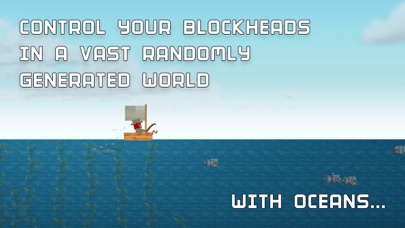
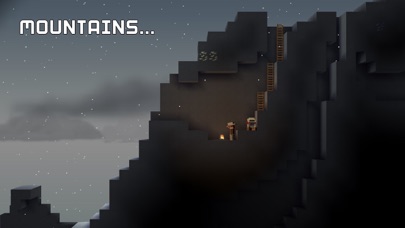
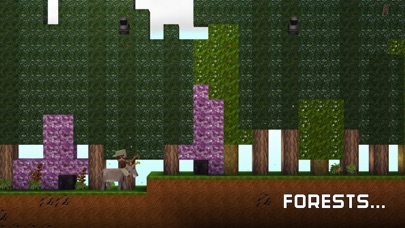
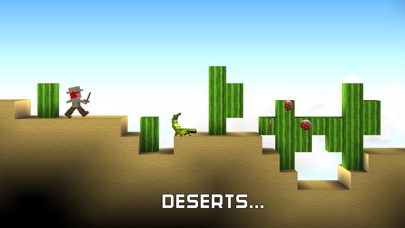
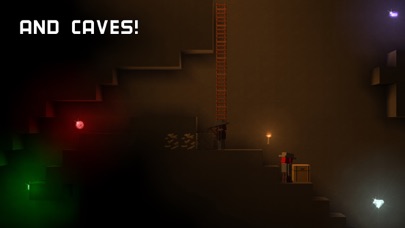
- Explore an infinite number of worlds filled with oceans, caves, deserts, mountains, forests and floating sky islands
- Build massive structures with the materials you find
- Trade with other players in an ever changing global economy
- Battle other blockheads in PVP worlds
- Lay rail and create jumps for speedy rail hand cars or create a rail network for easy transport by train
- Create an array of solar panels to power your oil refinery, and craft carbon fiber and fuel for your jetpack to explore the skies
- With content always being added, The Blockheads is continuously evolving, and there is more to come
Warp your first blockhead through the portal and get exploring now in The Blockheads!
- iPhone o iPad con o sin Jailbreak.
- Sideloadly u otras alternativas.
- Ordenador con Windows/macOS/Linux e iTunes instalado.
PASO 1: Descargue el archivo .IPA pre-modificado desde el enlace de arriba a su ordenador. Para descargarlo desde la iOSGods App, consulte nuestro Tutorial de descarga del IPA desde la iOSGods App, que incluye un ejemplo en vídeo.
PASO 2: Descargue Sideloadly e instálelo en su Windows o Mac.
PASO 3: Abra Sideloadly en su ordenador, conecte su dispositivo iOS y espere hasta que el nombre del dispositivo aparezca en Sideloadly.
PASO 4: Una vez que su iDevice sea reconocido, arrastre el archivo .IPA modificado que descargó y suéltelo en la aplicación Sideloadly.
PASO 5: Introduzca el correo electrónico de su Apple Account y, a continuación, pulse «Start». Le pedirá que introduzca su contraseña. Proporcione la información solicitada.
PASO 6: Espere a que Sideloadly termine de hacer sideload/instalar el IPA modificado. Si surgen problemas durante la instalación, por favor lea la nota a continuación.
PASO 7: Una vez completada la instalación y al ver la app en la pantalla de inicio, deberá ir a Ajustes → General → Perfiles / VPN y Gestión de Dispositivos. Una vez allí, toque el correo electrónico que introdujo en el paso 6 y, después, toque en «Confiar en [email protected]».
PASO 8: Ahora vaya a la pantalla de inicio y abra la app recién instalada; todo debería funcionar correctamente. Es posible que tenga que seguir instrucciones adicionales específicas de cada app dentro del popup del hack en el juego.
NOTA: En iOS/iPadOS 16 y posteriores, debe activar el Modo Desarrollador. Para cuentas gratuitas de Apple Developer, deberá repetir este proceso cada 7 días. Si tiene alguna pregunta o problema, lea nuestra sección de Preguntas Frecuentes de Sideloadly del tema.