ログインが必要
iOSGodsアカウントでサインインして続けてください。
iOSGodsアカウントでサインインして続けてください。
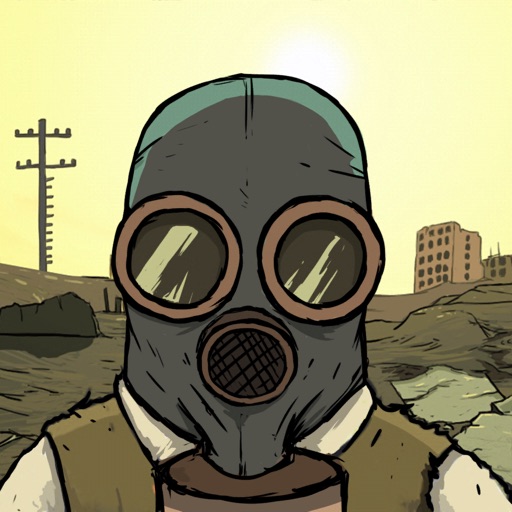
この60 Seconds! Atomic Adventure Mod IPAの無料ハックで、無制限のリソースを使って核戦争後の世界を生き残りましょう。シェルターに物資を備蓄し、家族を管理し、チートを活用して不足ではなく戦略に集中しながら、ポストアポカリプスの混乱に耐え抜きます。
- 無制限の食料 → 減少ではなく増加
- 無制限の水 → 減少ではなく増加
このアプリにはiGameGodも搭載されており、繰り返し作業を自動化するAuto Touch、ゲーム速度を調整できるApp Speed Manager、Memory Engineによる値の編集など、強力なiOSゲーム用ツールをご利用いただけます。
60 Seconds! Atomic Adventure - Free Hack modded IPAを上のリンクからダウンロードします。インストールボタンをタップし、画面の指示に従ってiPhone、iPad、Apple SiliconにこのiOSアプリハックをインストールします。
さらにヘルプが必要ですか? 詳しい回答とトラブルシューティングはiOSGodsアプリ よくある質問をご覧ください。
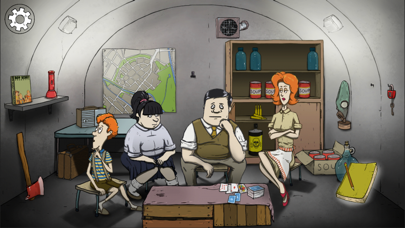
60 Seconds! is a dark comedy atomic adventure of scavenge and survival. Collect supplies and rescue your family before the nuke hits. Stay alive in your fallout shelter. Make difficult decisions, ration food and hunt mutant cockroaches. And maybe survive. Or not.
60 Seconds! requires at least an iPhone 5, iPad 3, or iPad mini 2.
As Ted, a responsible citizen and a family man, you are faced with a slight disturbance to your happy, suburban lifestyle. THE NUCLEAR APOCALYPSE.
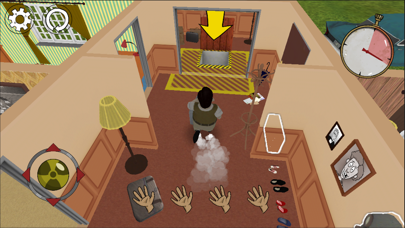
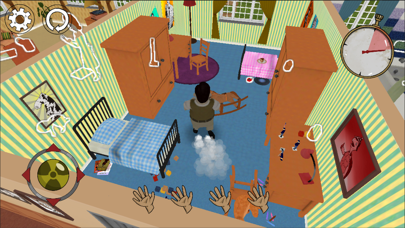
With only 60 seconds left to impact, guide Ted in a mad, intense and action packed dash through his house in search of his family and useful supplies. Everything will be against you - time, your very own furniture, the house that's different every time you play and the fundamental question - what to take with you and who to leave behind?
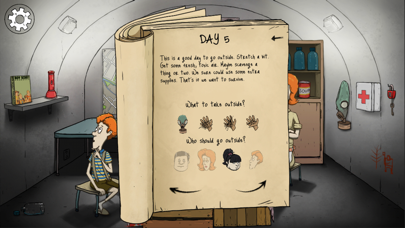
Reaching the fallout shelter in time and alive is only the beginning. Whatever you scavenged and whoever you saved will play a vital role in your survival. Each survival story will be different, with every day surprising you with unexpected events. Will all of these stories end well? It's up to you. Ration food and water, make best use of your supplies, face difficult choices and even venture into the wasteland.
Good luck.
EXPERIENCE
the suburbian nightmare of a nuke dropping down on your neighbourhood in this atomic, dark comedy set in 1950s.
SCAVENGE
any supplies, you will need to survive, and family members in a 60 second rush through your randomly generated house.
PREPARE
for the worst. Don’t just grab arbitrary items, plan your survival and follow helpful tips from emergency broadcasts!
SURVIVE
in a fallout shelter with whatever you brought with you. How many days will you last? Will everyone make it out alive?
DECIDE
what to do, when the post-apocalyptic world pushes you to the corner. Will you risk going outside? Who is not eating dinner, when barely any food is left? How do you deal with a mutant cockroach infestation?
- 脱獄/Jailed済みまたは脱獄済みのiPhoneまたはiPad。
- Sideloadlyまたは代替手段。
- iTunesがインストールされているWindows/macOS/Linuxを実行しているコンピュータ。
ステップ1: 上のリンクから事前にハックされた.IPAファイルをコンピュータにダウンロードします。iOSGodsアプリからダウンロードする方法は、ビデオ例付きのiOSGodsアプリIPAダウンロードチュートリアルをご覧ください。
ステップ2: SideloadlyをダウンロードしてWindowsまたはMacにインストールします。
ステップ3: コンピュータでSideloadlyを開き、iOSデバイスを接続して、デバイス名がSideloadlyに表示されるまで待ちます。
ステップ4: iDeviceが認識されたら、ダウンロードしたModされた.IPAファイルをSideloadlyアプリにドラッグ&ドロップします。
ステップ5: Apple Accountのメールアドレスを入力し、「Start」を押します。次にパスワードの入力を求められます。必要な情報を入力してください。
ステップ6: Sideloadlyがハックされたipaのサイドロード/インストールを完了するのを待ちます。インストール中に問題が発生した場合は、以下の注意事項をお読みください。
ステップ7: インストールが完了し、ホーム画面にアプリが表示されたら、設定 → 一般 → プロファイル / VPNとデバイス管理に移動する必要があります。そこで、ステップ6で入力したメールをタップし、「Trust [email protected]」をタップします。
ステップ8: ホーム画面に戻り、新しくインストールされたアプリを開けば、すべて正常に動作するはずです。ゲーム内のハックのポップアップで、アプリごとの追加指示に従う必要がある場合があります。
注意: iOS/iPadOS 16以降では、デベロッパモードを有効にするが必要です。無料のApple Developerアカウントの場合、このプロセスを7日ごとに繰り返す必要があります。質問や問題がある場合は、トピックのSideloadly FAQセクションをお読みください。