로그인 필요
계속하려면 iOSGods 계정으로 로그인하세요.
계속하려면 iOSGods 계정으로 로그인하세요.
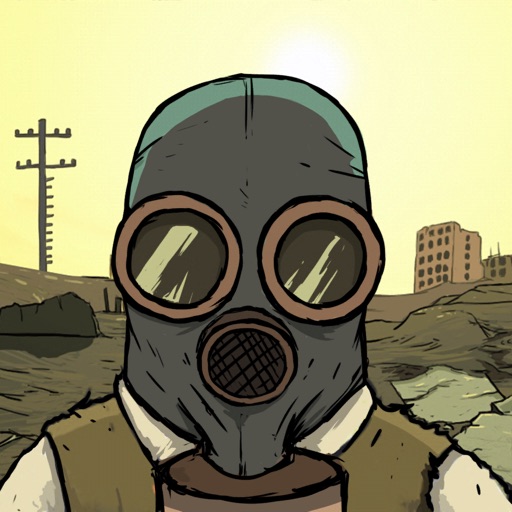
이 60 Seconds! Atomic Adventure Mod IPA 무료 해킹으로 핵 종말을 생존하세요. 벙커를 비축하고, 가족을 관리하며, 부족함 대신 전략에 집중할 수 있게 해주는 치트로 종말 이후의 혼란을 견뎌내세요.
- 무제한 식량 → 감소 대신 증가
- 무제한 물 → 감소 대신 증가
이 앱에는 iGameGod도 포함되어 있어 반복 작업을 자동화하는 Auto Touch, 게임 속도를 조절할 수 있는 App Speed Manager, Memory Engine 값 편집 등 강력한 iOS 게임 도구를 사용할 수 있습니다.
위의 링크에서 60 Seconds! Atomic Adventure - Free Hack modded IPA을 다운로드합니다. 설치 버튼을 누르고 화면 안내에 따라 iPhone, iPad 또는 Apple Silicon에 이 iOS 앱 해킹을 설치합니다.
더 많은 도움이 필요하신가요? 자세한 답변과 문제 해결 팁은 iOSGods 앱 자주 묻는 질문을 확인하세요.
60 Seconds! is a dark comedy atomic adventure of scavenge and survival. Collect supplies and rescue your family before the nuke hits. Stay alive in your fallout shelter. Make difficult decisions, ration food and hunt mutant cockroaches. And maybe survive. Or not.
60 Seconds! requires at least an iPhone 5, iPad 3, or iPad mini 2.
As Ted, a responsible citizen and a family man, you are faced with a slight disturbance to your happy, suburban lifestyle. THE NUCLEAR APOCALYPSE.
With only 60 seconds left to impact, guide Ted in a mad, intense and action packed dash through his house in search of his family and useful supplies. Everything will be against you - time, your very own furniture, the house that's different every time you play and the fundamental question - what to take with you and who to leave behind?
Reaching the fallout shelter in time and alive is only the beginning. Whatever you scavenged and whoever you saved will play a vital role in your survival. Each survival story will be different, with every day surprising you with unexpected events. Will all of these stories end well? It's up to you. Ration food and water, make best use of your supplies, face difficult choices and even venture into the wasteland.
Good luck.
EXPERIENCE
the suburbian nightmare of a nuke dropping down on your neighbourhood in this atomic, dark comedy set in 1950s.
SCAVENGE
any supplies, you will need to survive, and family members in a 60 second rush through your randomly generated house.
PREPARE
for the worst. Don’t just grab arbitrary items, plan your survival and follow helpful tips from emergency broadcasts!
SURVIVE
in a fallout shelter with whatever you brought with you. How many days will you last? Will everyone make it out alive?
DECIDE
what to do, when the post-apocalyptic world pushes you to the corner. Will you risk going outside? Who is not eating dinner, when barely any food is left? How do you deal with a mutant cockroach infestation?
- 탈옥/제일 또는 탈옥된 iPhone 또는 iPad가 필요합니다.
- Sideloadly 또는 대체 도구가 필요합니다.
- iTunes가 설치된 Windows/macOS/Linux 컴퓨터가 필요합니다.
1단계: 위 링크에서 미리 해킹된 .IPA 파일을 컴퓨터에 다운로드합니다. iOSGods App에서 다운로드하려면 동영상 예시가 포함된 iOSGods App IPA 다운로드 튜토리얼를 참고하십시오.
2단계: Sideloadly를 다운로드하여 Windows 또는 Mac에 설치합니다.
3단계: 컴퓨터에서 Sideloadly를 실행하고 iOS 기기를 연결한 후, Sideloadly에 기기 이름이 표시될 때까지 기다립니다.
4단계: iDevice가 인식되면, 다운로드한 모드된 .IPA 파일을 Sideloadly 애플리케이션에 끌어다 놓습니다.
5단계: Apple Account 이메일을 입력한 후 “Start”를 누릅니다. 그러면 비밀번호를 입력하라는 메시지가 표시됩니다. 요청된 정보를 제공해 주십시오.
6단계: Sideloadly가 해킹된 IPA의 사이드로드/설치를 완료할 때까지 기다리십시오. 설치 중 문제가 발생하면 아래 참고 사항을 읽어 주십시오.
7단계: 설치가 완료되어 홈 화면에서 앱이 보이면 설정 → 일반 → 프로파일 / VPN 및 기기 관리 경로로 이동해야 합니다. 그곳에서 6단계에서 입력한 이메일을 탭한 다음 “[email protected] 신뢰”를 탭하십시오.
8단계: 이제 홈 화면으로 돌아가 새로 설치된 앱을 열면 모든 것이 정상적으로 작동할 것입니다. 게임 내 해킹 팝업에서 앱별 추가 안내를 따라야 할 수도 있습니다.
참고: iOS/iPadOS 16 이상에서는 개발자 모드를 활성화해야 합니다. 무료 Apple Developer 계정의 경우 이 과정을 7일마다 반복해야 합니다. 질문이나 문제가 있는 경우 해당 토픽의 Sideloadly FAQ 섹션를 읽어보십시오.
Hack Features:
- Inf Coins (Spend)
App Installation Instructions:
---------------------------------------------------------
----------------------------------------------------------
If you require more information or help, please read our Frequently Asked Questions topic on iOSGods.com.
----------------------------------------------------------
--------------------------------------------------