Требуется вход
Войдите в учётную запись iOSGods, чтобы продолжить.
Войдите в учётную запись iOSGods, чтобы продолжить.

Усиливайте урон, защиту и награды вашего существа с помощью множителей в AERTHLINGS: Collect & Trade! Mod APK, взломе Android, который увеличивает вашу боевую мощь, пока вы собираете и развиваете ÆРTHLINGS, чтобы восстановить разрушенную планету. Сканируйте NFC фигурки, торгуйте с друзьями и разрабатывайте стратегию в этом мобильном RPG приключении с улучшенными характеристиками.
- Множитель урона → увеличьте мощь атаки ваших существ
- Множитель защиты → усильте защитные характеристики ваших существ
- Множитель награды → получайте больше награды из боев и активностей
Скачайте AERTHLINGS: Collect & Trade! Mod APK по кнопке выше. После начала загрузки следуйте инструкциям, чтобы установить модифицированный APK на устройство Android или эмулятор.
Нужна помощь? Посмотрите наши Часто задаваемые вопросы по Android, чтобы получить подробные ответы и советы по устранению неполадок.
ÆRTHLINGS is a mobile RPG adventure where you collect, trade, and evolve creatures while rebuilding a shattered planet!
After the MOONCRASH destroyed Planet ÆRTH, the ÆRTHLINGS are stranded on Earth — and it’s up to you to rescue them, rebuild ÆRTH, and outsmart the mischievous MOONLINGS.
Key Features:
- Collect & Evolve ÆRTHLINGS: Each creature has unique attacks and a MUTÆTION tree.
- Toy-to-Life Gameplay: Scan NFC-enabled figurines (available at Amazon, Big W, EB Games, Target, and more!) to unlock characters in-game.
- Trade & Strategize: Swap ÆRTHLINGS with friends to earn MUTÆTION points and grow your collection.
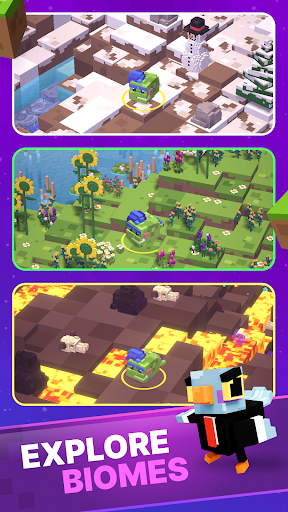
- Explore & Survive: Chop, craft, and battle through diverse biomes to fix shattered CHONKS of ÆRTH.
- Defeat the MOONLINGS: Outsmart these pesky chaos gremlins who love causing trouble.
- Epic Story, Ridiculous Fun: Rebuild a planet, collect rare characters, and enjoy the quirky narrative.
Download ÆRTHLINGS and prove you’ve got what it takes to rebuild ÆRTH (and maybe troll some MOONLINGS along the way).
Optional collectibles: Can you track down the rare Seed Series I figurines and unlock their exclusive ÆRTHLINGS in-game?
Network connection required.
Privacy Policy: https://aerthlings.com/privacy
Terms of Service: https://aerthlings.com/terms