Giriş Gerekli
Devam etmek için iOSGods hesabınızla giriş yapın.
Devam etmek için iOSGods hesabınızla giriş yapın.

AERTHLINGS: Collect & Trade! Mod APK ile yaratıklarınızın hasar, savunma ve ödüllerini çarpanlarla artırın, bu Android hilesi savaş gücünü güçlendirirken ÆRTHLINGS'leri toplayıp geliştirerek yıkılmış bir gezegeni yeniden inşa edin. NFC figürlerini tarayın, arkadaşlarınızla ticaret yapın ve geliştirilmiş istatistiklerle bu mobil RPG macerasında stratejinizi belirleyin.
- Hasar Çarpanı → yaratıklarınızın saldırı gücünü artırın
- Savunma Çarpanı → yaratıklarınızın savunma istatistiklerini güçlendirin
- Ödül Çarpanı → savaşlar ve aktivitelerden daha fazla ödül kazanın
Yukarıdaki düğmeden AERTHLINGS: Collect & Trade! Mod APK indirin. İndir'e dokunduğunuzda ekrandaki yönergeleri izleyerek modlu APK'yı Android cihazınıza veya emülatöre yükleyin.
Yardıma mı ihtiyacınız var? Ayrıntılı yanıtlar ve sorun giderme ipuçları için Android Sık Sorulan Sorular sayfamıza bakın.
ÆRTHLINGS is a mobile RPG adventure where you collect, trade, and evolve creatures while rebuilding a shattered planet!
After the MOONCRASH destroyed Planet ÆRTH, the ÆRTHLINGS are stranded on Earth — and it’s up to you to rescue them, rebuild ÆRTH, and outsmart the mischievous MOONLINGS.
Key Features:
- Collect & Evolve ÆRTHLINGS: Each creature has unique attacks and a MUTÆTION tree.
- Toy-to-Life Gameplay: Scan NFC-enabled figurines (available at Amazon, Big W, EB Games, Target, and more!) to unlock characters in-game.
- Trade & Strategize: Swap ÆRTHLINGS with friends to earn MUTÆTION points and grow your collection.
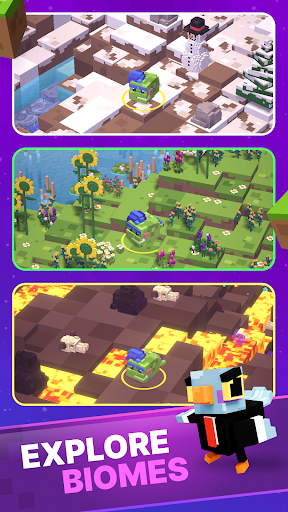
- Explore & Survive: Chop, craft, and battle through diverse biomes to fix shattered CHONKS of ÆRTH.
- Defeat the MOONLINGS: Outsmart these pesky chaos gremlins who love causing trouble.
- Epic Story, Ridiculous Fun: Rebuild a planet, collect rare characters, and enjoy the quirky narrative.
Download ÆRTHLINGS and prove you’ve got what it takes to rebuild ÆRTH (and maybe troll some MOONLINGS along the way).
Optional collectibles: Can you track down the rare Seed Series I figurines and unlock their exclusive ÆRTHLINGS in-game?
Network connection required.
Privacy Policy: https://aerthlings.com/privacy
Terms of Service: https://aerthlings.com/terms