Giriş Gerekli
Devam etmek için iOSGods hesabınızla giriş yapın.
Devam etmek için iOSGods hesabınızla giriş yapın.
Airship Knights: Zero'da hava gemini gizemli bir steampunk gökyüzünde yönetin, 10 saniyelik zaman saldırısı savaşlarıyla güçlenin ve uzakta iken daha da güçlü olun. Bu Mod IPA, hasarınızı, savunmanızı ve kaynak üretimini artırarak giderek zorlaşan seviyeleri öğütme olmadan kolayca geçebilirsiniz.
Her benzersiz şövalyenin hikayesini takip etseniz de efsanevi statüye ulaşmaya çalışsanız da, bu hile reklamları kaldırır ve savaş etkinliğinizi çoğaltır, böylece enerji bekleme veya kesintileri izleme yerine macera ve karakter gelişimine odaklanabilirsiniz.
- Hasar Çarpanı → saldırı gücünüzü artırın
- Savunma Çarpanı → gelen hasarı azaltın
- Mana Çarpanı → büyü kaynağı üretimini artırın
- Metal Çarpanı → el sanatları ve yükseltme malzemelerini artırın
- Reklam Yok → kesintisiz oynayın
Bu uygulama ayrıca, tekrar eden görevleri otomatikleştirmek için Auto Touch, ayarlanabilir oyun hızı için App Speed Manager, Memory Engine ile değer düzenleme ve daha pek çok güçlü iOS oyun aracına erişim sağlayan iGameGod ile birlikte gelir.
Yukarıdaki bağlantılardan Airship Knights: Zero iOS Mod IPA indirin. Yükle düğmesine dokunup ekrandaki yönergeleri izleyerek bu iOS uygulama hack'ini iPhone, iPad veya Apple Silicon'a yükleyin.
Daha fazla yardıma mı ihtiyacınız var? Ayrıntılı yanıtlar ve sorun giderme ipuçları için iOSGods Uygulaması Sık Sorulan Sorular sayfamıza bakın.
“飛艇所穿越天空的這個地方是神秘的放克世界。
你們是雲島的第一位飛艇船長!”
AFK突破無限關卡,成為傳奇英雄!
■ 登上飛艇的時間攻擊放置型戰鬥
- 10 秒的勝負!時間內擊敗怪物後前進!
- 自動戰鬥和成長,越來越強的敵人對你來說不會有任何問題。
■ 融合魔法與工學的冒險故事
- 感受這個奇幻動畫世界的魅力。
- 每位騎士的獨特故事讓真實感加倍,戰鬥更刺激!
■ 無盡的旅程中透過“輪迴”變得更強大
- 在這段無盡旅程中一旦感到極限的話,打開傳送門,回到起點!
- 有了更多的力量,將能夠走得更遠。
■ 擁有強大引擎,升級成最強飛艇
- 強化魔力引擎,快速提升戰鬥力!
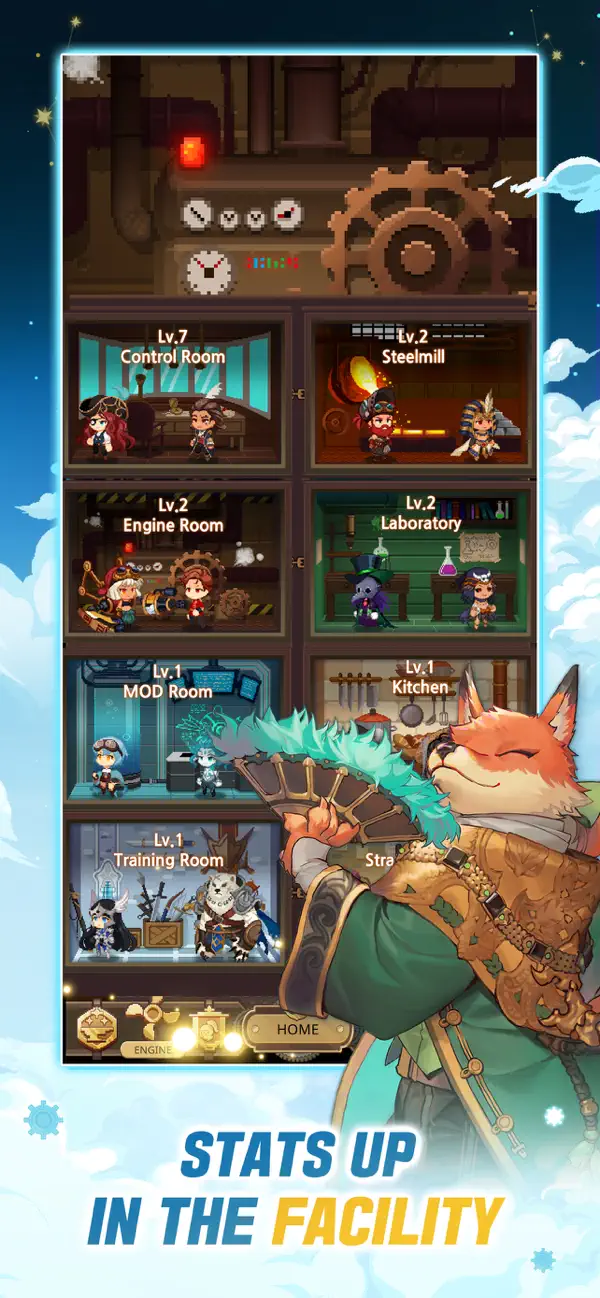
- 管理管制室、引擎室和研究室等等的 6 個艙室來讓飛艇變強。
■ 40 位擁有令人難以置信的外貌和能力的像素騎士!
- 與具有各種屬性和職位的騎士一起創建自己的派對。
- 可以透過晉升,覺醒和裝備等多種方式協助騎士成長。
■ 探索世界地圖邁向更廣闊的世界
- 競技場:充滿強大騎士的1:1 PVP
- 元素雲島:與白虎、玄武、青龍、朱雀對戰!
- 靈魂副本:挑戰副本來晉升騎士團。
- 天空之塔:征服充滿怪物的塔,揭開古老的秘密。
- 神殿:船長晉升戰!克服女神給的試煉。
*依遊戲軟體分級管理辦法,此軟體為輔導十二歲級,十二歲以上之人始得使用。

- Jailbreak'siz/normal ya da jailbreak'li iPhone veya iPad.
- Sideloadly veya alternatifleri.
- iTunes yüklü Windows/macOS/Linux çalıştıran bir bilgisayar.
ADIM 1: Yukarıdaki bağlantıdan önceden hacklenmiş .IPA dosyasını bilgisayarınıza indirin. iOSGods App üzerinden indirmek için video örneği de içeren iOSGods App IPA İndirme Kılavuzu bölümümüze göz atın.
ADIM 2: Sideloadly indirin ve Windows veya Mac'inize kurun.
ADIM 3: Bilgisayarınızda Sideloadly'yi açın, iOS cihazınızı bağlayın ve cihaz adınız Sideloadly'de görünene kadar bekleyin.
ADIM 4: iCihazınız tanındıktan sonra, indirdiğiniz modlu .IPA dosyasını sürükleyip Sideloadly uygulamasına bırakın.
ADIM 5: Apple Account e-posta adresinizi girin ve ardından "Start" düğmesine basın. Sonrasında sizden şifreniz istenecektir. Gerekli bilgileri girin.
ADIM 6: Sideloadly'nin hacklenmiş IPA'yı sideload edip yüklemesini bekleyin. Yükleme sırasında bir sorun olursa lütfen aşağıdaki notu okuyun.
ADIM 7: Yükleme tamamlandıktan ve uygulamayı Ana Ekranınızda gördükten sonra Ayarlar → Genel → Profiller / VPN ve Cihaz Yönetimi bölümüne gitmelisiniz. Burada 6. adımda girdiğiniz e-postaya dokunun ve ardından "[email protected]'a Güven" seçeneğine dokunun.
ADIM 8: Şimdi Ana Ekranınıza gidin ve yeni yüklediğiniz uygulamayı açın; her şey sorunsuz çalışmalıdır. Oyun içindeki hack açılır penceresinde uygulamaya özel ek talimatları takip etmeniz gerekebilir.
NOT: iOS/iPadOS 16 ve sonrasında Geliştirici Modu'nu etkinleştirmeniz gerekir. Ücretsiz Apple Developer hesapları için bu işlemi her 7 günde bir tekrarlamanız gerekir. Sorularınız veya sorunlarınız varsa konunun Sideloadly SSS bölümünü okuyun.