تسجيل الدخول مطلوب
سجّل الدخول بحساب iOSGods للمتابعة.
Hack Features
- Damage Multiplier
- Defense Multiplier
قم بتنزيل FairyTale Quest iOS Mod IPA من الروابط أعلاه. اضغط على زر التثبيت واتبع التعليمات لتثبيت هذا التعديل لـ iOS على iPhone أو iPad أو Apple Silicon.
هل تحتاج إلى مزيد من المساعدة؟ راجع الأسئلة الشائعة لتطبيق iOSGods للحصول على إجابات مفصلة ونصائح لاستكشاف الأخطاء.
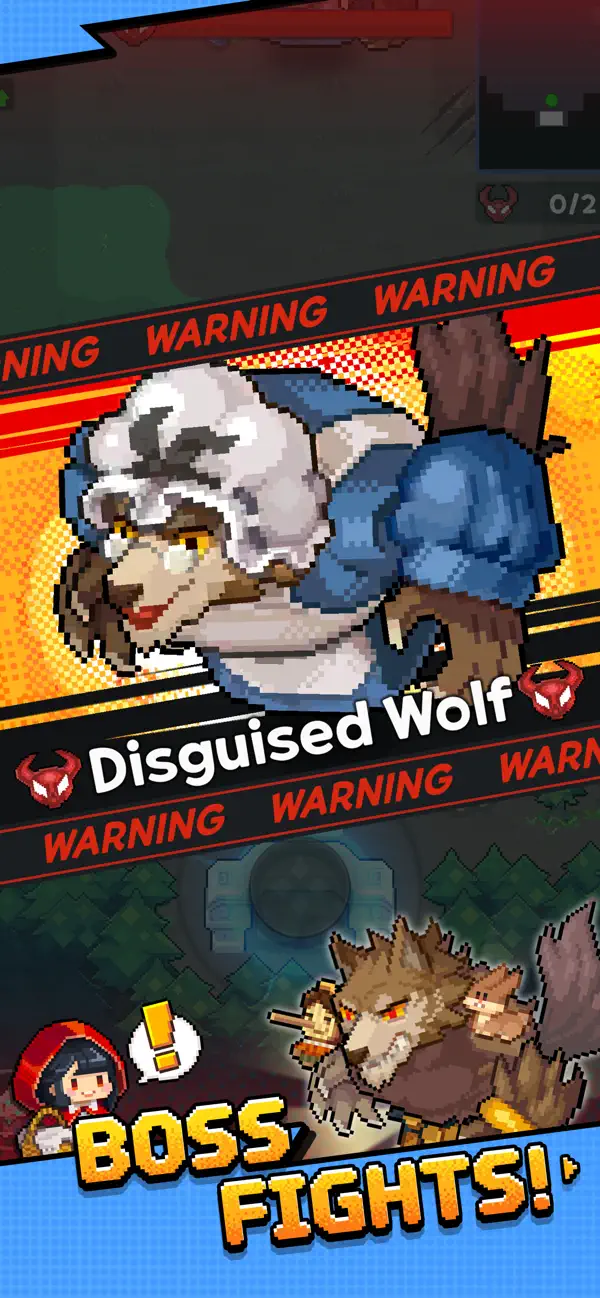
Roguelite RPG in Adorable Pixel Art
The fairytale world has mysteriously turned into a twisted, chaotic mess!
Our fairytale heroes are in trouble and are waiting for your help, Adventurer.
Adventurer, are you ready to save the fairytale world?
■ Adventure Without a Dull Moment
Get ready to meet your pixelated characters! Small in size, huge in adventure.
Enjoy ever-changing stages and cute yet thrilling battles every time!
■ The Charm of Roguelite Action RPG
Enhance your equipment and come up with new strategies using different skill combinations on each stage.
■ Adorable Fairytale Costumes
Transform into your favorite fairytale heroes to make this adventure truly one-of-a-kind.
■ Diverse Content
Request Mode, Treasure Island, Mysterious Ruins, Secret Vault, Witch's Garden, Arena, and more!
Try out a variety of game modes overflowing with rich rewards!
[Optional Access]
The following access is requested upon use. You may still continue using the service without the specific feature even if access is declined.
- Notifications: Permission to receive informational and promotional push notifications from the game app.
- Advertising Identifier: Permission to use the advertising identifier (IDFA) for promotion targeting and tracking analysis.
[How to Remove Access]
- Settings > Privacy & Security > Select App > Choose to Allow or Revoke Access
[Information on Paid Contents and Usage]
※ Probabilistic items are included in the game.
※ Purchasing paid contents will incur additional charges.
- Provider: ⓒ LINE Games Corporation
- Terms of Service and Service Period: Refer to the information provided in-game
(If service period is not shown, the game service end date is to be regarded as the service period)
- Payment amount and method: Refer to the amounts and methods provided for each content in-game
- Content provision method: Issued directly to the game account that carried out the purchase or via the in-game mailbox
- Information on refunds: Refer to Articles 29 through 31 of the Terms of Service
- Compensation for damages and handling of complaints: Refer to Articles 32 and 34 of the Terms of Service
- Customer support: Submit online via the in-game Support or call 1661-4184
- Terms of Service and Operational Policy: https://cs.line.games/policy/store/terms?companyCd=LINE_GAMES&svcCd=STORE
- Privacy Policy: https://cs.line.games/policy/store/privacy?companyCd=LINE_GAMES&svcCd=STORE
ⓒ LINE Games Corporation & ⓒ WIZELY&CO. All Rights Reserved.
----
[Developer Contact]
Tel. 02-1661-4184
E-mail: [email protected]
- iPhone أو iPad بجيلبريك أو بدون جيلبريك.
- Sideloadly أو بدائلها.
- كمبيوتر يعمل بنظام Windows/macOS/Linux مع تثبيت iTunes.
الخطوة 1: قم بتنزيل ملف .IPA المعدّل مسبقًا من الرابط أعلاه إلى الكمبيوتر الخاص بك. للتنزيل من تطبيق iOSGods App، اطلع على دليل تنزيل IPA من تطبيق iOSGods App الذي يتضمن مثالًا بالفيديو.
الخطوة 2: قم بتنزيل Sideloadly وتثبيته على جهاز Windows أو Mac.
الخطوة 3: افتح Sideloadly على الكمبيوتر، ووصّل جهاز iOS الخاص بك، وانتظر حتى يظهر اسم جهازك داخل Sideloadly.
الخطوة 4: بمجرد التعرّف على جهاز iDevice الخاص بك، اسحب ملف .IPA المعدّل الذي قمت بتنزيله وأفلِته داخل تطبيق Sideloadly.
الخطوة 5: أدخل البريد الإلكتروني لحساب Apple Account الخاص بك، ثم اضغط على «Start». سيُطلب منك بعد ذلك إدخال كلمة المرور. تابع وأدخل المعلومات المطلوبة.
الخطوة 6: انتظر حتى ينتهي Sideloadly من تحميل/تثبيت ملف IPA المعدّل. في حال واجهت أي مشاكل أثناء التثبيت، يرجى قراءة الملاحظة أدناه.
الخطوة 7: بعد اكتمال التثبيت ورؤية التطبيق على الشاشة الرئيسية، انتقل إلى Settings → General → Profiles / VPN & Device Management. ثم اضغط على البريد الإلكتروني الذي أدخلته في الخطوة 6، ثم اضغط على «الوثوق بـ [email protected]».
الخطوة 8: الآن انتقل إلى الشاشة الرئيسية وافتح التطبيق الذي تم تثبيته للتو وسيعمل كل شيء بشكل صحيح. قد تحتاج إلى اتباع تعليمات إضافية خاصة بكل تطبيق داخل النافذة المنبثقة للتعديل أثناء اللعب.
ملاحظة: بدءًا من iOS/iPadOS 16 وما بعده، يجب تفعيل وضع المطور (Developer Mode). بالنسبة لحسابات Apple Developer المجانية، ستحتاج إلى تكرار هذه العملية كل 7 أيام. إذا كانت لديك أي أسئلة أو مشاكل، يرجى قراءة قسم الأسئلة الشائعة حول Sideloadly في الموضوع.