Giriş Gerekli
Devam etmek için iOSGods hesabınızla giriş yapın.
Hack Features
- Damage Multiplier
- Defense Multiplier
Yukarıdaki bağlantılardan FairyTale Quest iOS Mod IPA indirin. Yükle düğmesine dokunup ekrandaki yönergeleri izleyerek bu iOS uygulama hack'ini iPhone, iPad veya Apple Silicon'a yükleyin.
Daha fazla yardıma mı ihtiyacınız var? Ayrıntılı yanıtlar ve sorun giderme ipuçları için iOSGods Uygulaması Sık Sorulan Sorular sayfamıza bakın.
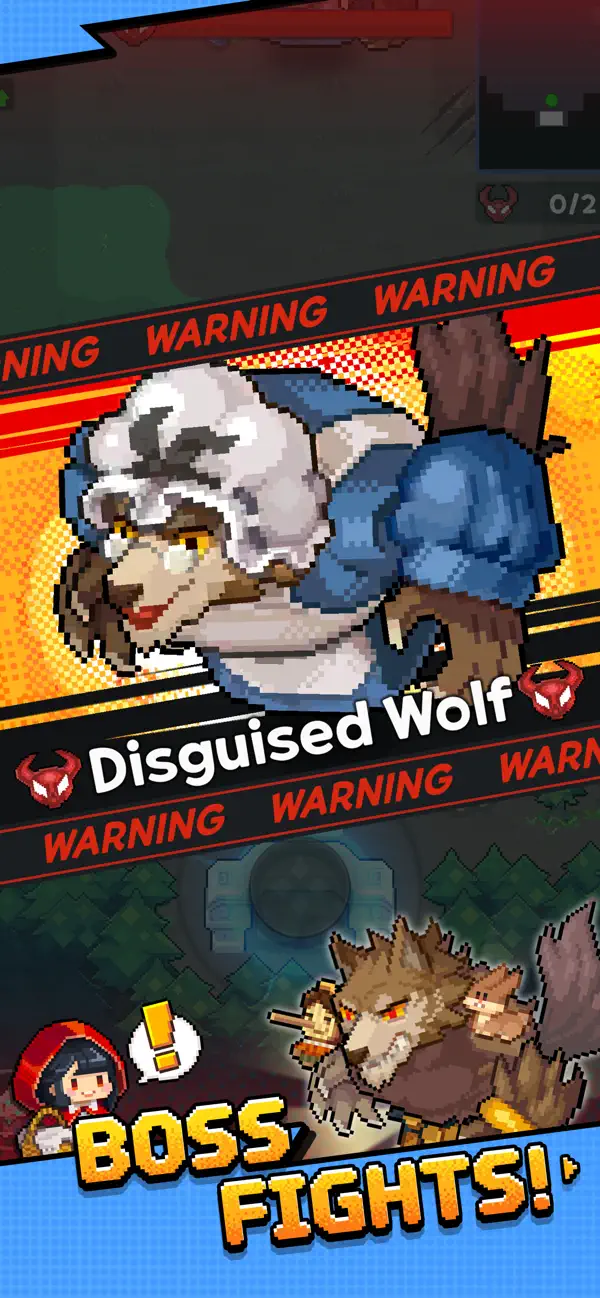
Roguelite RPG in Adorable Pixel Art
The fairytale world has mysteriously turned into a twisted, chaotic mess!
Our fairytale heroes are in trouble and are waiting for your help, Adventurer.
Adventurer, are you ready to save the fairytale world?
■ Adventure Without a Dull Moment
Get ready to meet your pixelated characters! Small in size, huge in adventure.
Enjoy ever-changing stages and cute yet thrilling battles every time!
■ The Charm of Roguelite Action RPG
Enhance your equipment and come up with new strategies using different skill combinations on each stage.
■ Adorable Fairytale Costumes
Transform into your favorite fairytale heroes to make this adventure truly one-of-a-kind.
■ Diverse Content
Request Mode, Treasure Island, Mysterious Ruins, Secret Vault, Witch's Garden, Arena, and more!
Try out a variety of game modes overflowing with rich rewards!
[Optional Access]
The following access is requested upon use. You may still continue using the service without the specific feature even if access is declined.
- Notifications: Permission to receive informational and promotional push notifications from the game app.
- Advertising Identifier: Permission to use the advertising identifier (IDFA) for promotion targeting and tracking analysis.
[How to Remove Access]
- Settings > Privacy & Security > Select App > Choose to Allow or Revoke Access
[Information on Paid Contents and Usage]
※ Probabilistic items are included in the game.
※ Purchasing paid contents will incur additional charges.
- Provider: ⓒ LINE Games Corporation
- Terms of Service and Service Period: Refer to the information provided in-game
(If service period is not shown, the game service end date is to be regarded as the service period)
- Payment amount and method: Refer to the amounts and methods provided for each content in-game
- Content provision method: Issued directly to the game account that carried out the purchase or via the in-game mailbox
- Information on refunds: Refer to Articles 29 through 31 of the Terms of Service
- Compensation for damages and handling of complaints: Refer to Articles 32 and 34 of the Terms of Service
- Customer support: Submit online via the in-game Support or call 1661-4184
- Terms of Service and Operational Policy: https://cs.line.games/policy/store/terms?companyCd=LINE_GAMES&svcCd=STORE
- Privacy Policy: https://cs.line.games/policy/store/privacy?companyCd=LINE_GAMES&svcCd=STORE
ⓒ LINE Games Corporation & ⓒ WIZELY&CO. All Rights Reserved.
----
[Developer Contact]
Tel. 02-1661-4184
E-mail: [email protected]
- Jailbreak'siz/normal ya da jailbreak'li iPhone veya iPad.
- Sideloadly veya alternatifleri.
- iTunes yüklü Windows/macOS/Linux çalıştıran bir bilgisayar.
ADIM 1: Yukarıdaki bağlantıdan önceden hacklenmiş .IPA dosyasını bilgisayarınıza indirin. iOSGods App üzerinden indirmek için video örneği de içeren iOSGods App IPA İndirme Kılavuzu bölümümüze göz atın.
ADIM 2: Sideloadly indirin ve Windows veya Mac'inize kurun.
ADIM 3: Bilgisayarınızda Sideloadly'yi açın, iOS cihazınızı bağlayın ve cihaz adınız Sideloadly'de görünene kadar bekleyin.
ADIM 4: iCihazınız tanındıktan sonra, indirdiğiniz modlu .IPA dosyasını sürükleyip Sideloadly uygulamasına bırakın.
ADIM 5: Apple Account e-posta adresinizi girin ve ardından "Start" düğmesine basın. Sonrasında sizden şifreniz istenecektir. Gerekli bilgileri girin.
ADIM 6: Sideloadly'nin hacklenmiş IPA'yı sideload edip yüklemesini bekleyin. Yükleme sırasında bir sorun olursa lütfen aşağıdaki notu okuyun.
ADIM 7: Yükleme tamamlandıktan ve uygulamayı Ana Ekranınızda gördükten sonra Ayarlar → Genel → Profiller / VPN ve Cihaz Yönetimi bölümüne gitmelisiniz. Burada 6. adımda girdiğiniz e-postaya dokunun ve ardından "[email protected]'a Güven" seçeneğine dokunun.
ADIM 8: Şimdi Ana Ekranınıza gidin ve yeni yüklediğiniz uygulamayı açın; her şey sorunsuz çalışmalıdır. Oyun içindeki hack açılır penceresinde uygulamaya özel ek talimatları takip etmeniz gerekebilir.
NOT: iOS/iPadOS 16 ve sonrasında Geliştirici Modu'nu etkinleştirmeniz gerekir. Ücretsiz Apple Developer hesapları için bu işlemi her 7 günde bir tekrarlamanız gerekir. Sorularınız veya sorunlarınız varsa konunun Sideloadly SSS bölümünü okuyun.