需要登入
請使用您的 iOSGods 帳戶登入以繼續。
請使用您的 iOSGods 帳戶登入以繼續。
在這個 Margonem Adventures Mod IPA 破解版中凍結敵人並無限施放法術。癱瘓敵人使其無法移動或攻擊,而無限魔力讓你可以不受資源限制地釋放完整的能力卡牌庫。透過控制戰場來掌握像素藝術 roguelike 的戰術戰鬥,並在每場遭遇中佔據優勢。
- 敵人無法移動 → 防止敵人在戰鬥中重新定位
- 敵人無法攻擊 → 阻止敵人造成傷害
- 無限魔力 → 無限制地施放法術和能力卡牌
此應用程式也內建 iGameGod,讓你可以使用 Auto Touch 自動執行重複操作、透過 App Speed Manager 調整遊戲速度、使用 Memory Engine 修改記憶體數值,以及更多強大的 iOS 遊戲工具。
從上方連結下載 Margonem Adventures Hack modded IPA。點選安裝按鈕並依照畫面指示在 iPhone、iPad 或 Apple Silicon 上安裝此 iOS 應用程式修改版。
需要更多協助?請查看我們的 iOSGods 應用程式常見問題 以獲得詳細解答與疑難排解。
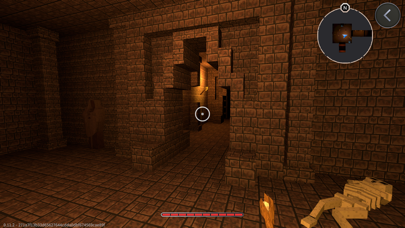
Margonem Adventures is a unique pixel-art roguelike RPG that blends strategic deck-building with tactical combat. Explore handcrafted dungeons, battle fearsome enemies, and collect powerful loot as you build your ultimate hero. Every encounter requires careful planning, resource management, and skillful decision-making to survive.
Gameplay
In Margonem Adventures, players must construct and refine their deck of ability cards, which play a crucial role in battles. Every fight demands smart card usage, tactical positioning, and mastery of your wand, the only permanent weapon in your arsenal. Players can draw, play, and combine different cards to execute powerful attacks, defensive maneuvers, and unique effects.
Dungeons are not procedurally generated, meaning that each level is carefully designed to provide challenging and balanced encounters. Players must adapt to their surroundings, study enemy patterns, and use their deck strategically to progress.
Deck-Building and Combat
The game revolves around deck management, where players can unlock, upgrade, and modify their selection of cards. Each dungeon run requires choosing the right combination of attack, defense, and utility cards to counter enemies efficiently. With every battle, you refine your strategy, adjust your deck, and discover new synergies between cards.
Enemies come in different ranks—from standard foes to Veterans, Elites, and Champions, each presenting distinct attack patterns and abilities. Boss battles push your tactical skills to the limit, requiring precise card usage and adaptive strategies to emerge victorious.
Key Features
Deck-Building Strategy – Construct and optimize your deck to overcome increasingly powerful enemies.
Turn-Based Combat – Every move counts in this deeply tactical battle system.
Skill-Based Progression – Unlock new cards, refine your strategy, and build the ultimate deck.
Handcrafted Dungeons – Explore carefully designed levels, each offering unique challenges.
Unique Wand Mechanic – Your wand is your only permanent weapon, complemented by a variety of ability cards.
Varied Enemy Types – Face monsters of different ranks and strengths, requiring distinct strategies.
Equipment and Loot – Find and upgrade powerful items to enhance your abilities.
No Two Runs Are the Same – Experiment with different decks and approaches to master each dungeon.
A Fresh Take on the Margonem Universe
Set in the world of Margonem, this game brings a new perspective to the beloved MMORPG. While it retains the familiar fantasy setting, Margonem Adventures introduces a card-based combat system and deep strategic elements, making it a fresh yet recognizable experience for fans and newcomers alike.
Will You Master the Dungeons?
Victory depends not only on strength but also on strategy. Build your deck, refine your tactics, and conquer the ever-growing challenges that await.
Download Margonem Adventures now and begin your adventure!

- 未越獄/受限或已越獄的 iPhone 或 iPad。
- Sideloadly 或替代方案。
- 執行 Windows/macOS/Linux 且已安裝 iTunes 的電腦。
步驟 1: 透過上方連結將已破解的 .IPA 檔案下載到您的電腦。若要從 iOSGods App 下載,請參閱我們的 iOSGods App IPA 下載教學,其中包含影片範例。
步驟 2: 下載 Sideloadly 並將其安裝在您的 Windows 或 Mac 上。
步驟 3: 在電腦上開啟 Sideloadly,連接您的 iOS 裝置,並等待裝置名稱出現在 Sideloadly 中。
步驟 4: 當 Sideloadly 辨識到您的 iOS 裝置後,將下載好的修改版 .IPA 檔案拖曳並放到 Sideloadly 應用程式中。
步驟 5: 輸入您的 Apple Account 電子郵件,然後按下「Start」。系統會要求您輸入密碼,請依指示提供所需資訊。
步驟 6: 等待 Sideloadly 完成已破解 IPA 的旁載/安裝。如果安裝過程中發生問題,請閱讀下方的注意事項。
步驟 7: 安裝完成並在主畫面上看到該應用程式後,您需要前往 設定 → 一般 → 描述檔 / VPN 與裝置管理。進入後,點選您在步驟 6 中輸入的電子郵件,然後點選「信任 [email protected]」。
步驟 8: 現在回到主畫面並開啟新安裝的應用程式,一切應該都能正常運作。您可能需要依照遊戲內破解彈出視窗中的進一步指示操作。
注意: 在 iOS/iPadOS 16 及更新版本上,您必須 啟用開發者模式。若使用免費的 Apple Developer 帳號,您將需要每 7 天重複此程序。如有任何疑問或問題,請閱讀我們的 主題中的 Sideloadly 常見問題區段。