ต้องเข้าสู่ระบบ
เข้าสู่ระบบด้วยบัญชี iOSGods เพื่อดำเนินการต่อ
เข้าสู่ระบบด้วยบัญชี iOSGods เพื่อดำเนินการต่อ

ใช้งานทักษะโดยไม่มีข้อจำกัดเวลาคูลดาวน์ และเปิดใช้งานสถานะ ViP ในการป้องกันหอคอย Mod IPA นี้ เพื่อให้คุณสามารถเข้าถึงความสามารถที่มีประสิทธิภาพได้ตลอดเวลาใน Omega Royale รวมหอคอย สร้างการป้องกัน และเอาชนะฝ่ายตรงข้ามในการต่อสู้กลยุทธ์ PvP แบบเรียลไทม์ด้วยเคล็ดลับเหล่านี้ที่อยู่ในมือของคุณ
- Omega ViP ทำงานอยู่ → ปลดล็อกสถานะบัญชีพรีเมียม
- สามารถใช้ทักษะได้ตลอดเวลา (แม้เมื่ออยู่ในคูลดาวน์) → ลบข้อจำกัดเวลาคูลดาวน์ของทักษะ
แอปนี้ยังมาพร้อมกับ iGameGod ซึ่งช่วยให้คุณเข้าถึง Auto Touch สำหรับการทำงานซ้ำ ๆ โดยอัตโนมัติ, App Speed Manager สำหรับปรับความเร็วของเกม, การแก้ไขค่าด้วย Memory Engine และเครื่องมือสำหรับเกม iOS ที่ทรงพลังอื่น ๆ อีกมากมาย
ดาวน์โหลด Omega Royale - Tower Defense Hack modded IPA จากลิงก์ด้านบน แตะปุ่มติดตั้งและทำตามคำแนะนำบนหน้าจอเพื่อติดตั้งแฮ็กแอป iOS นี้บน iPhone, iPad หรือ Apple Silicon
ต้องการความช่วยเหลือเพิ่มเติม? ดู คำถามที่พบบ่อยของแอป iOSGods สำหรับคำตอบโดยละเอียดและเคล็ดลับการแก้ไขปัญหา
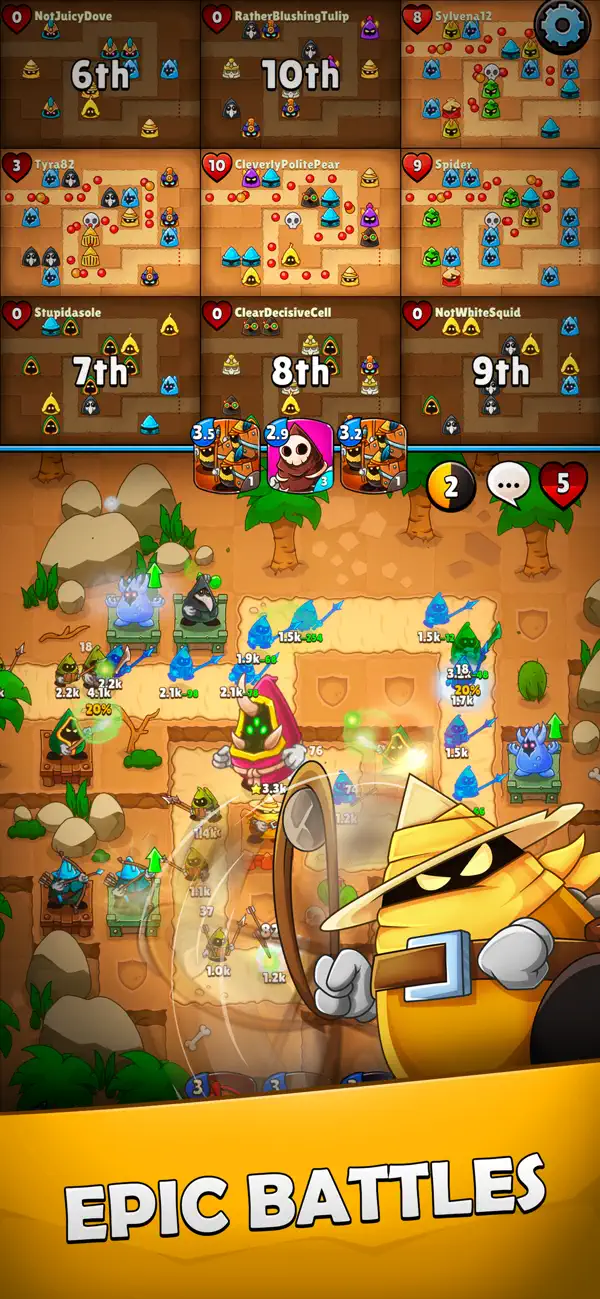
Merge towers. Build your defense. Compete in real-time tower defense strategy battles.
Omega Royale delivers a fresh twist on tower defense gameplay by combining real-time PvP battles, deep strategy, and merge mechanics. Outsmart opponents, evolve your base, and rise to the top of the global leaderboard.
Whether you’re new to tower defense or a seasoned strategist, Omega Royale offers fast-paced, rewarding gameplay that evolves every match.
KEY FEATURES:
Real-Time Merge Tower Defense
- Place, merge, and upgrade towers on the fly
- Combine matching towers to unlock powerful effects
- Balance attack power, range, and spell casting to control the battlefield
PvP Strategy Battles
- Battle players worldwide in real-time, competitive matches
- Outsmart and eliminate up to 9 rivals in each round
- Climb the leaderboard in ranked leagues and seasonal events
Endless Replayability
- Each match is different: adapt your strategy as the battlefield evolves
- Experiment with tower types, hero powers, and spell synergies
- Upgrade your arsenal to gain a tactical edge
Game Modes for All Players
- Real-time PvP (1v1 and 10-player elimination)
- PvE wave defense for solo and practice
- Limited-time events and seasonal challenges
- Clan support and co-op play
Deep Progression and Customization
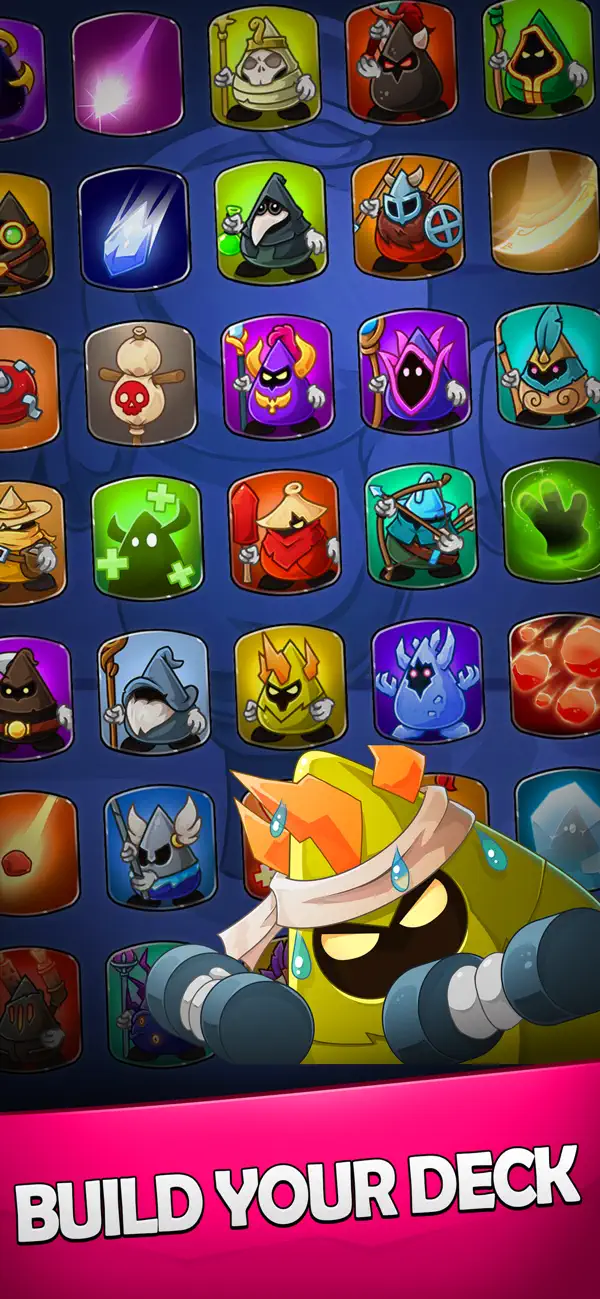
- Unlock a variety of towers with unique abilities
- Upgrade towers and spells with earned or collected resources
- Customize your loadout to fit your preferred playstyle
- Compete in seasonal events to earn exclusive skins and rewards
Omega Royale blends tower defense, merging, and PvP strategy into a thrilling, competitive mobile game. Whether you're chasing the leaderboard or just want a quick, tactical battle, this is the tower game you've been waiting for.
Why Players Love Omega Royale:
- Fast-paced matches with deep tactical decisions
- Merge mechanics add excitement and unpredictability
- High replay value with new strategies each game
- Competitive but fair PvP environment
- Visually striking arenas and effects
- Balanced for both casual players and strategy veterans
Join thousands of players worldwide. Build, merge, and battle your way to victory.
Download Omega Royale today and become a master of merge tower defense.
- iPhone หรือ iPad ที่ไม่ได้เจลเบรก/ไม่ได้เจลเบรก หรือเจลเบรกแล้ว
- Sideloadly หรือทางเลือกอื่น
- คอมพิวเตอร์ที่ใช้ Windows/macOS/Linux และติดตั้ง iTunes ไว้
ขั้นตอนที่ 1: ดาวน์โหลดไฟล์ .IPA ที่แฮกไว้ล่วงหน้าจากลิงก์ด้านบนลงในคอมพิวเตอร์ของคุณ หากต้องการดาวน์โหลดจากแอป iOSGods โปรดดู วิธีดาวน์โหลด IPA ในแอป iOSGods ซึ่งมีตัวอย่างวิดีโอประกอบ
ขั้นตอนที่ 2: ดาวน์โหลด Sideloadly แล้วติดตั้งบน Windows หรือ Mac ของคุณ
ขั้นตอนที่ 3: เปิด Sideloadly บนคอมพิวเตอร์ เชื่อมต่ออุปกรณ์ iOS แล้วรอจนกว่าชื่ออุปกรณ์ของคุณจะปรากฏใน Sideloadly
ขั้นตอนที่ 4: เมื่อ iDevice ของคุณถูกตรวจพบแล้ว ให้ลากไฟล์ .IPA ที่ม็อดมาวางลงในโปรแกรม Sideloadly
ขั้นตอนที่ 5: กรอกอีเมล Apple Account ของคุณ จากนั้นกด "Start" ระบบจะถามรหัสผ่าน กรอกข้อมูลที่จำเป็นให้เรียบร้อย
ขั้นตอนที่ 6: รอจนกว่า Sideloadly จะ sideload/ติดตั้งไฟล์ IPA ที่แฮกเสร็จ หากเกิดปัญหาระหว่างติดตั้ง โปรดอ่านหมายเหตุด้านล่าง
ขั้นตอนที่ 7: เมื่อการติดตั้งเสร็จสิ้นและเห็นแอปบนหน้าจอหลักแล้ว ให้ไปที่ การตั้งค่า → ทั่วไป → โปรไฟล์ / VPN และการจัดการอุปกรณ์ จากนั้นแตะที่อีเมลที่คุณกรอกในขั้นตอนที่ 6 แล้วแตะ "เชื่อถือ [email protected]"
ขั้นตอนที่ 8: จากนั้นไปที่หน้าจอหลักและเปิดแอปที่ติดตั้งใหม่ ทุกอย่างควรทำงานได้ปกติ คุณอาจต้องทำตามคำแนะนำเพิ่มเติมเฉพาะแอปในป๊อปอัปของม็อดในเกม
หมายเหตุ: สำหรับ iOS/iPadOS 16 ขึ้นไป คุณต้อง เปิดโหมดนักพัฒนา (Developer Mode) สำหรับบัญชี Apple Developer แบบฟรี คุณต้องทำขั้นตอนนี้ซ้ำทุก 7 วัน หากมีคำถามหรือพบปัญหา โปรดอ่าน หัวข้อ FAQ ของ Sideloadly ในกระทู้