Login Required
Sign in with your iOSGods account to continue.
Sign in with your iOSGods account to continue.

- Unlimited Cash -> Will increase instead of decrease.
- Unlimited Energy -> Will increase instead of decrease.
- No Ads -> Head to Settings and toggle the Support button.
This app also comes with iGameGod, giving you access to Auto Touch to automate repetitive tasks, App Speed Manager for adjustable gameplay speed, Memory Engine value editing, and more powerful iOS game tools.
Download My Supermarket Simulator 3D® iOS Mod IPA from the links above. Tap the install button and follow the on-screen instructions to install this iOS app hack on your iPhone, iPad, or Apple Silicon.
Need more help? Check out our iOSGods App Frequently Asked Questions for detailed answers and troubleshooting tips.
我的超市模擬器 3D 遊戲:在這個管理模擬遊戲中掌握自己!
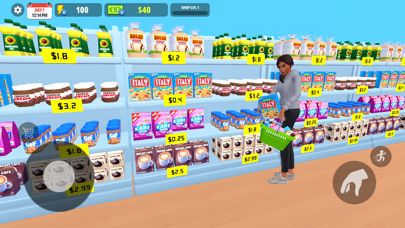
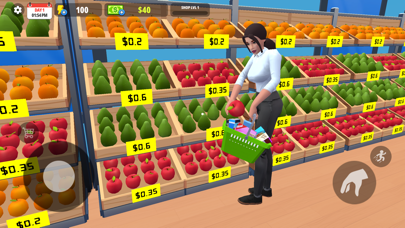
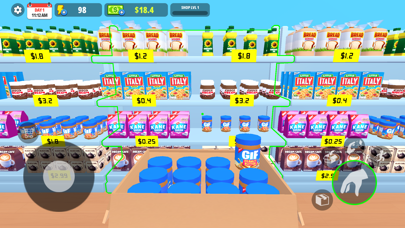
在這個令人興奮的零售店模擬器中,擔任雜貨店經理。在這個沉浸式商業模擬器中,您將負責補貨、管理員工、服務顧客,並將您的商店發展成為城裡最受歡迎的超市。在此收銀員遊戲中測試您在收銀台的速度和準確性。
主要特點:
庫存和整理貨架:保持產品有序,貨架滿滿。使用儲藏室存放多餘的庫存。
智慧定價:設定動態價格以吸引更多客戶。
快速結帳和小費:快速為顧客服務以賺取額外小費。
僱用員工:招募收銀員、理貨員、貨架管理員和清潔工來履行他們的職責。
多樣化的產品:解鎖新的產品許可證並銷售每種產品以使您的客戶滿意。
擴大您的超市:解鎖新的店鋪擴建並使您的商店變得更大。
自訂您的商店:設定您的商店名稱。使用獨特的主題、顏色和裝飾來設計您的超市。
清潔您的商店:清除污垢和溢出物以保持商店清潔。
對於任何喜歡成為商店經理並想建立自己的零售帝國的人來說,這都是一款必玩的雜貨店購物模擬遊戲!
- Non-Jailbroken/Jailed or Jailbroken iPhone or iPad.
- Sideloadly or alternatives.
- Computer running Windows/macOS/Linux with iTunes installed.
STEP 1: Download the pre-hacked .IPA file from the link above to your computer. To download from the iOSGods App, see our iOSGods App IPA Download Tutorial which includes a video example.
STEP 2: Download Sideloadly and install it on your Windows or Mac.
STEP 3: Open Sideloadly on your computer, connect your iOS device, and wait until your device name appears in Sideloadly.
STEP 4: Once your iDevice is recognized, drag the modded .IPA file you downloaded and drop it into the Sideloadly application.
STEP 5: Enter your Apple Account email, then press “Start.” You’ll then be asked to enter your password. Go ahead and provide the required information.
STEP 6: Wait for Sideloadly to finish sideloading/installing the hacked IPA. If there are issues during installation, please read the note below.
STEP 7: Once the installation is complete and you see the app on your Home Screen, you will need to go to Settings → General → Profiles / VPN & Device Management. Once there, tap on the email you entered from step 6, and then tap on “Trust [email protected]”.
STEP 8: Now go to your Home Screen and open the newly installed app and everything should work fine. You may need to follow further per app instructions inside the hack's popup in-game.
NOTE: iOS/iPadOS 16 and later, you must enable Developer Mode. For free Apple Developer accounts, you will need to repeat this process every 7 days. If you have any questions or problems, read our Sideloadly FAQ section of the topic.




![Virtual Villagers 7 iOS Mod IPA [ Cheats Menu ]](https://is1-ssl.mzstatic.com/image/thumb/Purple221/v4/f1/73/db/f173db9a-cf5b-bedb-7f93-33f7469f8157/AppIcon-0-0-1x_U007emarketing-0-8-0-85-220.png/100x100bb.jpg)


![Among Us! iOS Mod IPA [ ESP Boxes, Lines ]](https://is1-ssl.mzstatic.com/image/thumb/Purple211/v4/57/dc/f8/57dcf861-9c14-e964-6f5b-09f8c4fff8d2/AppIcon-0-0-1x_U007emarketing-0-8-0-85-220.png/100x100bb.jpg)


