需要登入
請使用您的 iOSGods 帳戶登入以繼續。
請使用您的 iOSGods 帳戶登入以繼續。
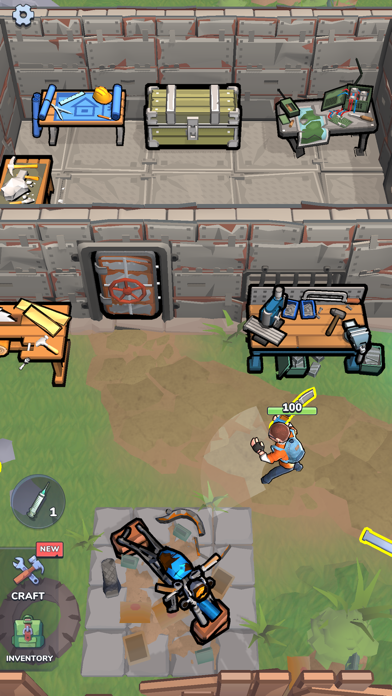
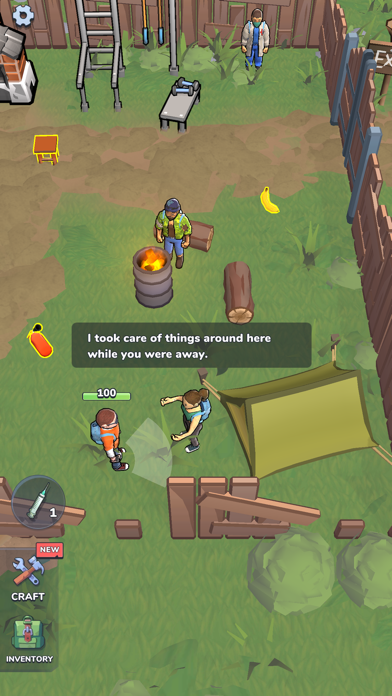
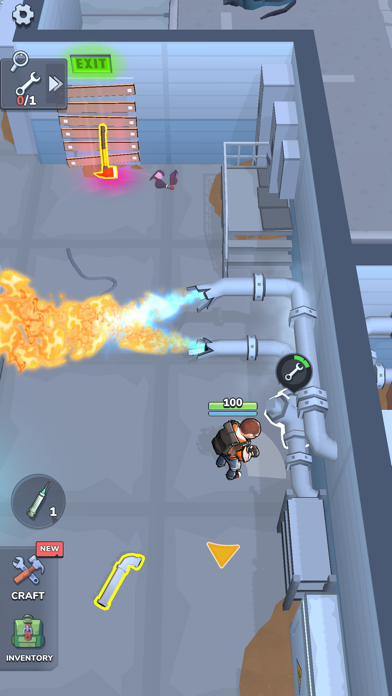
這個 Zombie Slasher! Hack 動作冒險破解版改變了殭屍末日生存體驗,讓你擁有輕鬆主宰不死族群的工具。在被感染的地點砍殺,收集材料並製作武器,無需通常的磨練,這個 Mod IPA 移除了資源障礙並增強你的戰鬥力,讓你可以專注於讓遊戲變得有趣的策略和探索。
無論你是在重新遊玩以加快速度、測試不同的武器組合,或只是想輕鬆通過早期遊戲,這個破解版讓你跳過繁瑣的農場工作,直接進入行動。作弊碼在戰略性結合時效果最佳,將愚蠢敵人與一擊必殺配對以獲得最大效果,並依靠無限耐久度和護甲來延長戰鬥時間。
- 愚蠢敵人 → 敵人仍然可以射擊你
- 一擊必殺 → 已連結;與愚蠢敵人一起使用
- 無限耐久度 → 不適用於投擲物
- 無限護甲 → 裝備護甲以啟動
- 分割破解 → 分割時物品複製
- 免費製作 → 無需資源或等級即可製作
- 最大等級 → 賺取一些經驗值以解鎖
此應用程式也內建 iGameGod,讓你可以使用 Auto Touch 自動執行重複操作、透過 App Speed Manager 調整遊戲速度、使用 Memory Engine 修改記憶體數值,以及更多強大的 iOS 遊戲工具。
從上方連結下載 Zombie Slasher! Hack modded IPA。點選安裝按鈕並依照畫面指示在 iPhone、iPad 或 Apple Silicon 上安裝此 iOS 應用程式修改版。
需要更多協助?請查看我們的 iOSGods 應用程式常見問題 以獲得詳細解答與疑難排解。
►ATTACK OF THE LIVING DEAD
It’s finally happened – the zombie apocalypse is here! We knew this day would come, but do you think your fighting and defense skills are up to snuff? Smash and slash your way to survival by using your brains; because if you don’t use them, the zombie hordes will!
Start off the game in an abandoned and infested grocery store and fight through all sorts of buildings to gather materials and craft fantastic weapons and eventually shelters. All sorts of explorable locations await you, each holding different items that you’ll need to keep the zombies out of your base as well as to protect yourself when you’re out scouting the area for resources, such as logs and iron ore. Don’t forget to collect other items that were left behind by the less fortunate as you may be able to turn these into weapons – even a watermelon is better than nothing when a hungry mutant is approaching you!
►KNOCK ‘EM UNDEAD
• Use your head; cut off theirs – As one of the lucky (or unlucky, depending on your mood) survivors, you’ll find yourself outnumbered from the get-go, and always on the defense. Up your survival chances by picking up any and all items you come across and combining them to form the ultimate gun or other super weapon. This ability to craft will also help you in many other areas of the game, so experiment as much as you can.
• Location, location, location – Nearly a dozen various locations await you, each with different challenges and different rewards: for instance, visit the sawmill to get logs, which you can then use in crafting shelter and fortifications. Hone your survival skills too by exploring these different areas and ridding them of the zombies, and don’t forget to try and meet other survivors who can join you at your home shelter.
• The best of both worlds - A mix between survival and idle type games, this simulator ticks all the boxes in both of these categories. You get all the instant fun of smashing zombie heads in and fighting off waves of attack, plus the more passive fun of being able to collect tons of resources (55 different types and counting!) and combine them to create new objects. Toggle between these tasks effortlessly for maximum enjoyment.
►A GRAVE NEW WORLD
With your head on the line, put your survival, fighting, and crafting skills to the test in this exciting simulator game; you’ll need to mix both brains and brawn for fighting off zombies, crafting deadly weapons, and building strong fortifications from collected resources.
Play Zombie Smash today to see if you’ve got what it takes!
Privacy Policy: https://say.games/privacy-policy
Terms of Use: https://say.games/terms-of-use
- 未越獄/受限或已越獄的 iPhone 或 iPad。
- Sideloadly 或替代方案。
- 執行 Windows/macOS/Linux 且已安裝 iTunes 的電腦。
步驟 1: 透過上方連結將已破解的 .IPA 檔案下載到您的電腦。若要從 iOSGods App 下載,請參閱我們的 iOSGods App IPA 下載教學,其中包含影片範例。
步驟 2: 下載 Sideloadly 並將其安裝在您的 Windows 或 Mac 上。
步驟 3: 在電腦上開啟 Sideloadly,連接您的 iOS 裝置,並等待裝置名稱出現在 Sideloadly 中。
步驟 4: 當 Sideloadly 辨識到您的 iOS 裝置後,將下載好的修改版 .IPA 檔案拖曳並放到 Sideloadly 應用程式中。
步驟 5: 輸入您的 Apple Account 電子郵件,然後按下「Start」。系統會要求您輸入密碼,請依指示提供所需資訊。
步驟 6: 等待 Sideloadly 完成已破解 IPA 的旁載/安裝。如果安裝過程中發生問題,請閱讀下方的注意事項。
步驟 7: 安裝完成並在主畫面上看到該應用程式後,您需要前往 設定 → 一般 → 描述檔 / VPN 與裝置管理。進入後,點選您在步驟 6 中輸入的電子郵件,然後點選「信任 [email protected]」。
步驟 8: 現在回到主畫面並開啟新安裝的應用程式,一切應該都能正常運作。您可能需要依照遊戲內破解彈出視窗中的進一步指示操作。
注意: 在 iOS/iPadOS 16 及更新版本上,您必須 啟用開發者模式。若使用免費的 Apple Developer 帳號,您將需要每 7 天重複此程序。如有任何疑問或問題,請閱讀我們的 主題中的 Sideloadly 常見問題區段。