تسجيل الدخول مطلوب
سجّل الدخول بحساب iOSGods للمتابعة.

Mod Features
- PREMIUM
قم بتنزيل Babilala: English For Kids Mod APK من الزر أعلاه. بعد الضغط على تنزيل، اتبع التعليمات لتثبيت ملف APK المعدل على جهاز Android أو المحاكي.
هل تحتاج إلى مساعدة؟ راجع الأسئلة الشائعة لـ Android للحصول على إجابات مفصلة ونصائح لاستكشاف الأخطاء.
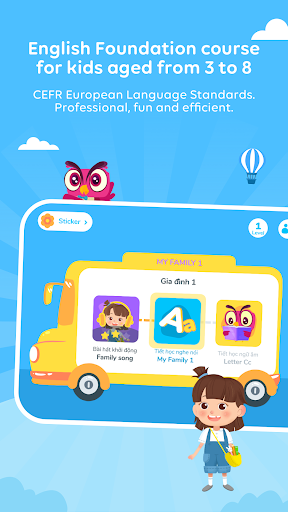
Babilala is a free educational apps for children from 3 to 8 years old to start and develop English skills. The program is logically designed by Vietnamese and international early education experts, attached to the CEFR common European language standard.
Using the Cambridge curriculum as a core, Babilala helps preschool children learn English in a systematic way. We believe that Babilala is a perfect start for a future generation keen to get a hatch learning English.
Interesting points of the course:
- A comprehensive system of courses equivalent to Cambridge Starter Certificate, including 3 levels, 75 topics, 5000 interactive games.
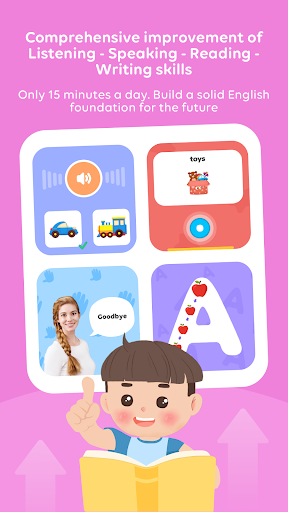
- Online learning at home on phones, tablets / iPads only 15-20 minutes/day and available 24/7.
- Babilala's lessons are built lively and humorous to stimulate your child's interest in learning English.
- Role-playing and interactive learning methods: New words, sentence patterns are introduced naturally in context. Using cartoon and interactive games, which helps children memorize well and longer than other methods.
- Learn English through play: Children dance to the melodies of 35 English songs Copyright only on Babilala and play 5000 interactive games.
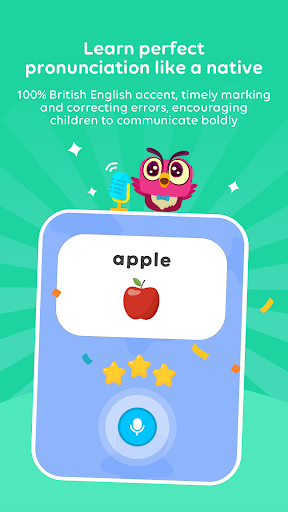
- Children with English pronunciation standard with iSpeak technology: Using Google's voice recognition technology. Grading, fixing errors in time and encouraging children to strongly communicate.
Targets course:
- Improve overall Listening - Speaking - Reading - Writing skills.
-Get acquainted with English, develop interest in learning, build a solid foundation.
- Master 3000 new words with 300 common sentence patterns and using learned knowledge patterns for basic communication.
- Children pronounce accurately thanks to studying with foreign teachers and practicing with the exclusive I-Speak speaking technology.
- Not only helps children improve their vocabulary, Babilala also surpasses textbook knowledge to help them expand their knowledge of life and explore culture.
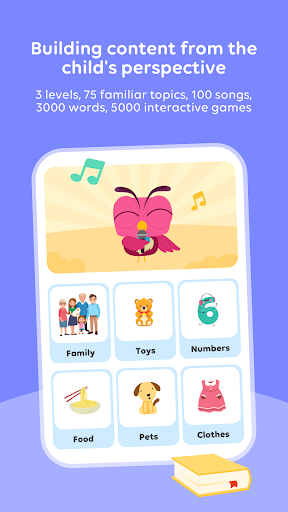
- Babilala has 75 topics which are all about kids and their life such as family, going to school, animals, colours, and numbers.
Application functions:
- The content is built with 75 familiar topics, 100 songs, 3000 words, 5000 interactive games.
- Easy interactive games. Help children memorize vocabulary naturally.
- iSpeak technology scores and checks pronunciation errors in time
- The collection of eye-catching stickers attracts children to study on Babilala
- Detailed tracking of learning results and sharing achievements.
- Allow 1 study account on multiple devices
- Effective support and guidance from teaching staffs with many experiences in English training
- No ads and completely safe for children.
If you have any questions or suggestions, feel free to contact us. We are always ready to support you!
Email: [email protected]
Fan page: https://www.facebook.com/babilala.vn
Hotline: 093.120.8686
Privacy policy
https://babilala.vn/privacy/
Term of use
https://babilala.vn/term-of-use/
- iPhone أو iPad بجيلبريك أو بدون جيلبريك.
- Sideloadly أو بدائلها.
- كمبيوتر يعمل بنظام Windows/macOS/Linux مع تثبيت iTunes.
الخطوة 1: قم بتنزيل ملف .IPA المعدّل مسبقًا من الرابط أعلاه إلى الكمبيوتر الخاص بك. للتنزيل من تطبيق iOSGods App، اطلع على دليل تنزيل IPA من تطبيق iOSGods App الذي يتضمن مثالًا بالفيديو.
الخطوة 2: قم بتنزيل Sideloadly وتثبيته على جهاز Windows أو Mac.
الخطوة 3: افتح Sideloadly على الكمبيوتر، ووصّل جهاز iOS الخاص بك، وانتظر حتى يظهر اسم جهازك داخل Sideloadly.
الخطوة 4: بمجرد التعرّف على جهاز iDevice الخاص بك، اسحب ملف .IPA المعدّل الذي قمت بتنزيله وأفلِته داخل تطبيق Sideloadly.
الخطوة 5: أدخل البريد الإلكتروني لحساب Apple Account الخاص بك، ثم اضغط على «Start». سيُطلب منك بعد ذلك إدخال كلمة المرور. تابع وأدخل المعلومات المطلوبة.
الخطوة 6: انتظر حتى ينتهي Sideloadly من تحميل/تثبيت ملف IPA المعدّل. في حال واجهت أي مشاكل أثناء التثبيت، يرجى قراءة الملاحظة أدناه.
الخطوة 7: بعد اكتمال التثبيت ورؤية التطبيق على الشاشة الرئيسية، انتقل إلى Settings → General → Profiles / VPN & Device Management. ثم اضغط على البريد الإلكتروني الذي أدخلته في الخطوة 6، ثم اضغط على «الوثوق بـ [email protected]».
الخطوة 8: الآن انتقل إلى الشاشة الرئيسية وافتح التطبيق الذي تم تثبيته للتو وسيعمل كل شيء بشكل صحيح. قد تحتاج إلى اتباع تعليمات إضافية خاصة بكل تطبيق داخل النافذة المنبثقة للتعديل أثناء اللعب.
ملاحظة: بدءًا من iOS/iPadOS 16 وما بعده، يجب تفعيل وضع المطور (Developer Mode). بالنسبة لحسابات Apple Developer المجانية، ستحتاج إلى تكرار هذه العملية كل 7 أيام. إذا كانت لديك أي أسئلة أو مشاكل، يرجى قراءة قسم الأسئلة الشائعة حول Sideloadly في الموضوع.