Inicio de sesión requerido
Inicia sesión con tu cuenta de iOSGods para continuar.
Inicia sesión con tu cuenta de iOSGods para continuar.

Premium desbloqueado en este Babilala: English For Kids Mod APK brinda a los niños acceso completo a todos los cursos educativos sin restricciones de pago. Este hack gratuito para Android elimina las limitaciones para que los pequeños aprendices de 3 a 8 años puedan explorar el currículo completo alineado con Cambridge, diseñado por expertos en educación temprana, ayudándoles a desarrollar habilidades de inglés de forma sistemática desde el inicio.
- Premium → todos los cursos y contenido desbloqueados
Descarga Babilala: English For Kids Mod APK desde el botón de arriba. Una vez que toques descargar, sigue las instrucciones para instalar el APK modificado en tu dispositivo Android o emulador.
¿Necesitas ayuda? Consulta nuestras Preguntas frecuentes de Android para respuestas detalladas y consejos de solución de problemas.
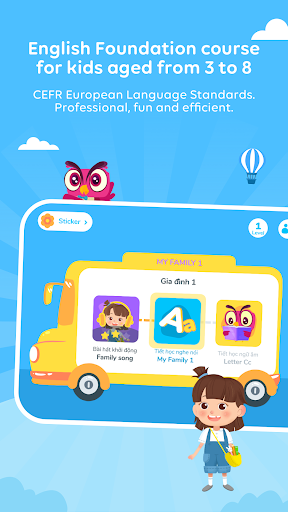
Babilala is a free educational apps for children from 3 to 8 years old to start and develop English skills. The program is logically designed by Vietnamese and international early education experts, attached to the CEFR common European language standard.
Using the Cambridge curriculum as a core, Babilala helps preschool children learn English in a systematic way. We believe that Babilala is a perfect start for a future generation keen to get a hatch learning English.
Interesting points of the course:
- A comprehensive system of courses equivalent to Cambridge Starter Certificate, including 3 levels, 75 topics, 5000 interactive games.
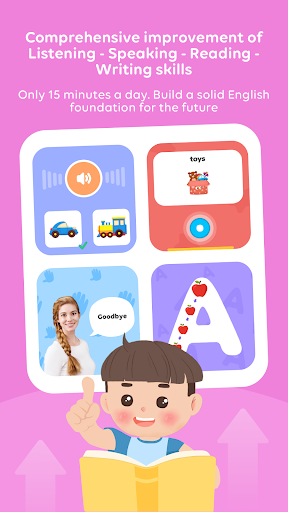
- Online learning at home on phones, tablets / iPads only 15-20 minutes/day and available 24/7.
- Babilala's lessons are built lively and humorous to stimulate your child's interest in learning English.
- Role-playing and interactive learning methods: New words, sentence patterns are introduced naturally in context. Using cartoon and interactive games, which helps children memorize well and longer than other methods.
- Learn English through play: Children dance to the melodies of 35 English songs Copyright only on Babilala and play 5000 interactive games.
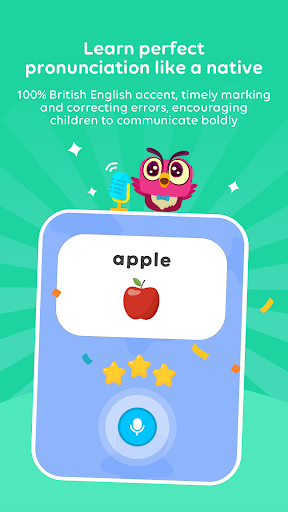
- Children with English pronunciation standard with iSpeak technology: Using Google's voice recognition technology. Grading, fixing errors in time and encouraging children to strongly communicate.
Targets course:
- Improve overall Listening - Speaking - Reading - Writing skills.
-Get acquainted with English, develop interest in learning, build a solid foundation.
- Master 3000 new words with 300 common sentence patterns and using learned knowledge patterns for basic communication.
- Children pronounce accurately thanks to studying with foreign teachers and practicing with the exclusive I-Speak speaking technology.
- Not only helps children improve their vocabulary, Babilala also surpasses textbook knowledge to help them expand their knowledge of life and explore culture.
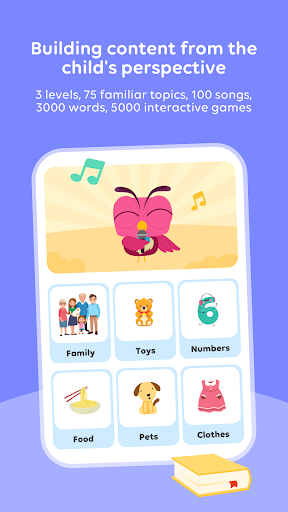
- Babilala has 75 topics which are all about kids and their life such as family, going to school, animals, colours, and numbers.
Application functions:
- The content is built with 75 familiar topics, 100 songs, 3000 words, 5000 interactive games.
- Easy interactive games. Help children memorize vocabulary naturally.
- iSpeak technology scores and checks pronunciation errors in time
- The collection of eye-catching stickers attracts children to study on Babilala
- Detailed tracking of learning results and sharing achievements.
- Allow 1 study account on multiple devices
- Effective support and guidance from teaching staffs with many experiences in English training
- No ads and completely safe for children.
If you have any questions or suggestions, feel free to contact us. We are always ready to support you!
Email: [email protected]
Fan page: https://www.facebook.com/babilala.vn
Hotline: 093.120.8686
Privacy policy
https://babilala.vn/privacy/
Term of use
https://babilala.vn/term-of-use/