ต้องเข้าสู่ระบบ
เข้าสู่ระบบด้วยบัญชี iOSGods เพื่อดำเนินการต่อ
Hack Features
- X10 Stats
- Massive Stats
- Weak Enemies
ดาวน์โหลด Crusaders Quest iOS Mod IPA จากลิงก์ด้านบน แตะปุ่มติดตั้งและทำตามคำแนะนำบนหน้าจอเพื่อติดตั้งแฮ็กแอป iOS นี้บน iPhone, iPad หรือ Apple Silicon
ต้องการความช่วยเหลือเพิ่มเติม? ดู คำถามที่พบบ่อยของแอป iOSGods สำหรับคำตอบโดยละเอียดและเคล็ดลับการแก้ไขปัญหา
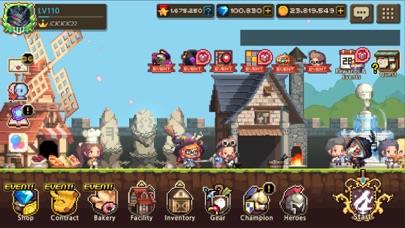
Experience the nostalgic dot-aesthetic of classic RPG right in your hands in this story of adventure
where children become adults and adults become children!
A century after the Apostles' War, a crisis looms over Hasla due to the sudden appearance of a mysterious woman, 'Sylunis', in the Hyro Forest.
As the newly appointed Captain of 'Hero Town', you are the only one who can prevent Sylunis' conspiracy to free the Apostles sealed in the Soulstone.
Assist the apprentice goddess, Sera, save the goddesses and prevent the resurrection of the Apostles!
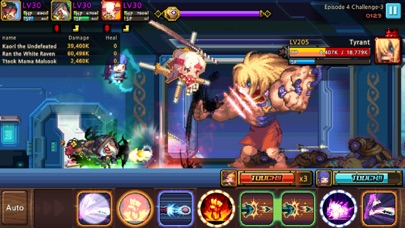
Experience the pixel action RPG unfolding in Hasla, "Crusaders Quest."
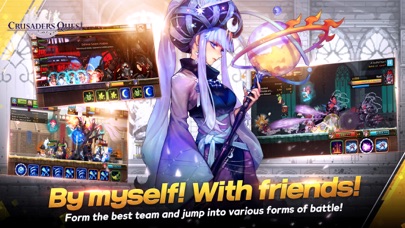
■ Puzzle? Action! Skill Block Match Play
Collect skill blocks and use them together!
Use heroes that create skill synergy to become stronger!
Simple yet strategic battle play
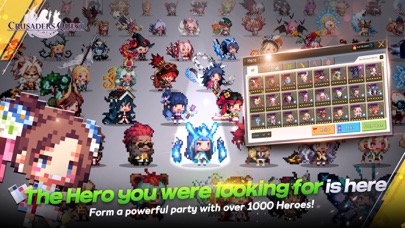
■ Dots, all dots! Retro aesthetic graphics
Loved for nearly a decade, the unique pixel art of Crusader Quest
Constantly pushing the boundaries of what can be expressed each year!
Filled with charming pixel art embodying cuteness, splendor, grandeur, and wit
Even with stunning and captivating illustrations...!
■ Choose and enjoy events and battles in your own style
Zero pressure for guild play! Battle Delegation available!
Gameplay featuring single-player-centric battle contents and events,
Choose and proceed according to your play style
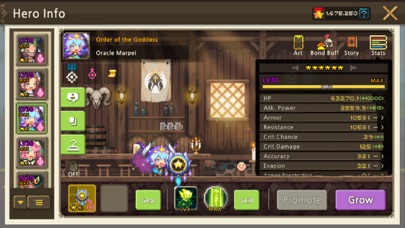
■ A relatively easy-to-collect RPG
No need for duplicate heroes for hero growth
Paid currency obtainable in Arena every week
Maximum hero growth achievable within a day
■ Familiar events, innovative events
Familiar events like world raid bosses, consecutive boss battles, deal competitions, random team competition
Mini-game events like rhythm games, bread tycoon, maze finding, bingo, fishing
Experimental events like stock market, prize lottery, auction, roguelike dungeon
■ Delivering the latest information through official channels
⊙ Official website: https://cq-official.online/en
⊙ Official Twitter: https://twitter.com/CrusadersQuest
⊙ Official YouTube: https://www.youtube.com/channel/UCnhS12kc_rJiiPtz0kXHtcQ
■ Minimum device specifications
iOS 11 and above / RAM 2GB and above
■ Device app access permission guide
We request the minimum optional permissions required for smooth gameplay.
You can refuse to grant optional access rights, but please understand that this may restrict the use of certain features.
[Optional Access Rights]
- Notifications: Used when receiving push notifications
- Photos/Camera: For attaching screenshots when reporting bugs and inconveniences to the Customer Support Center
[How to change access rights]
Settings > Crusader > Set each access right
- iPhone หรือ iPad ที่ไม่ได้เจลเบรก/ไม่ได้เจลเบรก หรือเจลเบรกแล้ว
- Sideloadly หรือทางเลือกอื่น
- คอมพิวเตอร์ที่ใช้ Windows/macOS/Linux และติดตั้ง iTunes ไว้
ขั้นตอนที่ 1: ดาวน์โหลดไฟล์ .IPA ที่แฮกไว้ล่วงหน้าจากลิงก์ด้านบนลงในคอมพิวเตอร์ของคุณ หากต้องการดาวน์โหลดจากแอป iOSGods โปรดดู วิธีดาวน์โหลด IPA ในแอป iOSGods ซึ่งมีตัวอย่างวิดีโอประกอบ
ขั้นตอนที่ 2: ดาวน์โหลด Sideloadly แล้วติดตั้งบน Windows หรือ Mac ของคุณ
ขั้นตอนที่ 3: เปิด Sideloadly บนคอมพิวเตอร์ เชื่อมต่ออุปกรณ์ iOS แล้วรอจนกว่าชื่ออุปกรณ์ของคุณจะปรากฏใน Sideloadly
ขั้นตอนที่ 4: เมื่อ iDevice ของคุณถูกตรวจพบแล้ว ให้ลากไฟล์ .IPA ที่ม็อดมาวางลงในโปรแกรม Sideloadly
ขั้นตอนที่ 5: กรอกอีเมล Apple Account ของคุณ จากนั้นกด "Start" ระบบจะถามรหัสผ่าน กรอกข้อมูลที่จำเป็นให้เรียบร้อย
ขั้นตอนที่ 6: รอจนกว่า Sideloadly จะ sideload/ติดตั้งไฟล์ IPA ที่แฮกเสร็จ หากเกิดปัญหาระหว่างติดตั้ง โปรดอ่านหมายเหตุด้านล่าง
ขั้นตอนที่ 7: เมื่อการติดตั้งเสร็จสิ้นและเห็นแอปบนหน้าจอหลักแล้ว ให้ไปที่ การตั้งค่า → ทั่วไป → โปรไฟล์ / VPN และการจัดการอุปกรณ์ จากนั้นแตะที่อีเมลที่คุณกรอกในขั้นตอนที่ 6 แล้วแตะ "เชื่อถือ [email protected]"
ขั้นตอนที่ 8: จากนั้นไปที่หน้าจอหลักและเปิดแอปที่ติดตั้งใหม่ ทุกอย่างควรทำงานได้ปกติ คุณอาจต้องทำตามคำแนะนำเพิ่มเติมเฉพาะแอปในป๊อปอัปของม็อดในเกม
หมายเหตุ: สำหรับ iOS/iPadOS 16 ขึ้นไป คุณต้อง เปิดโหมดนักพัฒนา (Developer Mode) สำหรับบัญชี Apple Developer แบบฟรี คุณต้องทำขั้นตอนนี้ซ้ำทุก 7 วัน หากมีคำถามหรือพบปัญหา โปรดอ่าน หัวข้อ FAQ ของ Sideloadly ในกระทู้