ログインが必要
iOSGodsアカウントでサインインして続けてください。
iOSGodsアカウントでサインインして続けてください。

A simple, clean, and powerful tweak for Facebook
Download Media: Download whatever you like — videos, images, Reels, and even stories
Anonymity: Stay unseen. View stories and mark them as seen only when you want to
Confirmation: Worried about accidental likes? Now you can relax
Simplicity: Flexible, intuitive settings — all tailored to you
And More: Glow isn’t just a list of features. It unlocks even more tools for comfort and privacy
Glow settings are available via long press on any tab
Glow for Facebook modded IPAを上のリンクからダウンロードします。インストールボタンをタップし、画面の指示に従ってiPhone、iPad、Apple SiliconにこのiOSアプリハックをインストールします。
さらにヘルプが必要ですか? 詳しい回答とトラブルシューティングはiOSGodsアプリ よくある質問をご覧ください。
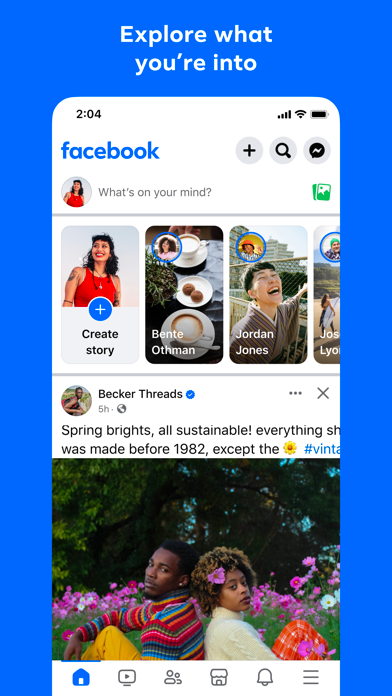
Where real people propel your curiosity. Whether you're shopping for second-hand gear, showing a reel to that group who gets it or sharing laughs over fun images reimagined by AI, Facebook helps you make things happen like no other social network.
Explore and expand your interests:
* Ask Meta AI to search topics that matter to you and get instant results more interactive than just text
* Shop Marketplace for deals and hidden gems to nurture your hobbies
* Personalise your Feed to see more of what you like and less of what you don't
* Dive into reels and videos for how-to's or quick entertainment
Connect with people and communities:
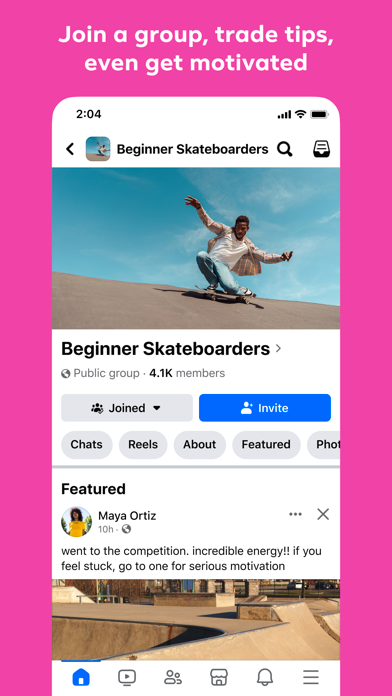
* Join groups to learn tips from real people who've been there and done that
* Turn on sharing to Instagram to save time
* Privately message relatable posts that only your BFF will get, or that Reels trend everyone's talking about
Share your world:
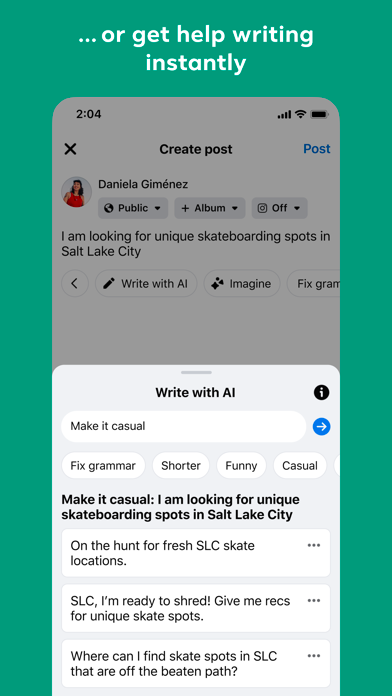
* Use generative AI to delight friends with custom images, or just get help with writing posts
* Customise your profile to choose how you appear and who sees your posts
* Effortlessly create reels from trending templates or showcase your creativity with a full suite of editing tools
* Capture moments on the fly with stories
Terms and Policies: https://www.facebook.com/policies_center
- 脱獄/Jailed済みまたは脱獄済みのiPhoneまたはiPad。
- Sideloadlyまたは代替手段。
- iTunesがインストールされているWindows/macOS/Linuxを実行しているコンピュータ。
ステップ1: 上のリンクから事前にハックされた.IPAファイルをコンピュータにダウンロードします。iOSGodsアプリからダウンロードする方法は、ビデオ例付きのiOSGodsアプリIPAダウンロードチュートリアルをご覧ください。
ステップ2: SideloadlyをダウンロードしてWindowsまたはMacにインストールします。
ステップ3: コンピュータでSideloadlyを開き、iOSデバイスを接続して、デバイス名がSideloadlyに表示されるまで待ちます。
ステップ4: iDeviceが認識されたら、ダウンロードしたModされた.IPAファイルをSideloadlyアプリにドラッグ&ドロップします。
ステップ5: Apple Accountのメールアドレスを入力し、「Start」を押します。次にパスワードの入力を求められます。必要な情報を入力してください。
ステップ6: Sideloadlyがハックされたipaのサイドロード/インストールを完了するのを待ちます。インストール中に問題が発生した場合は、以下の注意事項をお読みください。
ステップ7: インストールが完了し、ホーム画面にアプリが表示されたら、設定 → 一般 → プロファイル / VPNとデバイス管理に移動する必要があります。そこで、ステップ6で入力したメールをタップし、「Trust [email protected]」をタップします。
ステップ8: ホーム画面に戻り、新しくインストールされたアプリを開けば、すべて正常に動作するはずです。ゲーム内のハックのポップアップで、アプリごとの追加指示に従う必要がある場合があります。
注意: iOS/iPadOS 16以降では、デベロッパモードを有効にするが必要です。無料のApple Developerアカウントの場合、このプロセスを7日ごとに繰り返す必要があります。質問や問題がある場合は、トピックのSideloadly FAQセクションをお読みください。