ログインが必要
iOSGodsアカウントでサインインして続けてください。
iOSGodsアカウントでサインインして続けてください。
このFacebookのソーシャルネットワーキングチートは、プライバシーとコントロールをあなたの手に取り戻す、クリーンで強力なMod IPAを提供し、メディアを自由にダウンロードしたり、痕跡を残さずにブラウズできます。
愛するコンテンツをアーカイブしたり、ストーリーを匿名で表示したり、誤ったいいねがフィードを台無しにするのに疲れたりしているかどうかにかかわらず、Glowは標準アプリが提供しない裁量と柔軟性のレイヤーを追加することで、Facebookとの相互作用方法を変えます。
- メディアをダウンロード → ビデオ、画像、リール、ストーリーをデバイスに保存
- 匿名性 → ストーリーを表示し、選択したときのみ既読にする
- 確認 → 安全プロンプトで誤ったいいねを防止
- シンプルさ → あなたの好みに合わせた柔軟で直感的な設定
- その他 → 快適さとプライバシーのための追加ツールをアンロック
- Glow設定はいずれかのタブを長押しでアクセス可能 → すべてのカスタマイズオプションへのクイックアクセス
Glow for Facebook modded IPAを上のリンクからダウンロードします。インストールボタンをタップし、画面の指示に従ってiPhone、iPad、Apple SiliconにこのiOSアプリハックをインストールします。
さらにヘルプが必要ですか? 詳しい回答とトラブルシューティングはiOSGodsアプリ よくある質問をご覧ください。
実在する人たちが好奇心を刺激する場所。古着を買い物するときでも、分かってくれる仲間にリール動画をシェアするときでも、AIで再構築した面白い画像で笑いを共有するときでも、Facebookなら、他のソーシャルネットワークではできない方法で自分のやりたいことを実現できます。
興味・関心を発見して広げる:
* 自分にとって重要なトピックを検索するようMeta AIにリクエストすれば、テキストだけでないよりインタラクティブな結果を瞬時に得られます
* Marketplaceでは、お買い得品や掘り出し物を手に入れて自分の趣味を育むことができます
* フィードをパーソナライズすることで、好きなものをより多く、そうでないものをより少なく表示できます
* 動画やリール動画ではハウツーやクイックエンターテイメントを楽しむことができます
人やコミュニティとつながる:
* グループに参加して、経験や知識のあるリアルな人からヒントやアドバイスを得られます
* Instagramにシェアをオンにすれば時間を節約できます
* 超ベストフレンドだけが共感してくれる投稿や、話題になっているリールのトレンドをプライベートメッセージで送ることができます
自分の世界をシェアする:
* 生成AIを使えば、カスタム画像で友達を喜ばせたり、投稿の作成を手伝ってもらったりできます
* プロフィールをカスタマイズして、自分がどのように表示され自分の投稿を誰に表示するかを選択できます
* トレンド中のテンプレートからリール動画を簡単に作成することも、充実した編集ツール一式を使ってクリエイティビティを発揮することもできます
* ストーリーズでは日常の瞬間をすぐさまとらえることができます
利用規約とポリシー: https://www.facebook.com/policies_center
Metaのテクノロジー全体での安全への取り組みについては、Metaセーフティセンター(https://about.meta.com/actions/safety)をご覧ください。
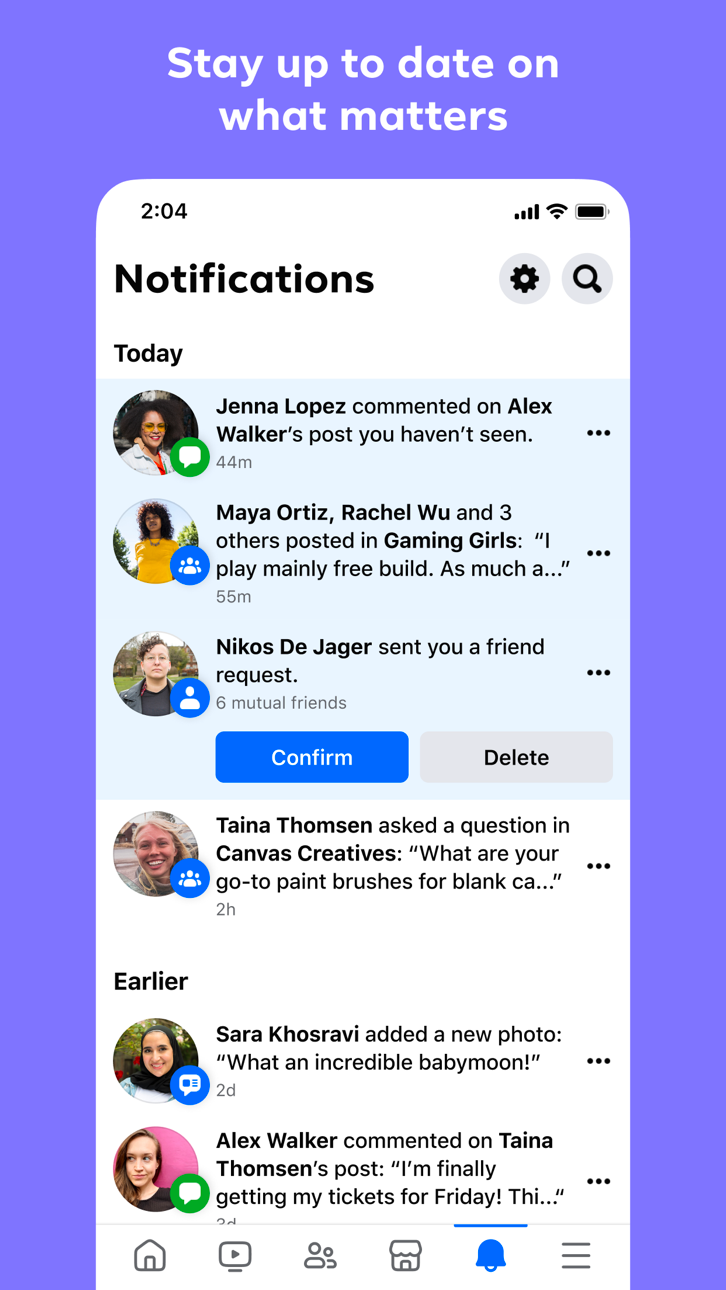
スクリーンショット © 各権利者 · App Store


iOSGods は Apple Inc.、Google LLC、および掲載アプリの開発者と提携しておらず、承認や協賛も受けていません。Apple、iOS、App Store は Apple Inc. の商標です。Android および Google Play は Google LLC の商標です。その他のアプリ名、アイコン、画像、商標はすべて各権利者に帰属します。

- 脱獄/Jailed済みまたは脱獄済みのiPhoneまたはiPad。
- Sideloadlyまたは代替手段。
- iTunesがインストールされているWindows/macOS/Linuxを実行しているコンピュータ。
ステップ1: 上のリンクから事前にハックされた.IPAファイルをコンピュータにダウンロードします。iOSGodsアプリからダウンロードする方法は、ビデオ例付きのiOSGodsアプリIPAダウンロードチュートリアルをご覧ください。
ステップ2: SideloadlyをダウンロードしてWindowsまたはMacにインストールします。
ステップ3: コンピュータでSideloadlyを開き、iOSデバイスを接続して、デバイス名がSideloadlyに表示されるまで待ちます。
ステップ4: iDeviceが認識されたら、ダウンロードしたModされた.IPAファイルをSideloadlyアプリにドラッグ&ドロップします。
ステップ5: Apple Accountのメールアドレスを入力し、「Start」を押します。次にパスワードの入力を求められます。必要な情報を入力してください。
ステップ6: Sideloadlyがハックされたipaのサイドロード/インストールを完了するのを待ちます。インストール中に問題が発生した場合は、以下の注意事項をお読みください。
ステップ7: インストールが完了し、ホーム画面にアプリが表示されたら、設定 → 一般 → プロファイル / VPNとデバイス管理に移動する必要があります。そこで、ステップ6で入力したメールをタップし、「Trust [email protected]」をタップします。
ステップ8: ホーム画面に戻り、新しくインストールされたアプリを開けば、すべて正常に動作するはずです。ゲーム内のハックのポップアップで、アプリごとの追加指示に従う必要がある場合があります。
注意: iOS/iPadOS 16以降では、デベロッパモードを有効にするが必要です。無料のApple Developerアカウントの場合、このプロセスを7日ごとに繰り返す必要があります。質問や問題がある場合は、トピックのSideloadly FAQセクションをお読みください。
Game Name iOS Mod IPA is an action adventure game enhanced with powerful gameplay boosts and quality-of-life improvements. Win battles faster, earn rewards quicker, and enjoy uninterrupted play without ads.
- Unlimited Gold - spend freely to unlock premium content
- Damage Multiplier - deal significantly more damage in combat
- Defense Multiplier - take less damage and survive longer
- Reward Multiplier - earn more loot from every battle
- Max Level - instantly reach the highest player rank
- No Ads - play without interruptions or advertisements
This app also comes with iGameGod, giving you access to Auto Touch to automate repetitive tasks, App Speed Manager for adjustable gameplay speed, Memory Engine value editing, and more powerful iOS game tools.
Game Name Mod IPAを上のリンクからダウンロードします。インストールボタンをタップし、画面の指示に従ってiPhone、iPad、Apple SiliconにこのiOSアプリハックをインストールします。
さらにヘルプが必要ですか 詳しい回答とトラブルシューティングはiOSGodsアプリ よくある質問をご覧ください。
----------------------------------------------------------
--------------------------------------------------