需要登入
請使用您的 iOSGods 帳戶登入以繼續。
Hack Features:
- Damage Multiplier
- Never Die
從上方連結下載 Girls' Frontline Hack modded IPA。點選安裝按鈕並依照畫面指示在 iPhone、iPad 或 Apple Silicon 上安裝此 iOS 應用程式修改版。
需要更多協助?請查看我們的 iOSGods 應用程式常見問題 以獲得詳細解答與疑難排解。
The year is 2060.
War has plunged the world into chaos and darkness, and the responsibility of restoring order falls onto those of us who have survived.
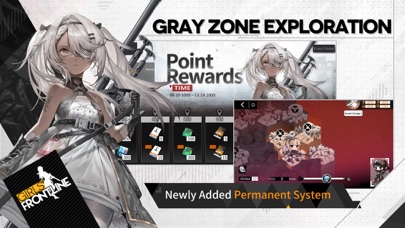
Now is the time to revisit your past. Make use of your gift in tactics and command your T-Dolls in the struggle to unveil the far-reaching conspiracy that permeates the world.
For the sake of mankind and our future, join us...
...at GRIFON & KRYUGER Private Military Contractor
【Game Features】
◎ Strategic mobilization and maneuvers
Gain the upper hand in battles through the use of operation strategies on maps that enable free deployment and withdrawal of multiple teams!
◎ Hands-on battles in real time
Have the frontline engage enemies and the backline deal damage. Turn the tables by changing your T-Dolls’ formation and position during battle!
◎ 100+ Anthropomorphic firearm characters
Over a hundred classic firearms in every era all the way from WWII to modern times await your orders, all designed by famous illustrators!
◎ Character cultivation and skill upgrade
Cultivate your T-Dolls by leveling up their skills, dummy-linking and calibrating their equipment to enhance their performance in battle!
◎ An illustrious cast of voice actors
Enjoy the magnificent performance brought by A-list Japanese voice actors such as Rie Kugimiya, Yui Horie, Ai Kayano, and Haruka Tomatsu!
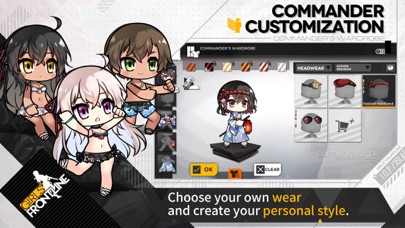
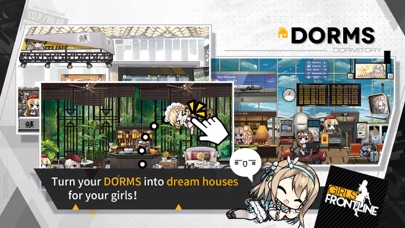
◎ Dormitory and Costumes
Give your T-Dolls a funky, cozy home by furnishing their dormitory with décor of various styles!
- 未越獄/受限或已越獄的 iPhone 或 iPad。
- Sideloadly 或替代方案。
- 執行 Windows/macOS/Linux 且已安裝 iTunes 的電腦。
步驟 1: 透過上方連結將已破解的 .IPA 檔案下載到您的電腦。若要從 iOSGods App 下載,請參閱我們的 iOSGods App IPA 下載教學,其中包含影片範例。
步驟 2: 下載 Sideloadly 並將其安裝在您的 Windows 或 Mac 上。
步驟 3: 在電腦上開啟 Sideloadly,連接您的 iOS 裝置,並等待裝置名稱出現在 Sideloadly 中。
步驟 4: 當 Sideloadly 辨識到您的 iOS 裝置後,將下載好的修改版 .IPA 檔案拖曳並放到 Sideloadly 應用程式中。
步驟 5: 輸入您的 Apple Account 電子郵件,然後按下「Start」。系統會要求您輸入密碼,請依指示提供所需資訊。
步驟 6: 等待 Sideloadly 完成已破解 IPA 的旁載/安裝。如果安裝過程中發生問題,請閱讀下方的注意事項。
步驟 7: 安裝完成並在主畫面上看到該應用程式後,您需要前往 設定 → 一般 → 描述檔 / VPN 與裝置管理。進入後,點選您在步驟 6 中輸入的電子郵件,然後點選「信任 [email protected]」。
步驟 8: 現在回到主畫面並開啟新安裝的應用程式,一切應該都能正常運作。您可能需要依照遊戲內破解彈出視窗中的進一步指示操作。
注意: 在 iOS/iPadOS 16 及更新版本上,您必須 啟用開發者模式。若使用免費的 Apple Developer 帳號,您將需要每 7 天重複此程序。如有任何疑問或問題,請閱讀我們的 主題中的 Sideloadly 常見問題區段。