تسجيل الدخول مطلوب
سجّل الدخول بحساب iOSGods للمتابعة.
Hack Features:
- Enemy Miss (God Mode)
-
-
قم بتنزيل Beat Arena Hack modded IPA من الروابط أعلاه. اضغط على زر التثبيت واتبع التعليمات لتثبيت هذا التعديل لـ iOS على iPhone أو iPad أو Apple Silicon.
هل تحتاج إلى مزيد من المساعدة؟ راجع الأسئلة الشائعة لتطبيق iOSGods للحصول على إجابات مفصلة ونصائح لاستكشاف الأخطاء.

Attention, Rhythm Knights!
Enter a world where you are born to fight and defeat the deadliest foes with the most powerful tool of them all… the music within.
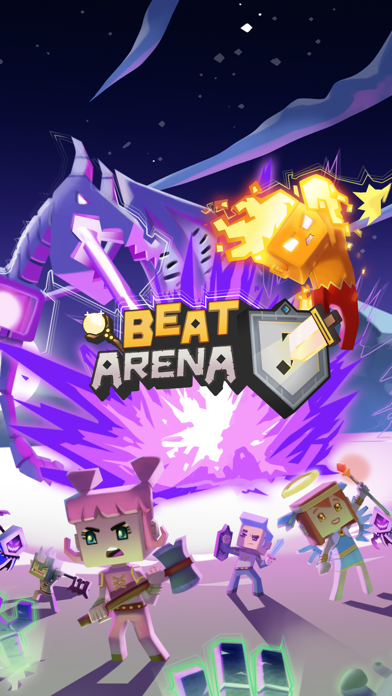
Awaken your combative soul with Beat Arena, a new role-playing game where you can enter a brand new world as an outsider and tap your way to victory.
A mysterious kind of dark magic is bringing disharmony into the Flute Valley and all of the Queen of Rhythm’s realms have fallen into disarray. Why has the world lost its balance? Maybe only an outlander like yourself can uncover the truth.
Become the best Rhythm Knight and conquer arenas to access the multiplayer mode and fight friends and foes alike!
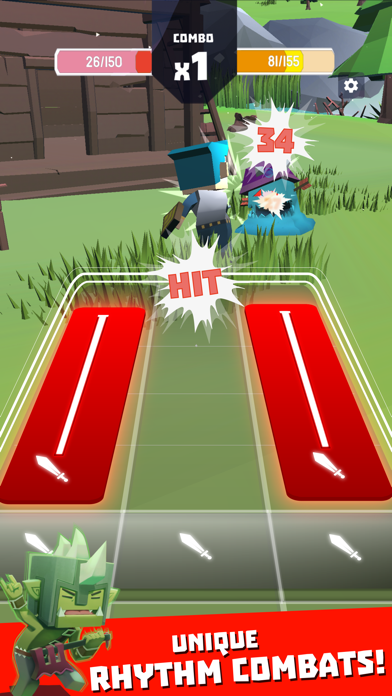
FIGHT IN RHYTHM COMBATS AGAINST HUMANS AND EPIC MONSTERS
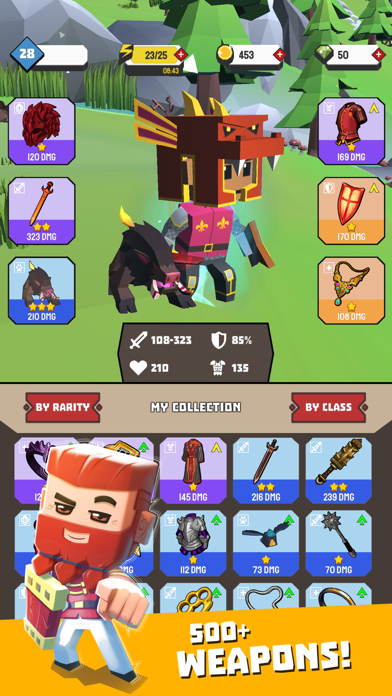
Win amazing weapons, pets and shields like the Mithril Waraxe, the Black Crow and the Haunted Shield.
Learn your weapons’ rhythms and become one with them in order to win valuable treasures and turn into the best Rhythm Knight the Queen of Rhythm has ever seen.
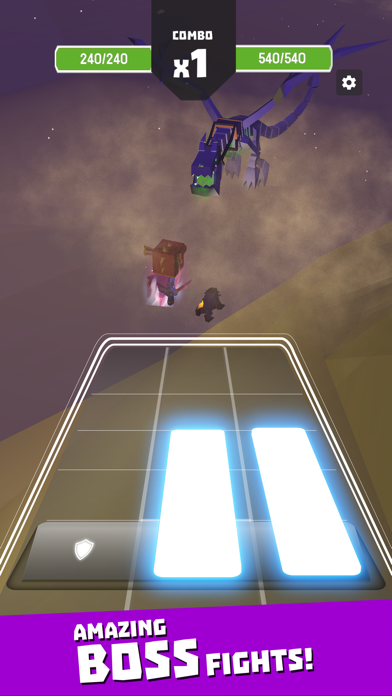
Discover an epic world full of deadly creatures and implacable foes like the Gorgo, the Bone Dragon and the Necrodancers.
Use unique cards like the Demon Slayer or the Angel Helmet to poison, burn, paralyze and more.
PLUNGE INTO AN EPIC STORY
Follow the Queen of Rhythm’s campaigns through haunted valleys, merciless deserts, untrodden jungles and unfathomable caves.
Immerse yourself in a world where extraordinary forces have inexplicably tampered with nature’s true harmony.
Meet relentless enemies and powerful allies, and learn to face the twists and turns of a tainted world.
Become the Queen of Rhythm’s knight and unveil the mysteries that lie beneath her realms' disarray.
CHALLENGE YOUR FRIENDS IN MULTIPLAYER ARENAS
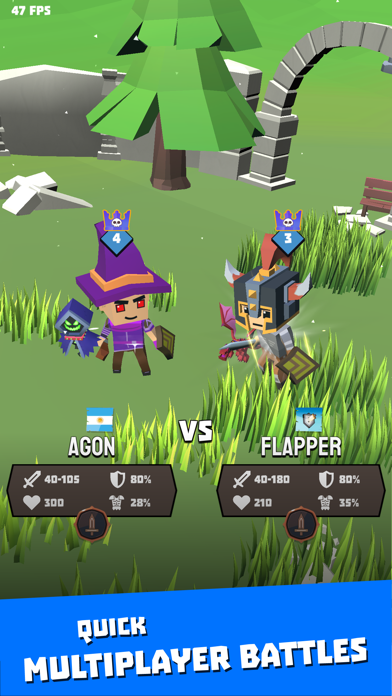
Engage in the online multiplayer mode and play to beat the band.
Someone challenging you? Make them toe the line. Tap your way to glory and prove to your friends that no Rhythm Knight can handle their weapons like you.
Invite new players to join in and show them that you are the true conqueror of the arenas.
Try out the competitive mode to rank up to the highest leagues and win unparalleled rewards.
CUSTOMIZE YOUR CHARACTER
Fully customize your knight to become the Rhythm Knight you truly are.
Show off your epic gear to friends and foes in the arenas. Try on unique magic equipment and make some jaws drop!
Earn new, legendary armours with unrivalled powers to make fashion meet your fighting passion!
- iPhone أو iPad بجيلبريك أو بدون جيلبريك.
- Sideloadly أو بدائلها.
- كمبيوتر يعمل بنظام Windows/macOS/Linux مع تثبيت iTunes.
الخطوة 1: قم بتنزيل ملف .IPA المعدّل مسبقًا من الرابط أعلاه إلى الكمبيوتر الخاص بك. للتنزيل من تطبيق iOSGods App، اطلع على دليل تنزيل IPA من تطبيق iOSGods App الذي يتضمن مثالًا بالفيديو.
الخطوة 2: قم بتنزيل Sideloadly وتثبيته على جهاز Windows أو Mac.
الخطوة 3: افتح Sideloadly على الكمبيوتر، ووصّل جهاز iOS الخاص بك، وانتظر حتى يظهر اسم جهازك داخل Sideloadly.
الخطوة 4: بمجرد التعرّف على جهاز iDevice الخاص بك، اسحب ملف .IPA المعدّل الذي قمت بتنزيله وأفلِته داخل تطبيق Sideloadly.
الخطوة 5: أدخل البريد الإلكتروني لحساب Apple Account الخاص بك، ثم اضغط على «Start». سيُطلب منك بعد ذلك إدخال كلمة المرور. تابع وأدخل المعلومات المطلوبة.
الخطوة 6: انتظر حتى ينتهي Sideloadly من تحميل/تثبيت ملف IPA المعدّل. في حال واجهت أي مشاكل أثناء التثبيت، يرجى قراءة الملاحظة أدناه.
الخطوة 7: بعد اكتمال التثبيت ورؤية التطبيق على الشاشة الرئيسية، انتقل إلى Settings → General → Profiles / VPN & Device Management. ثم اضغط على البريد الإلكتروني الذي أدخلته في الخطوة 6، ثم اضغط على «الوثوق بـ [email protected]».
الخطوة 8: الآن انتقل إلى الشاشة الرئيسية وافتح التطبيق الذي تم تثبيته للتو وسيعمل كل شيء بشكل صحيح. قد تحتاج إلى اتباع تعليمات إضافية خاصة بكل تطبيق داخل النافذة المنبثقة للتعديل أثناء اللعب.
ملاحظة: بدءًا من iOS/iPadOS 16 وما بعده، يجب تفعيل وضع المطور (Developer Mode). بالنسبة لحسابات Apple Developer المجانية، ستحتاج إلى تكرار هذه العملية كل 7 أيام. إذا كانت لديك أي أسئلة أو مشاكل، يرجى قراءة قسم الأسئلة الشائعة حول Sideloadly في الموضوع.