Login Required
Sign in with your iOSGods account to continue.
Sign in with your iOSGods account to continue.

Hack Features
- Unlimited Coins -> Use some.
-- Unlimited Uranium > Use the modded coins.
-- Unlimited Lives -> Use the modded coins.
-- Unlimited Moves -> Use the modded coins.
This app also comes with iGameGod, giving you access to Auto Touch to automate repetitive tasks, App Speed Manager for adjustable gameplay speed, Memory Engine value editing, and more powerful iOS game tools.
Download Family Guy Freakin Mobile Game Hack modded IPA from the links above. Tap the install button and follow the on-screen instructions to install this iOS app hack on your iPhone, iPad, or Apple Silicon.
Need more help? Check out our iOSGods App Frequently Asked Questions for detailed answers and troubleshooting tips.
It's time you wet your whistle and put a little Peter in your pocket! From the producers of the hit TV show, Family Guy: Another Freakin' Mobile Game features your favorite characters and moments from all 15 seasons of Family Guy.
Follow Peter, Lois, Stewie, Brian, Chris, Quagmire, Cleveland… and Meg on a debaucherous journey through Quahog. Put on your big kid pants because this isn’t your typical candy-coated match game. Time to crush on a whole new level. Filled with absurd hilarity and fun challenges, Family Guy: Another Freakin' Mobile Game is a must-have for fans of animated shows.
Game Features:
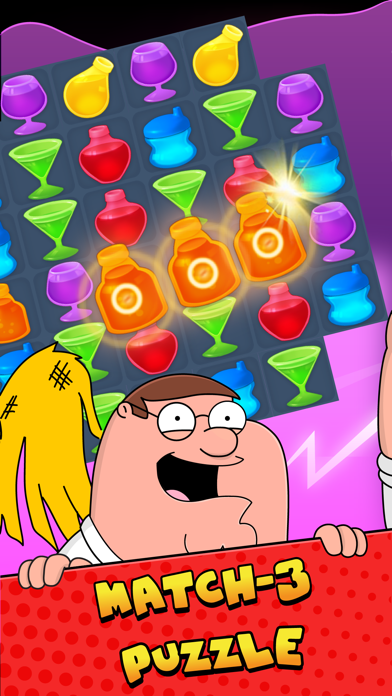
LET'S PLAY WITH MATCHES: Match, swap, and play 160 challenging levels featuring your favorite characters and hilarious moments from show.
ENDLESS FODDER FOR FANS: Classic storylines from Family Guy with all-new antics updated regularly.
4 OUTRAGEOUSLY FUN GAME MODES: Fill drinks for Peter, Collect condoms for Quagmire, Uncover makeup for Meg, and more!
BOOST YOUR GAME: Make epic matches using boosters like the Kitty Crossbow, Space Displacer, and Bullet Breaker.
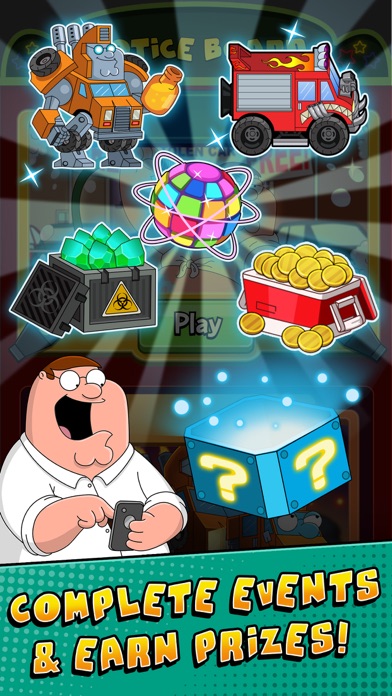
COMPLETE LIMITED-TIME QUESTS: Earn collectibles that can be used to unlock iconic character costumes, coins, boosters, Family Guy storylines, and more.
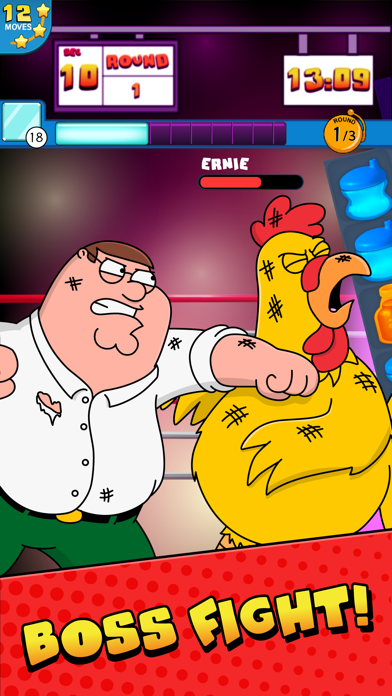
GO HEAD-TO-HEAD: Battle the Giant Chicken, Jerome, and other characters in epic boss battles.
Download Family Guy: Another Freakin' Mobile Game and play anywhere, anytime, even on the toilet… SWIPE. WIPE. SWIPE. WIPE.
Don’t forget to watch new episodes of Family Guy on Sundays - only on FOX!
Check out all the latest news & updates for Family Guy: Another Freakin’ Mobile Game
Check out awesome Family Guy clips, episodes, pictures, and more: www.fox.com/family-guy
DEVELOPER INFO: Jam City is the leading developer in truly cross-platform social gaming! Check out our other free match 3 puzzle games! You'll love to swap, match, and crunch through ever expanding levels and events. Check back often to see all the new games that we've added! You'll love to jam through each new puzzle adventure.
This game contains some alcohol-related content. Due to Facebook restrictions, users in select countries may not be able to login if they are under the legal drinking age.
Privacy Policy: http://www.jamcity.com/privacy/
Terms of Service: https://www.jamcity.com/terms-of-service/
- Non-Jailbroken/Jailed or Jailbroken iPhone or iPad.
- Sideloadly or alternatives.
- Computer running Windows/macOS/Linux with iTunes installed.
STEP 1: Download the pre-hacked .IPA file from the link above to your computer. To download from the iOSGods App, see our iOSGods App IPA Download Tutorial which includes a video example.
STEP 2: Download Sideloadly and install it on your Windows or Mac.
STEP 3: Open Sideloadly on your computer, connect your iOS device, and wait until your device name appears in Sideloadly.
STEP 4: Once your iDevice is recognized, drag the modded .IPA file you downloaded and drop it into the Sideloadly application.
STEP 5: Enter your Apple Account email, then press “Start.” You’ll then be asked to enter your password. Go ahead and provide the required information.
STEP 6: Wait for Sideloadly to finish sideloading/installing the hacked IPA. If there are issues during installation, please read the note below.
STEP 7: Once the installation is complete and you see the app on your Home Screen, you will need to go to Settings → General → Profiles / VPN & Device Management. Once there, tap on the email you entered from step 6, and then tap on “Trust [email protected]”.
STEP 8: Now go to your Home Screen and open the newly installed app and everything should work fine. You may need to follow further per app instructions inside the hack's popup in-game.
NOTE: iOS/iPadOS 16 and later, you must enable Developer Mode. For free Apple Developer accounts, you will need to repeat this process every 7 days. If you have any questions or problems, read our Sideloadly FAQ section of the topic.



![Among Us! iOS Mod IPA [ ESP Boxes, Lines ]](https://is1-ssl.mzstatic.com/image/thumb/Purple211/v4/57/dc/f8/57dcf861-9c14-e964-6f5b-09f8c4fff8d2/AppIcon-0-0-1x_U007emarketing-0-8-0-85-220.png/100x100bb.jpg)
![Darts Club iOS Mod IPA [ Debug Menu ]](https://is1-ssl.mzstatic.com/image/thumb/Purple211/v4/d4/b8/c7/d4b8c7e6-5c42-c6a4-ef66-c7aa3c7a147e/AppIcon-0-0-1x_U007emarketing-0-8-0-85-220.png/100x100bb.jpg)


