تسجيل الدخول مطلوب
سجّل الدخول بحساب iOSGods للمتابعة.
سجّل الدخول بحساب iOSGods للمتابعة.
Hack Features
- Unlimited Coins -> Use some.
-- Unlimited Uranium > Use the modded coins.
-- Unlimited Lives -> Use the modded coins.
-- Unlimited Moves -> Use the modded coins.
يأتي هذا التطبيق أيضًا مع iGameGod، مما يتيح لك الوصول إلى Auto Touch لأتمتة المهام المتكررة، وApp Speed Manager لضبط سرعة اللعب، وتعديل القيم عبر Memory Engine، والمزيد من أدوات ألعاب iOS القوية.
قم بتنزيل Family Guy Freakin Mobile Game Hack modded IPA من الروابط أعلاه. اضغط على زر التثبيت واتبع التعليمات لتثبيت هذا التعديل لـ iOS على iPhone أو iPad أو Apple Silicon.
هل تحتاج إلى مزيد من المساعدة؟ راجع الأسئلة الشائعة لتطبيق iOSGods للحصول على إجابات مفصلة ونصائح لاستكشاف الأخطاء.
It's time you wet your whistle and put a little Peter in your pocket! From the producers of the hit TV show, Family Guy: Another Freakin' Mobile Game features your favorite characters and moments from all 15 seasons of Family Guy.
Follow Peter, Lois, Stewie, Brian, Chris, Quagmire, Cleveland… and Meg on a debaucherous journey through Quahog. Put on your big kid pants because this isn’t your typical candy-coated match game. Time to crush on a whole new level. Filled with absurd hilarity and fun challenges, Family Guy: Another Freakin' Mobile Game is a must-have for fans of animated shows.
Game Features:
LET'S PLAY WITH MATCHES: Match, swap, and play 160 challenging levels featuring your favorite characters and hilarious moments from show.
ENDLESS FODDER FOR FANS: Classic storylines from Family Guy with all-new antics updated regularly.
4 OUTRAGEOUSLY FUN GAME MODES: Fill drinks for Peter, Collect condoms for Quagmire, Uncover makeup for Meg, and more!
BOOST YOUR GAME: Make epic matches using boosters like the Kitty Crossbow, Space Displacer, and Bullet Breaker.
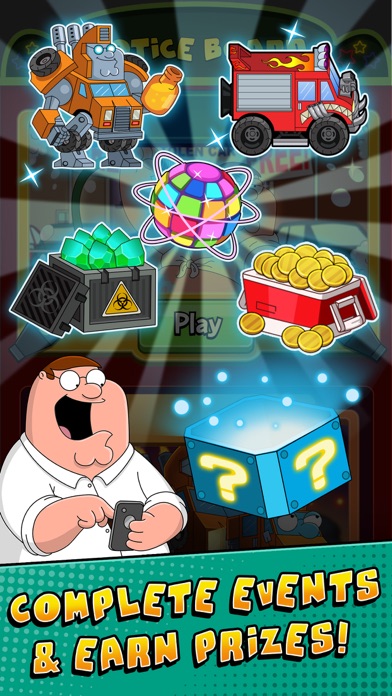
COMPLETE LIMITED-TIME QUESTS: Earn collectibles that can be used to unlock iconic character costumes, coins, boosters, Family Guy storylines, and more.
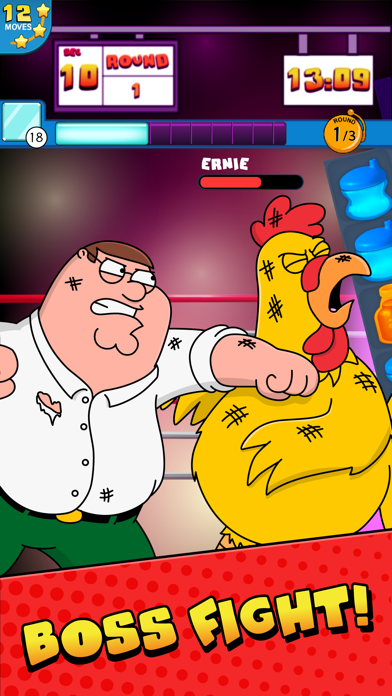
GO HEAD-TO-HEAD: Battle the Giant Chicken, Jerome, and other characters in epic boss battles.
Download Family Guy: Another Freakin' Mobile Game and play anywhere, anytime, even on the toilet… SWIPE. WIPE. SWIPE. WIPE.
Don’t forget to watch new episodes of Family Guy on Sundays - only on FOX!
Check out all the latest news & updates for Family Guy: Another Freakin’ Mobile Game
Check out awesome Family Guy clips, episodes, pictures, and more: www.fox.com/family-guy
DEVELOPER INFO: Jam City is the leading developer in truly cross-platform social gaming! Check out our other free match 3 puzzle games! You'll love to swap, match, and crunch through ever expanding levels and events. Check back often to see all the new games that we've added! You'll love to jam through each new puzzle adventure.
This game contains some alcohol-related content. Due to Facebook restrictions, users in select countries may not be able to login if they are under the legal drinking age.
Privacy Policy: http://www.jamcity.com/privacy/
Terms of Service: https://www.jamcity.com/terms-of-service/

- iPhone أو iPad بجيلبريك أو بدون جيلبريك.
- Sideloadly أو بدائلها.
- كمبيوتر يعمل بنظام Windows/macOS/Linux مع تثبيت iTunes.
الخطوة 1: قم بتنزيل ملف .IPA المعدّل مسبقًا من الرابط أعلاه إلى الكمبيوتر الخاص بك. للتنزيل من تطبيق iOSGods App، اطلع على دليل تنزيل IPA من تطبيق iOSGods App الذي يتضمن مثالًا بالفيديو.
الخطوة 2: قم بتنزيل Sideloadly وتثبيته على جهاز Windows أو Mac.
الخطوة 3: افتح Sideloadly على الكمبيوتر، ووصّل جهاز iOS الخاص بك، وانتظر حتى يظهر اسم جهازك داخل Sideloadly.
الخطوة 4: بمجرد التعرّف على جهاز iDevice الخاص بك، اسحب ملف .IPA المعدّل الذي قمت بتنزيله وأفلِته داخل تطبيق Sideloadly.
الخطوة 5: أدخل البريد الإلكتروني لحساب Apple Account الخاص بك، ثم اضغط على «Start». سيُطلب منك بعد ذلك إدخال كلمة المرور. تابع وأدخل المعلومات المطلوبة.
الخطوة 6: انتظر حتى ينتهي Sideloadly من تحميل/تثبيت ملف IPA المعدّل. في حال واجهت أي مشاكل أثناء التثبيت، يرجى قراءة الملاحظة أدناه.
الخطوة 7: بعد اكتمال التثبيت ورؤية التطبيق على الشاشة الرئيسية، انتقل إلى Settings → General → Profiles / VPN & Device Management. ثم اضغط على البريد الإلكتروني الذي أدخلته في الخطوة 6، ثم اضغط على «الوثوق بـ [email protected]».
الخطوة 8: الآن انتقل إلى الشاشة الرئيسية وافتح التطبيق الذي تم تثبيته للتو وسيعمل كل شيء بشكل صحيح. قد تحتاج إلى اتباع تعليمات إضافية خاصة بكل تطبيق داخل النافذة المنبثقة للتعديل أثناء اللعب.
ملاحظة: بدءًا من iOS/iPadOS 16 وما بعده، يجب تفعيل وضع المطور (Developer Mode). بالنسبة لحسابات Apple Developer المجانية، ستحتاج إلى تكرار هذه العملية كل 7 أيام. إذا كانت لديك أي أسئلة أو مشاكل، يرجى قراءة قسم الأسئلة الشائعة حول Sideloadly في الموضوع.





![Among Us! iOS Mod IPA [ ESP Boxes, Lines ]](https://is1-ssl.mzstatic.com/image/thumb/Purple211/v4/57/dc/f8/57dcf861-9c14-e964-6f5b-09f8c4fff8d2/AppIcon-0-0-1x_U007emarketing-0-8-0-85-220.png/100x100bb.jpg)


