Connexion requise
Connectez-vous avec votre compte iOSGods pour continuer.
Connectez-vous avec votre compte iOSGods pour continuer.
Exploitez, cultivez et construisez votre royaume de pixels dans Pickaxe King Island, un jeu de gestion relaxant désormais amélioré avec ce Mod IPA gratuit. Profitez du mode dieu, des ressources illimitées et des achats gratuits pour développer votre empire insulaire sans limites.
- Mode Dieu → invulnérabilité pendant le jeu
- Coup Unique Mortel → vaincre les ennemis instantanément
- Ressources Illimitées → les ressources augmentent au lieu de diminuer
- Achats Gratuits → acheter des articles sans frais
Cette app est également livrée avec iGameGod, qui vous donne accès à Auto Touch pour automatiser les tâches répétitives, App Speed Manager pour ajuster la vitesse de jeu, à l'édition de valeurs avec Memory Engine, et à d'autres outils puissants pour les jeux iOS.
Téléchargez Pickaxe King Island iOS Mod IPA depuis les liens ci-dessus. Appuyez sur le bouton d'installation et suivez les instructions pour installer ce hack iOS sur votre iPhone, iPad ou Apple Silicon.
Besoin de plus d'aide ? Consultez notre FAQ de l'app iOSGods pour des réponses détaillées et des conseils de dépannage.
[Île du Roi de la Pioche]
Un jeu de tycoon relaxant au style pixel !
Construis ton royaume avec ta pioche et gère ta ferme.
Pars à l’aventure dans des donjons
et mine de nombreux minerais.
Fais grandir ton propre royaume !
[Début]
Coupe des arbres et جمع du bois.
Vends le bois pour gagner des pièces d’or.
Utilise l’or pour agrandir ta ferme
et acheter des poules.
Les poules pondent des œufs et te rapportent encore plus !
Cultive différentes récoltes
et achète des animaux utiles comme des vaches.
Vends tes produits pour gagner plus d’argent,
achète de nouvelles îles et agrandis ton royaume.
[Cuisine]
Cuisine au four avec les ingrédients de ta ferme !
Fais du fromage avec du lait,
et du pain avec du blé.
Mélange des ingrédients pour découvrir de nouvelles recettes.
Les plats de recette se vendent plus cher,
c’est encore plus satisfaisant !
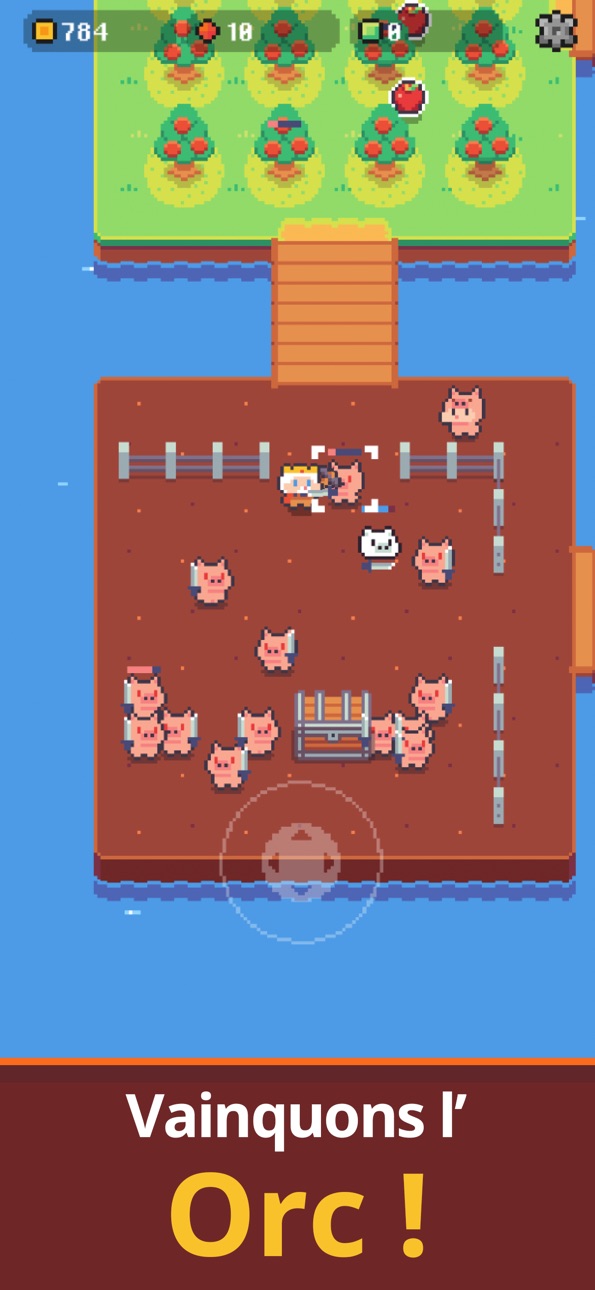
[Donjon]
Quand ton royaume grandit,
tu découvriras des donjons cachés.
Explore avec le Chevalier Renard
et collecte des ressources magiques !
Utilise des récompenses spéciales
que l’on ne trouve que dans les donjons
pour rendre ton royaume plus fort.
Orques, minotaures, slimes et bien d’autres monstres
essaieront de t’arrêter,
mais si tu entraînes le Chevalier Renard
et améliores l’équipement,
plus rien ne te fera peur !
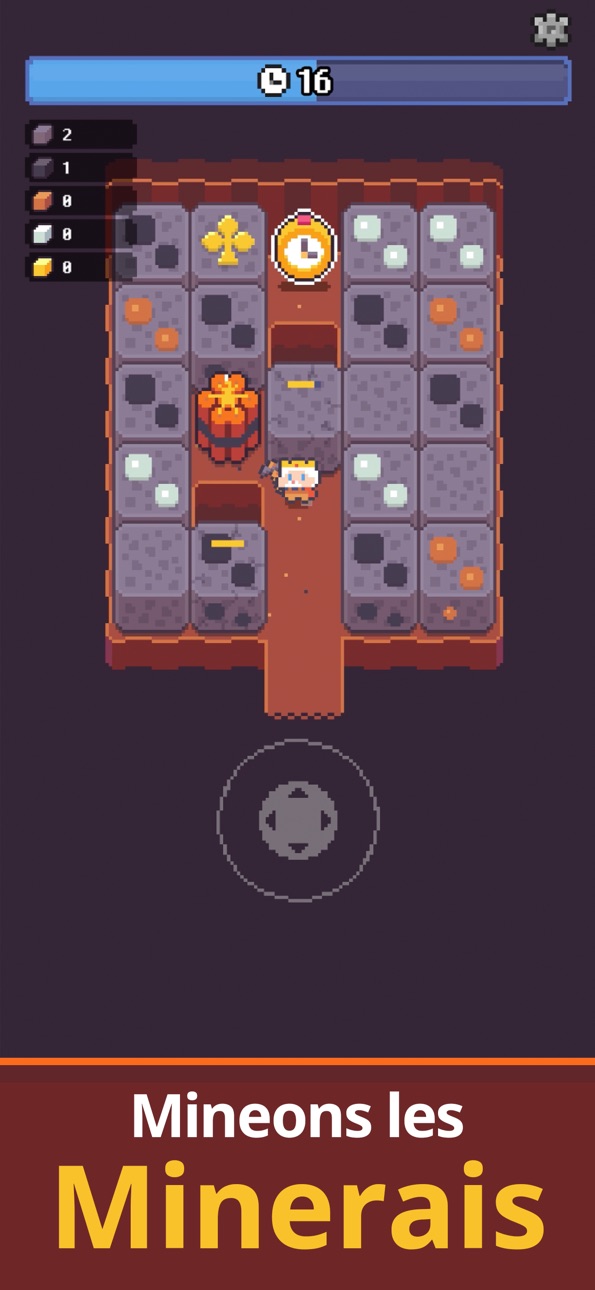
[Mine]
Mine plein de minerais !
Avec les minerais récoltés,
tu peux améliorer ta pioche et beaucoup d’équipements.
Conquiers des centaines d’étages.
Plus tu descends,
plus les minerais deviennent rares et précieux !
[Cartes d’objets & costumes]
Collectionne plus de 30 cartes d’objets
pour faire grandir ton royaume plus vite et avec plus de fun !
Équipe la carte du mignon Roi Toutou
et tu pourras le chevaucher
pour te déplacer rapidement dans ton royaume !
Porte les Gants du Mineur
pour augmenter la vitesse de ta pioche.
Et collectionne plus de 100 costumes
pour habiller le Roi de la Pioche comme tu veux.
Crée ton propre Roi unique !
[Amélioration de la pioche & de l’équipement]
Améliore ta pioche avec les minerais de la mine
et brise même les rochers les plus durs en un seul coup.
Améliore l’équipement du Chevalier Renard,
tente des donjons plus profonds
et profite d’une belle progression.
[Nouvelle aventure]
Quand tu achètes la dernière île,
de nouveaux contenus surprenants s’ouvrent !
Indice…
Un combat de classement avec d’autres Rois de la Pioche t’attend.
Bien sûr, tu n’es pas obligé d’y participer !
Si tu préfères la détente,
tu peux jouer à ton rythme
et profiter de tout tranquillement.
Avec le Roi de la Pioche,
construis ton royaume doucement et joyeusement.
Pas besoin de te fatiguer.
C’est un jeu de détente.
Détends-toi, amuse-toi,
et fais grandir ton royaume à ta vitesse.
Nous espérons que [Île du Roi de la Pioche]
t’apportera un petit bonheur au quotidien !
Captures © leurs propriétaires respectifs · App Store


iOSGods n'est ni affilié à Apple Inc., Google LLC ou aux développeurs des applications listées ici, ni approuvé ou sponsorisé par eux. Apple, iOS et App Store sont des marques d'Apple Inc. Android et Google Play sont des marques de Google LLC. Tous les autres noms d'applications, icônes, visuels et marques appartiennent à leurs propriétaires respectifs.

- iPhone ou iPad avec ou sans Jailbreak.
- Sideloadly ou alternatives.
- Ordinateur sous Windows/macOS/Linux avec iTunes installé.
ÉTAPE 1: Téléchargez le fichier .IPA pré-modifié depuis le lien ci-dessus sur votre ordinateur. Pour le télécharger depuis l'iOSGods App, consultez notre Tutoriel de téléchargement de l'IPA depuis l'iOSGods App qui comprend un exemple en vidéo.
ÉTAPE 2: Téléchargez Sideloadly et installez-le sur votre Windows ou Mac.
ÉTAPE 3: Ouvrez Sideloadly sur votre ordinateur, connectez votre appareil iOS et attendez que le nom de votre appareil apparaisse dans Sideloadly.
ÉTAPE 4: Une fois votre iDevice reconnu, glissez le fichier .IPA modifié que vous avez téléchargé et déposez-le dans l'application Sideloadly.
ÉTAPE 5: Saisissez l'adresse e-mail de votre Apple Account, puis appuyez sur « Start ». Il vous sera ensuite demandé d'entrer votre mot de passe. Fournissez les informations requises.
ÉTAPE 6: Attendez que Sideloadly termine le sideloading/l'installation de l'IPA modifié. En cas de problème durant l'installation, veuillez lire la remarque ci-dessous.
ÉTAPE 7: Une fois l'installation terminée et l'app visible sur votre écran d'accueil, vous devez aller dans Réglages → Général → Profils / VPN et gestion de l'appareil. Là, appuyez sur l'adresse e-mail saisie à l'étape 6, puis appuyez sur « Faire confiance à [email protected] ».
ÉTAPE 8: Allez maintenant sur votre écran d'accueil et ouvrez l'app nouvellement installée ; tout devrait fonctionner correctement. Vous devrez peut-être suivre des instructions supplémentaires propres à chaque app, dans la fenêtre du hack en jeu.
REMARQUE : À partir d'iOS/iPadOS 16, vous devez activer le mode Développeur. Pour les comptes Apple Developer gratuits, vous devrez répéter ce processus tous les 7 jours. Pour toute question ou problème, lisez notre section FAQ Sideloadly du sujet.
Game Name iOS Mod IPA is an action adventure game enhanced with powerful gameplay boosts and quality-of-life improvements. Win battles faster, earn rewards quicker, and enjoy uninterrupted play without ads.
- Unlimited Gold - spend freely to unlock premium content
- Damage Multiplier - deal significantly more damage in combat
- Defense Multiplier - take less damage and survive longer
- Reward Multiplier - earn more loot from every battle
- Max Level - instantly reach the highest player rank
- No Ads - play without interruptions or advertisements
This app also comes with iGameGod, giving you access to Auto Touch to automate repetitive tasks, App Speed Manager for adjustable gameplay speed, Memory Engine value editing, and more powerful iOS game tools.
Téléchargez Game Name Mod IPA depuis les liens ci-dessus. Appuyez sur le bouton d'installation et suivez les instructions pour installer ce hack iOS sur votre iPhone, iPad ou Apple Silicon.
Besoin de plus d'aide Consultez notre FAQ de l'app iOSGods pour des réponses détaillées et des conseils de dépannage.
----------------------------------------------------------
--------------------------------------------------