Anmeldung erforderlich
Melde dich mit deinem iOSGods-Konto an, um fortzufahren.
Melde dich mit deinem iOSGods-Konto an, um fortzufahren.

Baue, farme und erweitere dein Pixel-Königreich in Pickaxe King Island, einem entspannenden Tycoon-Spiel, das jetzt mit dieser kostenlosen Mod IPA erweitert wurde. Genieße Gott-Modus, unbegrenzte Ressourcen und kostenloses Einkaufen, während du dein Inselimperium ohne Grenzen ausbauen kannst.
- Gott-Modus → Unverwundbarkeit während des Spiels
- Einschlag-Tötung → besiege Feinde sofort
- Unbegrenzte Ressourcen → Ressourcen erhöhen sich statt zu sinken
- Kostenloses Einkaufen → kaufe Gegenstände kostenlos
Diese App wird zusätzlich mit iGameGod geliefert und bietet dir Zugriff auf Auto Touch zur Automatisierung sich wiederholender Aufgaben, App Speed Manager für eine anpassbare Spielgeschwindigkeit, Memory Engine zur Wertbearbeitung und weitere leistungsstarke iOS-Spielwerkzeuge.
Lade Pickaxe King Island iOS Mod IPA über die obigen Links herunter. Tippe auf den Installations-Button und folge den Anweisungen, um diese iOS-App auf deinem iPhone, iPad oder Apple Silicon zu installieren.
Brauchst du mehr Hilfe? In unseren iOSGods App häufig gestellten Fragen findest du ausführliche Antworten und Tipps zur Fehlerbehebung.
[Spitzhackenkönig-Insel]
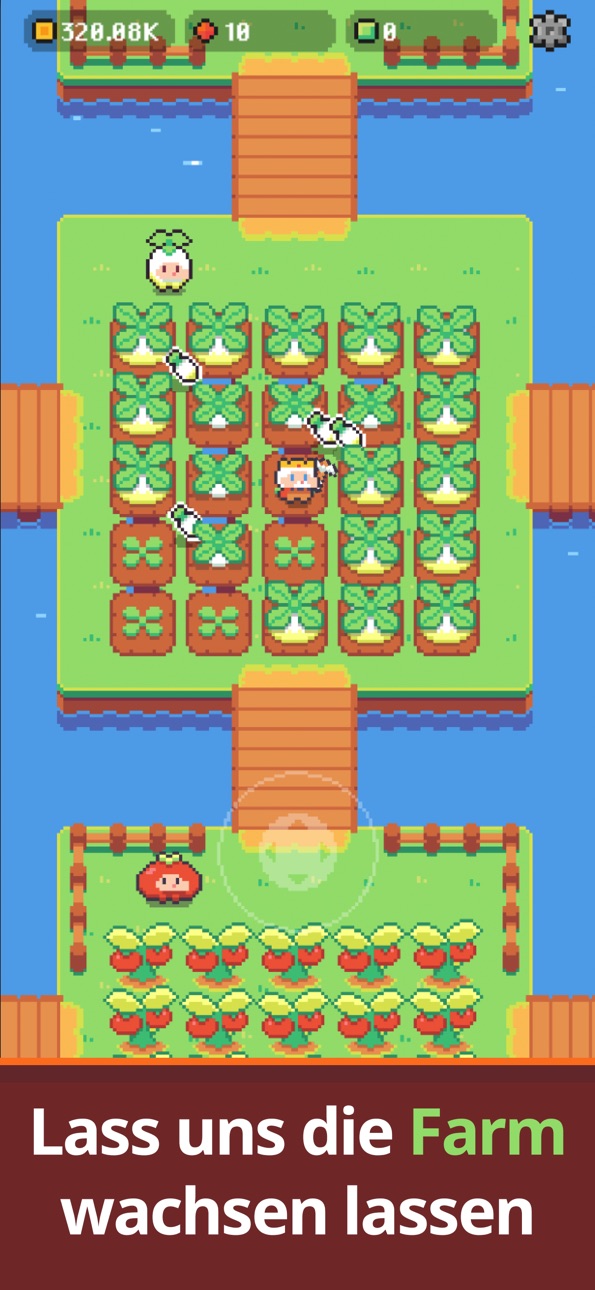
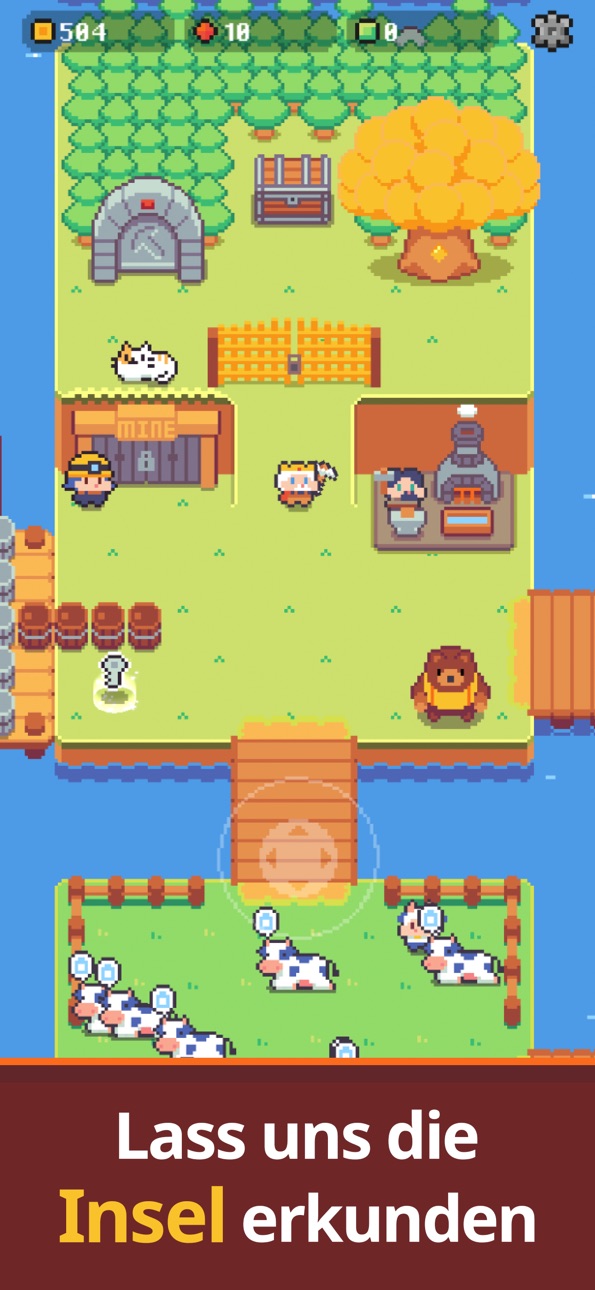
Ein entspannendes Tycoon-Spiel im Pixel-Stil!
Baue dein Königreich mit deiner Spitzhacke
und führe deine Farm.
Geh in Dungeons auf Abenteuer
und baue viele Erze in der Mine ab.
Lass dein eigenes Königreich wachsen!
[Start]
Fälle Bäume und sammle Holz.
Verkaufe das Holz und verdiene Goldmünzen.
Nutze die Münzen, um deine Farm zu erweitern
und Hühner zu kaufen.
Hühner legen Eier und bringen dir noch mehr Geld!
Pflanze viele Feldfrüchte an
und kaufe wichtige Tiere wie Kühe.
Verkaufe deine Ernte, verdiene mehr Geld
und kaufe neue Inseln, um dein Königreich zu vergrößern.
[Kochen]
Koche im Ofen mit Zutaten von deiner Farm!
Mache Käse aus Milch und backe Brot aus Weizen.
Mische Zutaten und entdecke neue Rezepte.
Gerichte aus Rezepten verkaufen sich teurer,
das macht doppelt so viel Freude!
[Dungeon]
Wenn dein Königreich wächst, findest du versteckte Dungeons.
Erkunde sie mit dem Fuchsritter
und sammle magische Ressourcen.
Mit besonderen Belohnungen nur aus dem Dungeon
wird dein Königreich noch stärker.
Orks, Minotauren, Schleime und viele Monster
wollen dich aufhalten,
aber wenn du den Fuchsritter trainierst
und die Ausrüstung verbesserst,
musst du dich vor nichts fürchten!
[Mine]
Baue viele Erze in der Mine ab!
Mit den Erzen kannst du
deine Spitzhacke und viele Ausrüstungen verbessern.
Erobere Hunderte von Ebenen.
Je tiefer du gehst,
desto seltener und wertvoller werden die Erze!
[Gegenstandskarten & Kostüme]
Sammle über 30 Gegenstandskarten,
um dein Königreich schneller und mit mehr Spaß zu entwickeln.
Rüste die süße Hündchen-König-Karte aus
und reite auf ihm schnell durch dein Königreich.
Mit den Bergmann-Handschuhen
wird deine Spitzhacke schneller.
Sammle außerdem über 100 Kostüme
und kleide den Spitzhacken-König, wie du willst.
So entsteht dein ganz eigener König!
[Spitzhacke & Ausrüstung verbessern]
Verbessere deine Spitzhacke mit Erzen aus der Mine,
und selbst die härtesten Steine brechen mit einem Schlag.
Verbessere die Ausrüstung des Fuchsritters,
fordere tiefere Dungeons heraus
und genieße das starke Wachstum.
[Neues Abenteuer]
Wenn du die letzte Insel kaufst,
öffnen sich neue Inhalte, die dich überraschen werden.
Ein Hinweis…
Ein Rangkampf mit anderen Spitzhacken-Königen wartet.
Natürlich musst du nicht mitmachen!
Wenn du lieber entspannst,
kannst du in deinem Tempo spielen
und alles ganz gemütlich genießen.
Baue mit dem Spitzhacken-König
dein Reich langsam und fröhlich auf.
Du musst dich nicht zu sehr anstrengen.
Das ist ein Wohlfühl-Spiel.
Spiel ganz entspannt
und lass dein Königreich in deinem Tempo wachsen.
Wir hoffen, dass [Spitzhackenkönig-Insel]
dir jeden Tag ein kleines Lächeln schenkt!
Screenshots © der jeweiligen Inhaber · App Store


iOSGods ist nicht mit Apple Inc., Google LLC oder den Entwicklern der hier aufgeführten Apps verbunden und wird von ihnen weder unterstützt noch gesponsert. Apple, iOS und App Store sind Marken von Apple Inc. Android und Google Play sind Marken von Google LLC. Alle weiteren App-Namen, Symbole, Grafiken und Marken gehören ihren jeweiligen Inhabern.
- Nicht-Jailbroken/Jailed oder Jailbroken iPhone oder iPad.
- Sideloadly oder Alternativen.
- Computer mit Windows/macOS/Linux und installiertem iTunes.
SCHRITT 1: Lade die vorinstallierte .IPA-Datei über den obigen Link auf deinen Computer herunter. Zum Herunterladen aus der iOSGods-App siehe unser iOSGods App IPA Download-Tutorial mit Videobeispiel.
SCHRITT 2: Lade Sideloadly herunter und installiere es auf deinem Windows oder Mac.
SCHRITT 3: Öffne Sideloadly auf deinem Computer, verbinde dein iOS-Gerät und warte, bis dein Gerätename in Sideloadly erscheint.
SCHRITT 4: Sobald dein iDevice erkannt wird, ziehe die heruntergeladene gemoddete .IPA-Datei in die Sideloadly-Anwendung.
SCHRITT 5: Gib deine Apple-Account-E-Mail ein und drücke „Start". Du wirst dann nach deinem Passwort gefragt. Gib die erforderlichen Informationen ein.
SCHRITT 6: Warte, bis Sideloadly das Sideloading/Installieren der gehackten IPA abgeschlossen hat. Bei Problemen während der Installation lies bitte den Hinweis unten.
SCHRITT 7: Sobald die Installation abgeschlossen ist und die App auf deinem Home-Bildschirm angezeigt wird, musst du zu Einstellungen → Allgemein → Profile / VPN & Geräteverwaltung gehen. Tippe dort auf die E-Mail, die du in Schritt 6 eingegeben hast, und dann auf „Trust [email protected]".
SCHRITT 8: Gehe nun zu deinem Home-Bildschirm und öffne die neu installierte App – alles sollte einwandfrei funktionieren. Möglicherweise musst du weitere App-spezifische Anweisungen im Hack-Popup im Spiel befolgen.
HINWEIS: iOS/iPadOS 16 und höher: Du musst den Entwicklermodus aktivieren. Bei kostenlosen Apple Developer-Accounts musst du diesen Vorgang alle 7 Tage wiederholen. Bei Fragen oder Problemen lies bitte unsere Sideloadly-FAQ-Sektion im Thema.
Game Name iOS Mod IPA is an action adventure game enhanced with powerful gameplay boosts and quality-of-life improvements. Win battles faster, earn rewards quicker, and enjoy uninterrupted play without ads.
- Unlimited Gold - spend freely to unlock premium content
- Damage Multiplier - deal significantly more damage in combat
- Defense Multiplier - take less damage and survive longer
- Reward Multiplier - earn more loot from every battle
- Max Level - instantly reach the highest player rank
- No Ads - play without interruptions or advertisements
This app also comes with iGameGod, giving you access to Auto Touch to automate repetitive tasks, App Speed Manager for adjustable gameplay speed, Memory Engine value editing, and more powerful iOS game tools.
Lade Game Name Mod IPA über die obigen Links herunter. Tippe auf den Installations-Button und folge den Anweisungen, um diese iOS-App auf deinem iPhone, iPad oder Apple Silicon zu installieren.
Brauchst du mehr Hilfe In unseren iOSGods App häufig gestellten Fragen findest du ausführliche Antworten und Tipps zur Fehlerbehebung.
----------------------------------------------------------
--------------------------------------------------