Login Diperlukan
Masuk dengan akun iOSGods kamu untuk melanjutkan.
Masuk dengan akun iOSGods kamu untuk melanjutkan.
Hack game beat-'em-up action ini untuk River City Girls 2 di iOS membuka fitur premium dan jalan pintas progres, memungkinkan Anda melewati grind dan langsung terjun ke aksi pertarungan jalanan dengan semua karakter dan perlengkapan siap digunakan.
Baik Anda memutar ulang petualangan atau ingin merasakan roster pejuang lengkap tanpa menunggu level-up, Mod IPA ini memberi Anda akses instan ke uang, pengalaman, item, dan anak buah yang dapat direkrut, sehingga Anda dapat fokus menguasai serangan guard-crush, kombo lift-off, dan manuver tim co-op yang membuat game ini menyenangkan.
- Tambah 5k Uang (Masuk ke Pengaturan dan aktifkan tombol Simpan & Keluar) → Dorongan mata uang instan untuk toko dan peningkatan
- Tambah 3k Pengalaman (Masuk ke Pengaturan dan aktifkan tombol Simpan & Keluar) → Pelacakan cepat leveling karakter
- Buka Semua Item (Masuk ke Pengaturan dan aktifkan tombol Simpan & Keluar) → Akses setiap aksesori dan potongan perlengkapan
- Buka Semua Anak Buah (Masuk ke Pengaturan dan aktifkan tombol Simpan & Keluar) → Rekrut roster sekutu lengkap
- Buka Provie (Masuk ke Pengaturan dan aktifkan tombol Simpan & Keluar) → Mainkan sebagai karakter pendatang baru
- Buka Marian (Masuk ke Pengaturan dan aktifkan tombol Simpan & Keluar) → Mainkan sebagai karakter pendatang baru
- Musuh Bodoh → Kurangi kesulitan musuh
- Game Lengkap Terbuka → Akses semua konten tanpa batasan keanggotaan
* - Hanya 1 fitur yang dapat diaktifkan sekaligus.
Aplikasi ini juga dilengkapi dengan iGameGod, yang memberi Anda akses ke Auto Touch untuk mengotomatiskan tugas berulang, App Speed Manager untuk mengatur kecepatan permainan, pengeditan nilai Memory Engine, dan alat permainan iOS lainnya yang lebih canggih.
Unduh Crunchyroll River City Girls 2 Hack modded IPA dari tautan di atas. Ketuk tombol pasang dan ikuti petunjuk di layar untuk memasang hack iOS ini di iPhone, iPad, atau Apple Silicon.
Butuh bantuan lebih lanjut? Lihat Pertanyaan yang Sering Diajukan untuk Aplikasi iOSGods kami untuk jawaban dan tips lengkap.
MEMBERSHIP REQUIRED - Exclusive to Crunchyroll Mega and Ultimate Fan Memberships
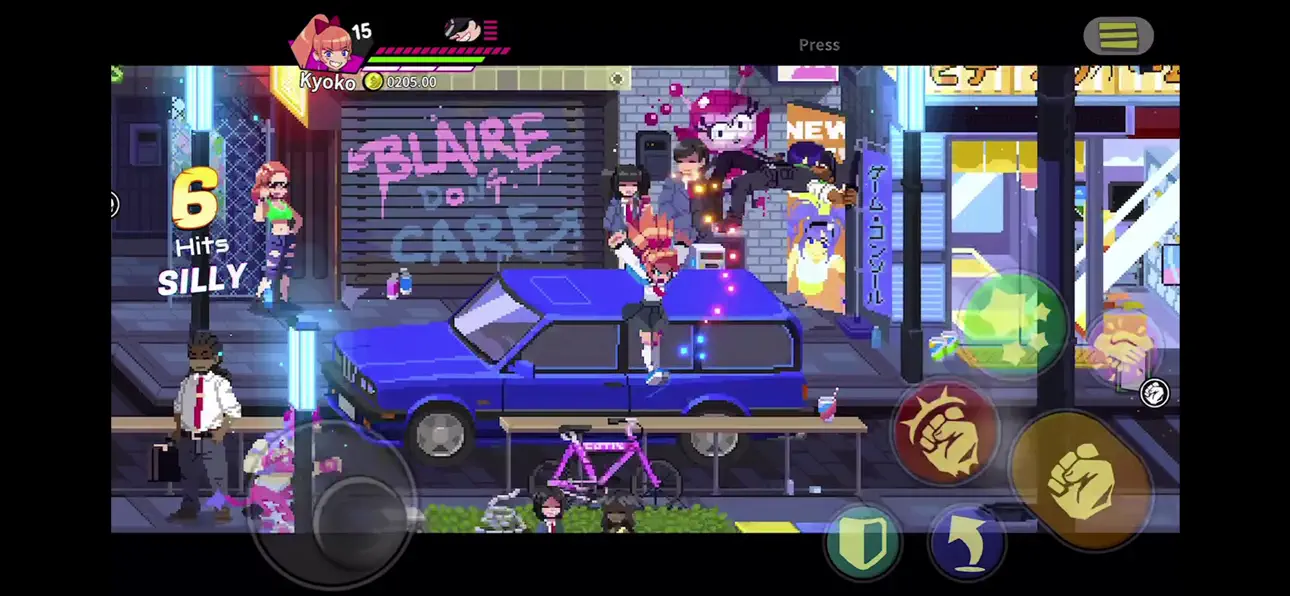
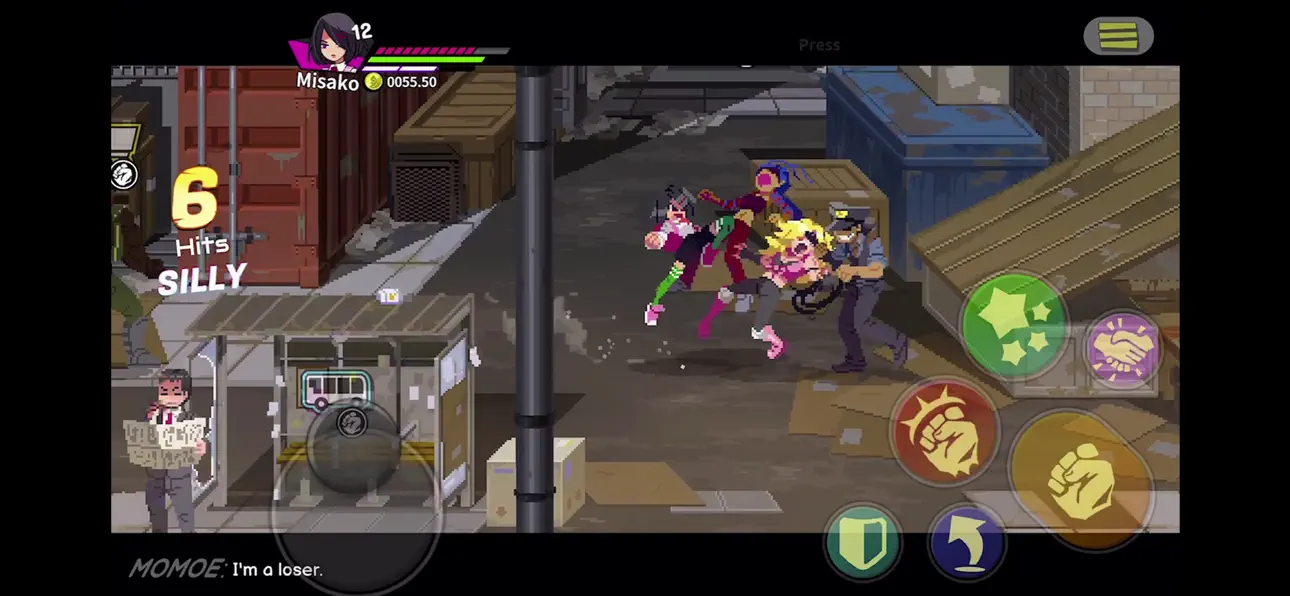
The River City Girls are ready for round 2! When an old foe resurfaces, Misako, Kyoko, Kunio, and Riki - joined by newcomers Marian and Provie - hit the streets for an all-new beat-'em-up adventure packed with new abilities, enemies, environments, and more!
Team up for local co-op, then pound punks into the dirt with brand-new guard-crush attacks, lift-off combos, double-team maneuvers, and other knuckle-busting techniques! Level-up to earn new moves, buy items and accessories in more than 30 shops, and recruit defeated foes and hired heavies to help you on your way!
River City is bigger than ever, with more locations to explore, more objects to destroy, and a day-night cycle! With nonlinear gameplay, a dynamic story system, and another epic soundtrack by Megan McDuffee, River City Girls 2 will keep you brawling until all your enemies yell ""BARF!""
Key Features:
-Six playable characters, each with their own fighting styles and upgradable move sets!
-Enhanced combat: guard crushes, lift-off combos, double-team maneuvers, and more!
-River City is bigger than ever! New locations with multiple routes and secret areas!
-Play solo or team up with a friend, locally
-New ""hired heavies"" aid you in battle! Have two recruits at once!
-Loads of NPCs to meet, interact with, and punch in the face - including surprise cameos!
-Awesome anime intro, comic book cutscenes, English and Japanese voiceovers, and a spectacular soundtrack featuring RCG1 composer Megan McDuffee!
————
Crunchyroll Premium members enjoy ad-free streaming - 1,300+ titles, 46,000+ episodes, and simulcasts shortly after they air in Japan. Mega Fan and Ultimate Fan memberships also include offline viewing, Crunchyroll Store discounts, Crunchyroll Game Vault access, multi-device streaming, and more!
Terms: https://www.crunchyroll.com/games/terms/
Tangkapan layar © pemiliknya masing-masing · App Store

![Goose Goose Duck iOS Mod IPA [ ESP Boxes, Lines ]](https://is1-ssl.mzstatic.com/image/thumb/Purple211/v4/26/91/07/269107a5-88fd-644d-f6fd-89ce22dbb3ce/AppIcon-0-0-1x_U007emarketing-0-8-0-85-220.png/100x100bb.jpg)

iOSGods tidak berafiliasi, tidak didukung, dan tidak disponsori oleh Apple Inc., Google LLC, maupun pengembang aplikasi yang terdaftar di sini. Apple, iOS, dan App Store adalah merek dagang Apple Inc. Android dan Google Play adalah merek dagang Google LLC. Semua nama aplikasi, ikon, gambar, dan merek dagang lainnya adalah milik pemiliknya masing-masing.

- iPhone atau iPad tanpa Jailbreak atau dengan Jailbreak.
- Sideloadly atau alternatifnya.
- Komputer dengan Windows/macOS/Linux dan iTunes terpasang.
LANGKAH 1: Unduh file .IPA yang sudah di-hack dari tautan di atas ke komputer Anda. Untuk mengunduhnya dari iOSGods App, silakan lihat Tutorial Mengunduh IPA dari iOSGods App kami yang dilengkapi contoh video.
LANGKAH 2: Unduh Sideloadly dan pasang di Windows atau Mac Anda.
LANGKAH 3: Buka Sideloadly di komputer Anda, sambungkan perangkat iOS Anda, dan tunggu hingga nama perangkat Anda muncul di Sideloadly.
LANGKAH 4: Setelah iDevice Anda terdeteksi, seret file .IPA yang sudah dimodifikasi dan lepaskan ke dalam aplikasi Sideloadly.
LANGKAH 5: Masukkan email Apple Account Anda, lalu tekan "Start". Anda kemudian akan diminta memasukkan kata sandi. Silakan isi informasi yang diminta.
LANGKAH 6: Tunggu hingga Sideloadly selesai melakukan sideloading/pemasangan IPA yang di-hack. Jika terjadi masalah saat pemasangan, silakan baca catatan di bawah ini.
LANGKAH 7: Setelah pemasangan selesai dan Anda melihat aplikasi di Layar Beranda, Anda perlu masuk ke Pengaturan → Umum → Profil / VPN & Manajemen Perangkat. Setelah itu, ketuk email yang Anda masukkan pada langkah 6, lalu ketuk "Percayai [email protected]".
LANGKAH 8: Sekarang buka Layar Beranda dan jalankan aplikasi yang baru saja dipasang; semuanya seharusnya berjalan normal. Anda mungkin perlu mengikuti petunjuk tambahan per aplikasi yang muncul di popup hack di dalam game.
CATATAN: Pada iOS/iPadOS 16 dan yang lebih baru, Anda harus mengaktifkan Mode Pengembang. Untuk akun Apple Developer gratis, Anda perlu mengulangi proses ini setiap 7 hari. Jika Anda memiliki pertanyaan atau masalah, silakan baca bagian FAQ Sideloadly di topik tersebut kami.
Game Name iOS Mod IPA is an action adventure game enhanced with powerful gameplay boosts and quality-of-life improvements. Win battles faster, earn rewards quicker, and enjoy uninterrupted play without ads.
- Unlimited Gold - spend freely to unlock premium content
- Damage Multiplier - deal significantly more damage in combat
- Defense Multiplier - take less damage and survive longer
- Reward Multiplier - earn more loot from every battle
- Max Level - instantly reach the highest player rank
- No Ads - play without interruptions or advertisements
This app also comes with iGameGod, giving you access to Auto Touch to automate repetitive tasks, App Speed Manager for adjustable gameplay speed, Memory Engine value editing, and more powerful iOS game tools.
Unduh Game Name Mod IPA dari tautan di atas. Ketuk tombol pasang dan ikuti petunjuk di layar untuk memasang hack iOS ini di iPhone, iPad, atau Apple Silicon.
Butuh bantuan lebih lanjut Lihat Pertanyaan yang Sering Diajukan untuk Aplikasi iOSGods kami untuk jawaban dan tips lengkap.
----------------------------------------------------------
--------------------------------------------------



![Rapid Reload iOS Mod IPA [ Debug Menu ]](https://is1-ssl.mzstatic.com/image/thumb/Purple221/v4/d4/7d/f8/d47df8df-b3dd-0bc0-d977-cf28ee64a3e0/AppIcon-0-0-1x_U007emarketing-0-8-0-85-220.png/100x100bb.jpg)


![Among Us! iOS Mod IPA [ WallHack ]](https://is1-ssl.mzstatic.com/image/thumb/Purple211/v4/06/b8/06/06b80694-d4ff-a00e-1e22-9aafd5dd6e2e/AppIcon-0-0-1x_U007emarketing-0-8-0-85-220.png/100x100bb.jpg)


