需要登入
請使用您的 iOSGods 帳戶登入以繼續。
請使用您的 iOSGods 帳戶登入以繼續。
一擊必殺和瞬間摧毀讓 Zombiepunk: Fight & Survive 成為一場無情的殭屍屠殺體驗,這個動作滿載的 Mod IPA 破解版消除了磨練和讓你專注於純粹的生存戰鬥。
跳過資源瓶頸和減緩塔防進度的等級限制。透過即時製作、武器升級和砲塔建造全部解鎖,你可以嘗試不同的生存策略和建築組合而無需等待,而無廣告遊玩讓末日動作持續不斷。
- 即時摧毀物品 → 無延遲地摧毀建築和障礙物
- 移除摧毀等級限制 → 移除摧毀的等級限制
- 一擊必殺敵人 → 一次打擊消滅殭屍
- 即時製作物品 → 瞬間製作裝備和補給品
- 即時升級武器 → 無需等待提升火力
- 即時升級砲塔 → 立即增強塔防
- 即時建築升級/建造 → 按需完成建造和升級
- 摧毀物品時增加大量戰利品 → 倍增摧毀物品的資源掉落
- 移除煩人的廣告 → 享受不間斷的遊玩體驗
此應用程式也內建 iGameGod,讓你可以使用 Auto Touch 自動執行重複操作、透過 App Speed Manager 調整遊戲速度、使用 Memory Engine 修改記憶體數值,以及更多強大的 iOS 遊戲工具。
從上方連結下載 Zombiepunk: Fight & Survive Hack modded IPA。點選安裝按鈕並依照畫面指示在 iPhone、iPad 或 Apple Silicon 上安裝此 iOS 應用程式修改版。
需要更多協助?請查看我們的 iOSGods 應用程式常見問題 以獲得詳細解答與疑難排解。
Destruye Todo A Tu Vista, Incluso A Los Zombis En Juegos De Supervivencia Y Construcción
Bienvenido al mundo de la defensa de torres contra zombis, donde puedes poner a prueba tus habilidades en juegos de estrategia y juegos de supervivencia y construcción.
Zombiepunk: Lucha & Sobrevive es un emocionante viaje a través de un páramo apocalíptico con elementos de defensa de torres y aventuras en el mundo de los zombis, donde debes extraer recursos y destruir hordas de no-muertos.
Según los clásicos del género de juegos de supervivencia y construcción, los recursos extraídos deben utilizarse para subir de nivel y mejorar armas, edificios y armaduras. Pero en Zombiepunk: Supervivencia en el Páramo, tienes la oportunidad de probarte en juegos de estrategia idle contra zombis con elementos de defensa de torres.
Libera a tu superviviente interior y, con armas poderosas creadas por ti mismo y la ayuda de torretas construidas por ti, lucha hasta el final contra hordas de no-muertos en el desierto sin vida del futuro postapocalíptico.
Descarga Zombiepunk: Estrategia Zombi de forma gratuita y comienza tu historia hoy mismo.
Juego Claro y Único
Déjate llevar por la combinación inusual de estrategia de supervivencia, defensa de torres contra zombis y creación en el apocalipsis que te mantendrá enganchado durante mucho tiempo en esta emocionante historia. Destruye todo a tu alrededor, extrae recursos, mejora tus armas y construye defensas para convertirte en el rey del páramo.
Construcción y Mejoras
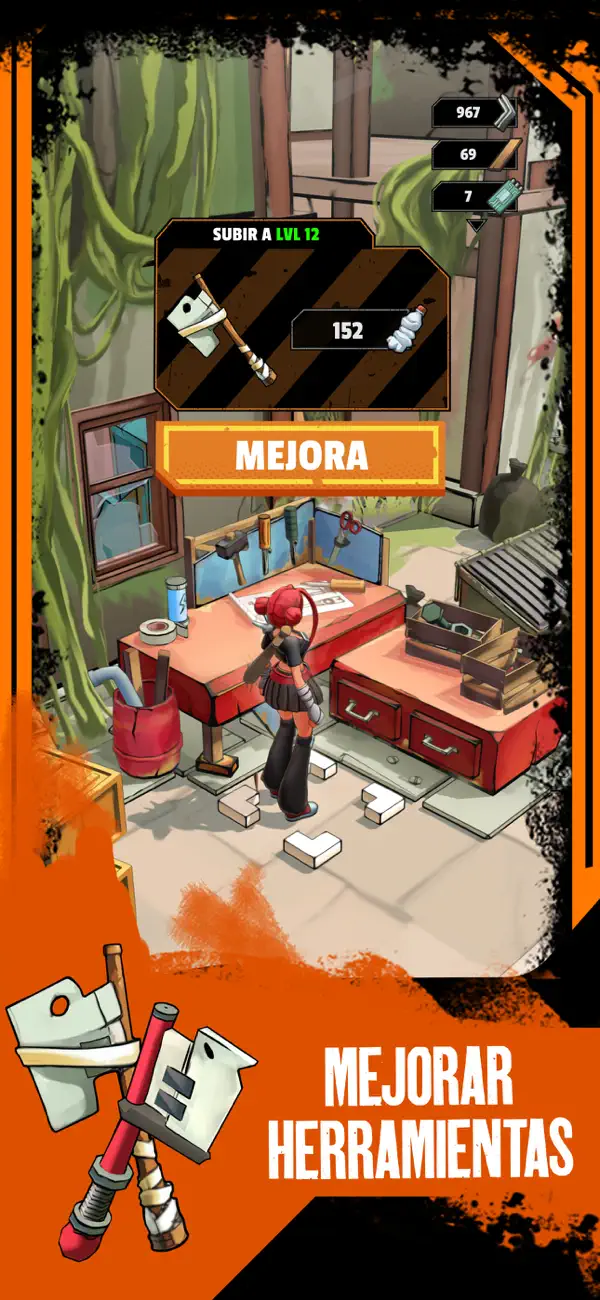
Para que las hordas de zombis no devoren tu cerebro, tendrás que demostrar táctica y estrategia con una extracción y uso inteligente de los recursos. Como se espera en los juegos de supervivencia y construcción: construye torretas, fabrica armas, mejora otros equipos, necesitarás todo en la lucha contra las olas de no-muertos.
Gráficos 3D Agradables a la Vista
Una hermosa y brillante visualización del mundo postapocalíptico con tecnología de cel-shading que añade un estilo cómic y recuerda a Borderlands.
Diversión Totalmente Offline
Para sentir la emoción de construir fortificaciones y destruir todo a tu alrededor, no necesitas Internet; puedes jugar a Zombiepunk: Construir un Imperio en cualquier lugar y en cualquier momento.
¿Listo para una aventura apasionante en un desierto postapocalíptico con estrategia de magnate de zombis? Construye, administra, desarrolla, expande, defiende tu base y encuentra recursos vitales en el desierto. Así que no lo dudes y comienza a destruir a los no-muertos junto con otros desesperados en esta historia épica Zombiepunk: Juegos de Supervivencia y Construcción
- 未越獄/受限或已越獄的 iPhone 或 iPad。
- Sideloadly 或替代方案。
- 執行 Windows/macOS/Linux 且已安裝 iTunes 的電腦。
步驟 1: 透過上方連結將已破解的 .IPA 檔案下載到您的電腦。若要從 iOSGods App 下載,請參閱我們的 iOSGods App IPA 下載教學,其中包含影片範例。
步驟 2: 下載 Sideloadly 並將其安裝在您的 Windows 或 Mac 上。
步驟 3: 在電腦上開啟 Sideloadly,連接您的 iOS 裝置,並等待裝置名稱出現在 Sideloadly 中。
步驟 4: 當 Sideloadly 辨識到您的 iOS 裝置後,將下載好的修改版 .IPA 檔案拖曳並放到 Sideloadly 應用程式中。
步驟 5: 輸入您的 Apple Account 電子郵件,然後按下「Start」。系統會要求您輸入密碼,請依指示提供所需資訊。
步驟 6: 等待 Sideloadly 完成已破解 IPA 的旁載/安裝。如果安裝過程中發生問題,請閱讀下方的注意事項。
步驟 7: 安裝完成並在主畫面上看到該應用程式後,您需要前往 設定 → 一般 → 描述檔 / VPN 與裝置管理。進入後,點選您在步驟 6 中輸入的電子郵件,然後點選「信任 [email protected]」。
步驟 8: 現在回到主畫面並開啟新安裝的應用程式,一切應該都能正常運作。您可能需要依照遊戲內破解彈出視窗中的進一步指示操作。
注意: 在 iOS/iPadOS 16 及更新版本上,您必須 啟用開發者模式。若使用免費的 Apple Developer 帳號,您將需要每 7 天重複此程序。如有任何疑問或問題,請閱讀我們的 主題中的 Sideloadly 常見問題區段。