Anmeldung erforderlich
Melden Sie sich mit Ihrem iOSGods-Konto an, um fortzufahren.
Melden Sie sich mit Ihrem iOSGods-Konto an, um fortzufahren.
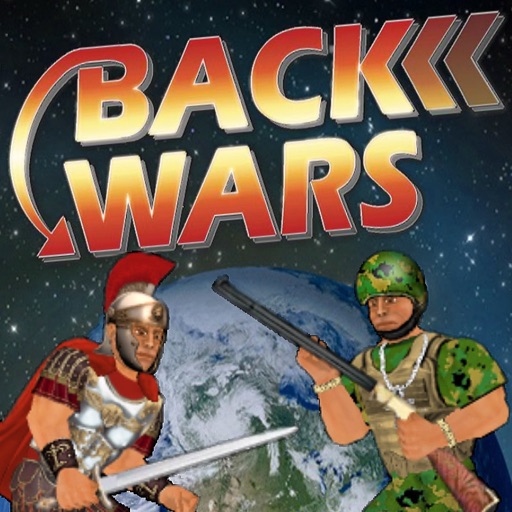
Back Wars iOS Mod IPA ist ein Zeitreise-Strategiespiel, in dem du eine globale Widerstandsbewegung gegen eine Armee aus der Zukunft anführst und Hunderte von Kriegern in vollständig interaktiven Kämpfen befehligst. Dieser kostenlose Hack entsperrt Premium-In-App-Käufe und ermöglicht dir, dein Spielerlebnis ohne echtes Geld zu verbessern und anzupassen.
- PREMIUM (Kostenlose In-App-Käufe) → entsperre kostenpflichtige Upgrades kostenlos
Diese App wird zusätzlich mit iGameGod geliefert und bietet Ihnen Zugriff auf Auto Touch zur Automatisierung sich wiederholender Aufgaben, App Speed Manager für eine anpassbare Spielgeschwindigkeit, Memory Engine zur Wertbearbeitung und weitere leistungsstarke iOS-Spielwerkzeuge.
Laden Sie Back Wars iOS Mod IPA über die obigen Links herunter. Tippen Sie auf den Installations-Button und folgen Sie den Anweisungen, um diese iOS-App auf Ihrem iPhone, iPad oder Apple Silicon zu installieren.
Brauchen Sie mehr Hilfe? In unseren iOSGods App häufig gestellten Fragen finden Sie ausführliche Antworten und Tipps zur Fehlerbehebung.
When an army travels back in time to rule the world 1,000 years in advance, they get more than they bargained for from their primitive counterparts! Lead the resistance with hundreds of warriors from different cultures all over the world. Focus on one individual or step back to command an entire army at your fingertips. Combining world-dominating strategy with fully interactive battles, this game offers the best of both worlds! And just when you think it's over, history might just repeat itself...
UPGRADES
The game is mostly free to play, but you can upgrade to take control of your experience - choosing which side and how much territory to start with. You can also blow off steam with fantasy battles between any 2 cultures - and as many warriors as your device can handle! For what it's worth, you can also edit every character in the world - but please note that this game uses up to 1,000 of them that are regularly replaced.
CONTROLS
When controlling a specific character, this game offers either the "Classic" 1-handed control system or "Dual Wield" where each hand is controlled separately. If you are not already familiar with these from previous games in the series, you can pause the action at any time by hitting the dateline and then study the "Controls" guide. Also look out for in-game hints from scrolls or books that you can read.
In this game, you can change which member of the team you are controlling at any time by either tapping the health meter or literally pointing to them on the battlefield. By tapping the arrows at the bottom of the screen, you can also activate "Commander" mode where you step back and direct any active member of your team by simply swiping from their location to another. Whether you intend them to relocate, fight an enemy, or pick up an object, they will try to make sense of your instructions. But please bear in mind that they can only do so at their convenience and may have other priorities!
Whatever device or control method you are using, you can always zoom in or out by pinching at the centre of the screen.
MAP
The main "Campaign" game mode requires you to increase your territory by moving units from one area to any connected one. You can either "fortify" an existing territory or attempt to seize a rival territory. Note that only 50% of the units in a territory will be available to travel - which necessarily makes it harder to invade than it is to defend.
The population of any inhabited territory may grow after each round, so it is important to control as many as possible. Notice that units will also gradually heal over time, so it is a good idea to work with different locations each turn.
PERFORMANCE
Please note that this is the largest scale game I have made yet, and may require a high-end device to run at 100%. Consider keeping the "Population" low to reduce the number of characters on screen, or tone down other features in the "Display" options.
I regret there is more to this game than I could ever explain here, so I hope you enjoy figuring some things out for yourself!
Screenshots © der jeweiligen Inhaber · App Store


iOSGods ist nicht mit Apple Inc., Google LLC oder den Entwicklern der hier aufgeführten Apps verbunden und wird von ihnen weder unterstützt noch gesponsert. Apple, iOS und App Store sind Marken von Apple Inc. Android und Google Play sind Marken von Google LLC. Alle weiteren App-Namen, Symbole, Grafiken und Marken gehören ihren jeweiligen Inhabern.
- Nicht-Jailbroken/Jailed oder Jailbroken iPhone oder iPad.
- Sideloadly oder Alternativen.
- Computer mit Windows/macOS/Linux und installiertem iTunes.
SCHRITT 1: Laden Sie die vorinstallierte .IPA-Datei über den obigen Link auf Ihren Computer herunter. Zum Herunterladen aus der iOSGods-App siehe unser iOSGods App IPA Download-Tutorial mit Videobeispiel.
SCHRITT 2: Laden Sie Sideloadly herunter und installieren Sie es auf Ihrem Windows oder Mac.
SCHRITT 3: Öffnen Sie Sideloadly auf Ihrem Computer, verbinden Sie Ihr iOS-Gerät und warten Sie, bis Ihr Gerätename in Sideloadly erscheint.
SCHRITT 4: Sobald Ihr iDevice erkannt wird, ziehen Sie die heruntergeladene gemoddete .IPA-Datei in die Sideloadly-Anwendung.
SCHRITT 5: Geben Sie Ihre Apple-Account-E-Mail ein und drücken Sie „Start". Sie werden dann nach Ihrem Passwort gefragt. Geben Sie die erforderlichen Informationen ein.
SCHRITT 6: Warten Sie, bis Sideloadly das Sideloading/Installieren der gehackten IPA abgeschlossen hat. Bei Problemen während der Installation lesen Sie bitte den Hinweis unten.
SCHRITT 7: Sobald die Installation abgeschlossen ist und die App auf Ihrem Home-Bildschirm angezeigt wird, müssen Sie zu Einstellungen → Allgemein → Profile / VPN & Geräteverwaltung gehen. Tippen Sie dort auf die E-Mail, die Sie in Schritt 6 eingegeben haben, und dann auf „Trust [email protected]".
SCHRITT 8: Gehen Sie nun zu Ihrem Home-Bildschirm und öffnen Sie die neu installierte App – alles sollte einwandfrei funktionieren. Möglicherweise müssen Sie weitere App-spezifische Anweisungen im Hack-Popup im Spiel befolgen.
HINWEIS: iOS/iPadOS 16 und höher: Sie müssen den Entwicklermodus aktivieren. Bei kostenlosen Apple Developer-Accounts müssen Sie diesen Vorgang alle 7 Tage wiederholen. Bei Fragen oder Problemen lesen Sie bitte unsere Sideloadly-FAQ-Sektion im Thema.
Hack Features:
- Inf Coins (Spend)
App Installation Instructions:
---------------------------------------------------------
----------------------------------------------------------
If you require more information or help, please read our Frequently Asked Questions topic on iOSGods.com.
----------------------------------------------------------
--------------------------------------------------




![[The Battle Cats JP] にゃんこ大戦争 iOS Mod IPA](https://is1-ssl.mzstatic.com/image/thumb/Purple221/v4/21/75/38/21753822-1174-a5eb-254a-6812ffbe4e95/AppIcon-0-0-1x_U007epad-0-1-85-220.png/100x100bb.jpg)