Accesso richiesto
Accedi con il tuo account iOSGods per continuare.
Accedi con il tuo account iOSGods per continuare.
Merge Age: Stone Haven è un gioco di puzzle accogliente dove costruisci e fai crescere il tuo villaggio dell'Età della Pietra unendo materiali, ora potenziato con questo Mod IPA gratuito che sblocca risorse illimitate. Salta la routine e concentrati sulla gioia creativa di trasformare una terra desolata in una casa stonepunk prospera.
- Gemme Illimitate → spendi liberamente senza limiti
- Monete Illimitate → costruisci e unisci senza vincoli di risorse
- Energia Illimitata → gioca continuamente senza aspettare
Questa app include anche iGameGod, che ti offre accesso ad Auto Touch per automatizzare attività ripetitive, App Speed Manager per regolare la velocità di gioco, modifica dei valori con Memory Engine e altri potenti strumenti per giochi iOS.
Scarica Merge Age: Stone Haven iOS Mod IPA dai link sopra. Tocca il pulsante di installazione e segui le istruzioni per installare questo hack iOS sul tuo iPhone, iPad o Mac con Apple Silicon.
Hai bisogno di altro aiuto? Consulta le nostre Domande frequenti sull'app iOSGods per risposte dettagliate e consigli per la risoluzione dei problemi.
Kombiniere, baue und erweitere dein Dorf!
Verwandle Steine und Blätter mit jedem Merge in ein gemütliches Zuhause aus der Steinzeit.
Baue dein eigenes gemütliches Stonepunk-Dorf
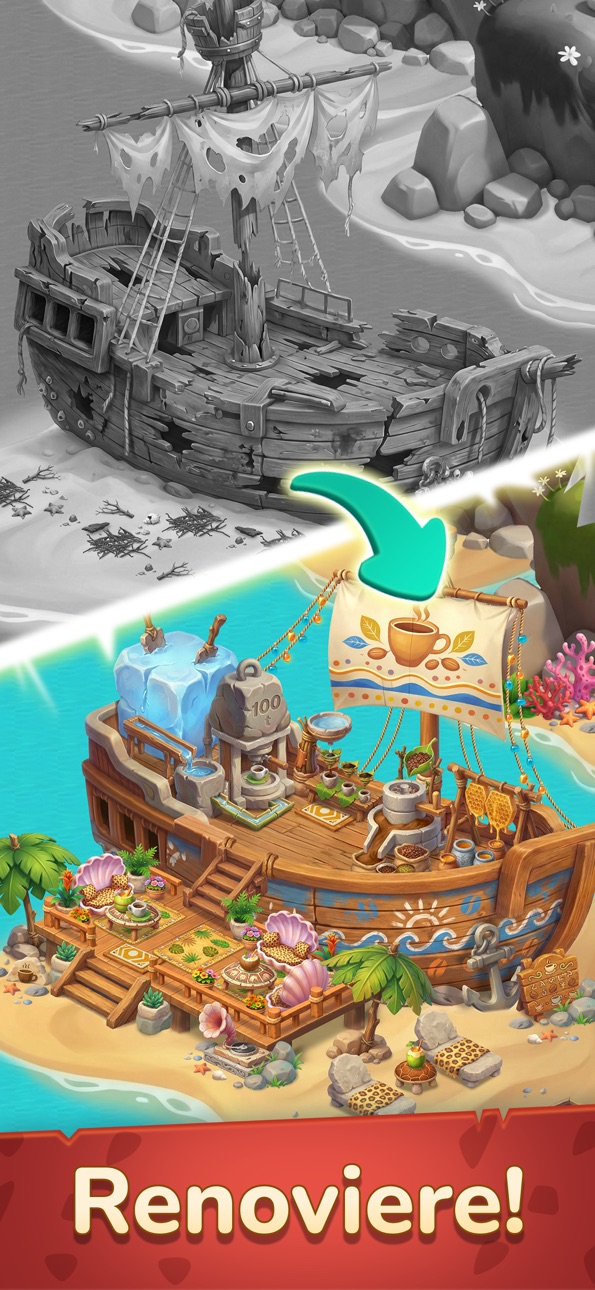
Beginne mit nichts als Steinen und Stöcken. Kombiniere Materialien, um eingestürzte Hütten zu reparieren und eine staubige Einöde in ein gemütliches Zuhause zu verwandeln, auf das dein Stamm stolz sein kann. Jeder Merge erweckt deinen Zufluchtsort ein Stück mehr zum Leben!
Entdecke kreative Stonepunk-Erfindungen
Füge einfache Materialien wie Stein und Holz zusammen und erschaffe alles von starken Werkzeugen bis hin zu kuscheligen Betten und frisch gebackenen, warmen Waffeln.
Mit jedem Merge wird dein Spielfeld ordentlicher und dein Dorf lebendiger – ein entspanntes, befriedigendes Puzzle-Erlebnis, das dich immer wieder zurückkommen lässt.
Rhythmus-Herausforderung — Mergen auf Hochtouren!
Sammle 3 Rhythmus-Marken von deinen Dorfbewohnern, um den Dorf-Beat auszulösen. Wenn der Rhythmus-Puls aktiv ist, verschwinden alle Generator-Abklingzeiten für 5 Minuten. Merge mit unglaublicher Geschwindigkeit ohne Wartezeit — das ist Mergen mit Power!
Triff deine 13 Dorfbewohner
Lerne eine lebhafte Besetzung von Stammesmitgliedern kennen — vom tollpatschigen Erfinder Urki bis zum stillen Jäger Dalso. Erfülle ihre besonderen Wünsche (denn jeder liebt einen steinzeitlichen Latte!), um wertvolle Belohnungen zu erhalten und den Zusammenhalt deiner Gemeinschaft zu stärken.
Restauriere und erweitere dein Stammes-Paradies
Nutze deine Münzen, um Ruinen zu sanieren, Trümmer zu beseitigen und eine riesige, wachsende Karte voller verborgener Wunder zu erkunden. Erweitere dein Territorium in deinem eigenen entspannten Tempo, während deine Steinzeitwelt um dich herum aufblüht!
Features
• Einfache Merge-2-Mechanik — leicht zu starten und macht schnell süchtig.
• Stonepunk-Komfort — erschaffe kuschelige Betten und warme Waffeln.
• Nonstop-Merge-Spaß — 5 Minuten ohne Wartezeit dank Rhythmus-Power.
• Lebendige Welt — entspannende, gemütliche Steinzeit-Grafik.
Lade das Spiel jetzt herunter und beginne, dein traumhaftes Stonepunk-Dorf aufzubauen!
DATENSCHUTZRICHTLINIE
• https://www.puzzle1studio.com/privacy-policy/
E-MAIL
• [email protected]
Screenshot © rispettivi proprietari · App Store


iOSGods non è affiliata, approvata né sponsorizzata da Apple Inc., Google LLC o dagli sviluppatori delle app elencate qui. Apple, iOS e App Store sono marchi di Apple Inc. Android e Google Play sono marchi di Google LLC. Tutti gli altri nomi delle app, icone, immagini e marchi appartengono ai rispettivi proprietari.

- iPhone o iPad non jailbroken/jailed oppure jailbroken.
- Sideloadly o alternative.
- Computer con Windows/macOS/Linux con iTunes installato.
PASSO 1: Scarica il file .IPA pre-modificato dal link sopra sul tuo computer. Per scaricarlo dall'iOSGods App, consulta il nostro Tutorial download IPA dell'iOSGods App, che include un esempio video.
PASSO 2: Scarica Sideloadly e installalo sul tuo Windows o Mac.
PASSO 3: Apri Sideloadly sul tuo computer, collega il tuo dispositivo iOS e attendi finché il nome del dispositivo non appare in Sideloadly.
PASSO 4: Una volta riconosciuto il tuo iDevice, trascina il file .IPA moddato che hai scaricato e rilascialo nell'applicazione Sideloadly.
PASSO 5: Inserisci l'email del tuo Apple Account, poi premi “Start”. Ti verrà quindi chiesto di inserire la password. Procedi e fornisci le informazioni richieste.
PASSO 6: Attendi che Sideloadly completi il sideload/installazione dell'IPA modificata. Se ci sono problemi durante l'installazione, leggi la nota qui sotto.
PASSO 7: Una volta completata l'installazione e vista l'app sulla schermata Home, dovrai andare in Impostazioni → Generali → Profili / Gestione VPN e dispositivi. Una volta lì, tocca l'email inserita al passo 6 e poi tocca “Autorizza [email protected]”.
PASSO 8: Ora vai sulla schermata Home e apri l'app appena installata: tutto dovrebbe funzionare correttamente. Potrebbe essere necessario seguire ulteriori istruzioni specifiche all'interno del popup dell'hack nel gioco.
NOTA: Per iOS/iPadOS 16 e versioni successive, devi attivare la Modalità sviluppatore. Per gli account Apple Developer gratuiti, dovrai ripetere questa procedura ogni 7 giorni. Se hai domande o problemi, leggi la nostra sezione FAQ Sideloadly del topic.
Hack Features:
- Inf Coins (Spend)
App Installation Instructions:
---------------------------------------------------------
----------------------------------------------------------
If you require more information or help, please read our Frequently Asked Questions topic on iOSGods.com.
----------------------------------------------------------
--------------------------------------------------