로그인 필요
계속하려면 iOSGods 계정으로 로그인하세요.
계속하려면 iOSGods 계정으로 로그인하세요.
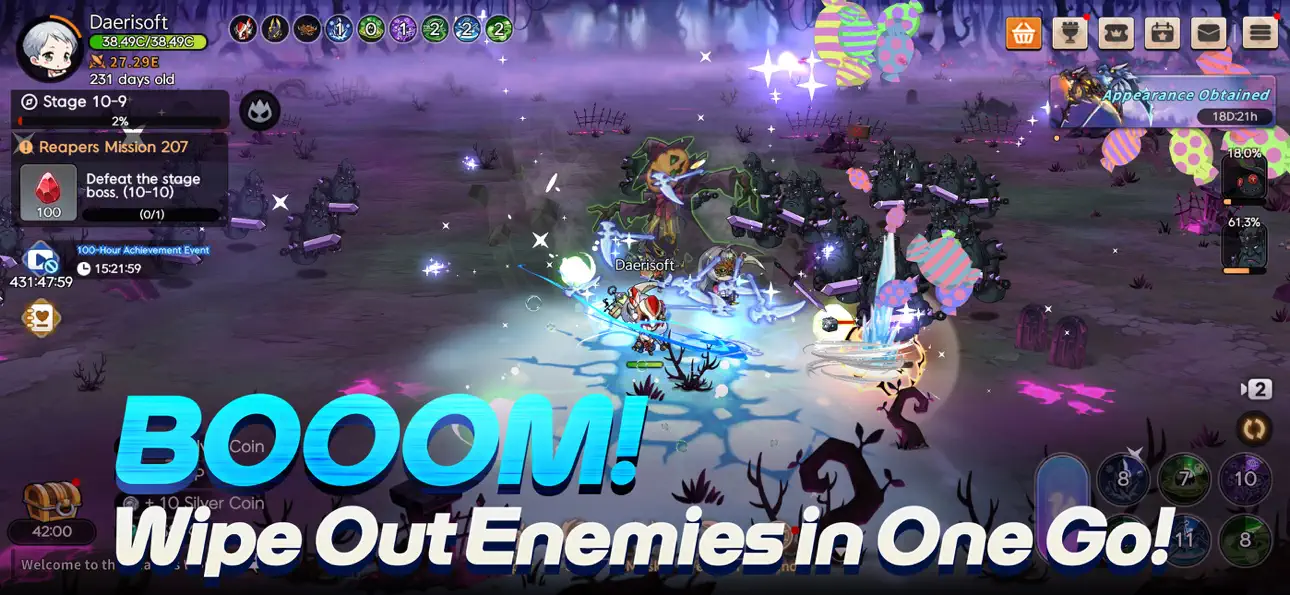
Tiny Reaper: Reborn Mod IPA에서 무적 모드를 활성화하고 압도적인 힘을 발휘하세요. 피해를 입지 않으면서 적들을 한 번에 격파하여 모든 전투를 빠른 승리로 만들어보세요.
이 해킹은 진행을 방해하는 반복 작업과 스킬 대기 시간을 제거하여 공격 사이의 대기 없이 스토리와 병합 메커니즘에 집중할 수 있게 해줍니다. 자신의 페이스대로 수확자의 여정을 경험하고 싶거나 제한 없이 작은 수호 정령을 얼마나 강하게 만들 수 있는지 보고 싶은 플레이어에게 완벽합니다.
- 무적 모드 → 적의 피해를 받지 않음
- 원킬 → 모든 적을 한 번의 공격으로 격파
- 스킬 쿨타임 없음 → 대기 없이 즉시 능력 사용
- 둔화된 적 → 상대가 수동적이 되어 격파하기 쉬워짐
이 앱에는 iGameGod도 포함되어 있어 반복 작업을 자동화하는 Auto Touch, 게임 속도를 조절할 수 있는 App Speed Manager, Memory Engine 값 편집 등 강력한 iOS 게임 도구를 사용할 수 있습니다.
위의 링크에서 Tiny Reaper: Reborn iOS Mod IPA을 다운로드합니다. 설치 버튼을 누르고 화면 안내에 따라 iPhone, iPad 또는 Apple Silicon에 이 iOS 앱 해킹을 설치합니다.
더 많은 도움이 필요하신가요? 자세한 답변과 문제 해결 팁은 iOSGods 앱 자주 묻는 질문을 확인하세요.
Sensenmann. Wiedergeburt. Aufstieg.
Wie lange dauert es, einen wahren Sensenmann zu schmieden?
In einer Welt, in der sich Leben und Tod endlos wiederholen, beginnt Tiny Reaper: Reborn die Geschichte eines neugeborenen Sensenmanns – eines entzückenden Neugeborenen, das zu Großem bestimmt ist.
[Klein anfangen – Stark werden]
Deine Reise beginnt als winziger Baby-Sensenmann. Beschütze und nähre ihn mit Hilfe von Schutzgeistern!
Verschmilz mit deinen Wächtern, wenn du in Gefahr bist, um gewaltige Macht zu entfesseln.
[Wiedergeburt ohne Grenzen]
Festgefahren? Wiedergeburt und komm stärker zurück!
Jede Wiedergeburt steigert deine Kraft – unendlich.
Wachse schneller, werde stärker und erhebe dich erneut!
[Visuelles Wachstum]
Mit jedem Levelaufstieg entwickelt sich dein Sensenmann visuell weiter – vom krabbelnden Säugling zum furchterregenden Krieger.
Kann dein Baby der ultimative Sensenmann werden?
[Zum Töten gekleidet – Buchstäblich]
Es ist ein modebewusstes Jenseits!
Schalte eine riesige Auswahl an Kostümen und Accessoires frei und lege sie an.
Zeige deinen Stil im ultimativen Sensenmann-Makeover-Wettbewerb!
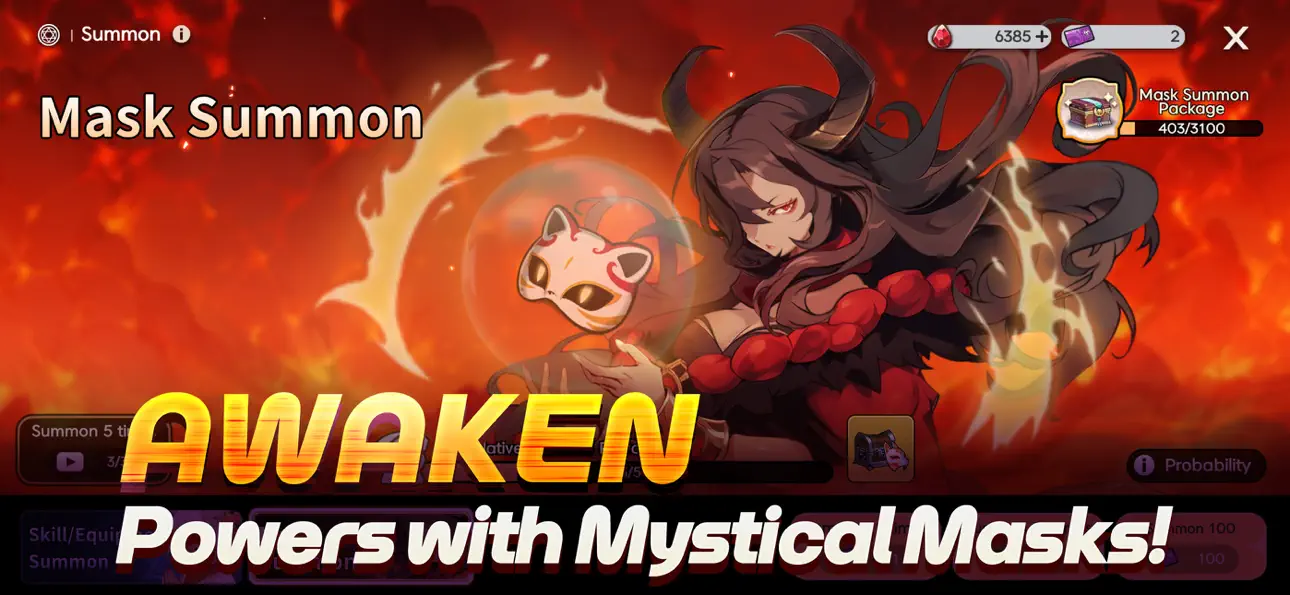
[Masken bergen Macht]
Lege mystische Masken an, die mit deinem Sensenmann wachsen.
Jede Maske schaltet neue Fähigkeiten frei – meistere sie, um Bosse zu vernichten und das Schlachtfeld zu beherrschen!
[Mehr als nur Leerlauf]
Müde vom untätigen Grinden?
Probiere den Roguelike-Schattenwald-Modus für spannende PvP-Action!
Tritt gegen grimmige Bosse im Drachennest an und erkunde inhaltsreiche Dungeons.
[Ära des freien Handels beginnt!]
Brauchst du ein Kostüm nicht? Verkaufe es!
Willst du ein seltenes? Kaufe oder gewinne es!
Verdiene exklusive Event-Kostüme und handle sie auf dem Marktplatz.
Bist du bereit, deinen eigenen Sensenmann in Tiny Reaper: Reborn großzuziehen?

- 탈옥/제일 또는 탈옥된 iPhone 또는 iPad가 필요합니다.
- Sideloadly 또는 대체 도구가 필요합니다.
- iTunes가 설치된 Windows/macOS/Linux 컴퓨터가 필요합니다.
1단계: 위 링크에서 미리 해킹된 .IPA 파일을 컴퓨터에 다운로드합니다. iOSGods App에서 다운로드하려면 동영상 예시가 포함된 iOSGods App IPA 다운로드 튜토리얼를 참고하십시오.
2단계: Sideloadly를 다운로드하여 Windows 또는 Mac에 설치합니다.
3단계: 컴퓨터에서 Sideloadly를 실행하고 iOS 기기를 연결한 후, Sideloadly에 기기 이름이 표시될 때까지 기다립니다.
4단계: iDevice가 인식되면, 다운로드한 모드된 .IPA 파일을 Sideloadly 애플리케이션에 끌어다 놓습니다.
5단계: Apple Account 이메일을 입력한 후 “Start”를 누릅니다. 그러면 비밀번호를 입력하라는 메시지가 표시됩니다. 요청된 정보를 제공해 주십시오.
6단계: Sideloadly가 해킹된 IPA의 사이드로드/설치를 완료할 때까지 기다리십시오. 설치 중 문제가 발생하면 아래 참고 사항을 읽어 주십시오.
7단계: 설치가 완료되어 홈 화면에서 앱이 보이면 설정 → 일반 → 프로파일 / VPN 및 기기 관리 경로로 이동해야 합니다. 그곳에서 6단계에서 입력한 이메일을 탭한 다음 “[email protected] 신뢰”를 탭하십시오.
8단계: 이제 홈 화면으로 돌아가 새로 설치된 앱을 열면 모든 것이 정상적으로 작동할 것입니다. 게임 내 해킹 팝업에서 앱별 추가 안내를 따라야 할 수도 있습니다.
참고: iOS/iPadOS 16 이상에서는 개발자 모드를 활성화해야 합니다. 무료 Apple Developer 계정의 경우 이 과정을 7일마다 반복해야 합니다. 질문이나 문제가 있는 경우 해당 토픽의 Sideloadly FAQ 섹션를 읽어보십시오.
Hack Features:
- Inf Coins (Spend)
App Installation Instructions:
---------------------------------------------------------
----------------------------------------------------------
If you require more information or help, please read our Frequently Asked Questions topic on iOSGods.com.
----------------------------------------------------------
--------------------------------------------------