Anmeldung erforderlich
Melde dich mit deinem iOSGods-Konto an, um fortzufahren.
Melde dich mit deinem iOSGods-Konto an, um fortzufahren.
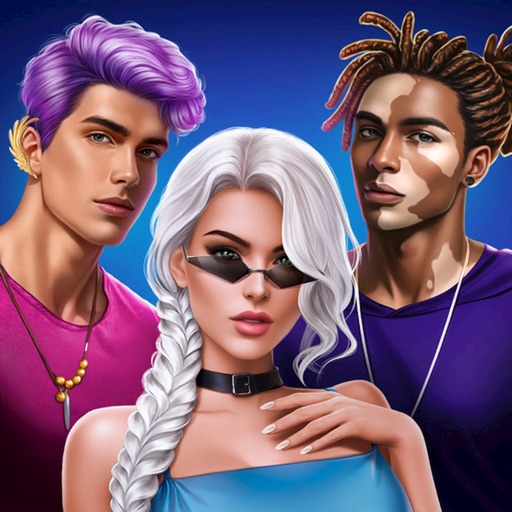
Love Sparks: Make Me Blush ist ein romantisches Textspiel, in dem du wischst, chattest und wunderschöne Charaktere in immersiven Episoden verabredest, die auf deine Entscheidungen zugeschnitten sind. Diese Mod IPA schaltet Premium-Funktionen und unbegrenzte Ressourcen frei, damit du das vollständige Dating-Erlebnis ohne Grinding genießen kannst.
- Unbegrenzte Währungen → verdiene oder gebe frei aus
- ViP aktiviert → Zugriff auf Premium-Inhalte und Funktionen
Diese App wird zusätzlich mit iGameGod geliefert und bietet dir Zugriff auf Auto Touch zur Automatisierung sich wiederholender Aufgaben, App Speed Manager für eine anpassbare Spielgeschwindigkeit, Memory Engine zur Wertbearbeitung und weitere leistungsstarke iOS-Spielwerkzeuge.
Lade Love Sparks: Make Me Blush Hack modded IPA über die obigen Links herunter. Tippe auf den Installations-Button und folge den Anweisungen, um diese iOS-App auf deinem iPhone, iPad oder Apple Silicon zu installieren.
Brauchst du mehr Hilfe? In unseren iOSGods App häufig gestellten Fragen findest du ausführliche Antworten und Tipps zur Fehlerbehebung.
Find your spark in Love Sparks – a romantic interactive chat game!
Swipe, match, and dive into stories where your choices shape the experience.
Why You'll Love It:
– Interactive love stories driven by your decisions
– Charming voice notes from your matches
– Attractive characters with unique personalities
– Cute emojis & fun selfies to bring chats to life
How It Works:
– Customize your profile and interests
– Swipe through potential matches
– Match and start chatting
– Listen to voice messages made just for you
– Flirt, connect & explore – all in a safe, fictional world
Meet characters from all walks of life — a smooth-talking CEO, a rising musician, or even a royal with a secret. Every story is different. Every choice matters.
Whether you're into sweet romance, playful banter, or dramatic twists – Love Sparks lets you live out your own romantic journey.
Please note: Love Sparks is a fictional dating simulator. All interactions happen within the game.
Download now and start your story!
SUBSCRIPTION PRICING AND TERMS
Love Sparks offers auto-renewing subscription options for "Premium Features":
$14,99 - per month
Premium Features:
- Daily bonus x10 multiply daily
- Super boost feature for 12 hours daily
- Unique avatars
- Pricing in the countries may vary and actual charges may be converted to your local currency depending on the country of residence.
- Payment will be charged to iTunes Account at confirmation of purchase.
- Subscription automatically renews unless auto-renew is turned off at least 24-hours before the end of the current period.
- Account will be charged for renewal within 24-hours prior to the end of the current period, and identify the cost of the renewal.
- Subscriptions may be managed by the user and auto-renewal may be turned off by going to the user’s Account Settings after purchase.
- Any unused portion of a free trial period, if offered, will be forfeited when the user purchases a subscription to that publication, where applicable.
Read more:
License agreement: https://swagmasha.org/eula
Screenshots © der jeweiligen Inhaber · App Store


iOSGods ist nicht mit Apple Inc., Google LLC oder den Entwicklern der hier aufgeführten Apps verbunden und wird von ihnen weder unterstützt noch gesponsert. Apple, iOS und App Store sind Marken von Apple Inc. Android und Google Play sind Marken von Google LLC. Alle weiteren App-Namen, Symbole, Grafiken und Marken gehören ihren jeweiligen Inhabern.
- Nicht-Jailbroken/Jailed oder Jailbroken iPhone oder iPad.
- Sideloadly oder Alternativen.
- Computer mit Windows/macOS/Linux und installiertem iTunes.
SCHRITT 1: Lade die vorinstallierte .IPA-Datei über den obigen Link auf deinen Computer herunter. Zum Herunterladen aus der iOSGods-App siehe unser iOSGods App IPA Download-Tutorial mit Videobeispiel.
SCHRITT 2: Lade Sideloadly herunter und installiere es auf deinem Windows oder Mac.
SCHRITT 3: Öffne Sideloadly auf deinem Computer, verbinde dein iOS-Gerät und warte, bis dein Gerätename in Sideloadly erscheint.
SCHRITT 4: Sobald dein iDevice erkannt wird, ziehe die heruntergeladene gemoddete .IPA-Datei in die Sideloadly-Anwendung.
SCHRITT 5: Gib deine Apple-Account-E-Mail ein und drücke „Start". Du wirst dann nach deinem Passwort gefragt. Gib die erforderlichen Informationen ein.
SCHRITT 6: Warte, bis Sideloadly das Sideloading/Installieren der gehackten IPA abgeschlossen hat. Bei Problemen während der Installation lies bitte den Hinweis unten.
SCHRITT 7: Sobald die Installation abgeschlossen ist und die App auf deinem Home-Bildschirm angezeigt wird, musst du zu Einstellungen → Allgemein → Profile / VPN & Geräteverwaltung gehen. Tippe dort auf die E-Mail, die du in Schritt 6 eingegeben hast, und dann auf „Trust [email protected]".
SCHRITT 8: Gehe nun zu deinem Home-Bildschirm und öffne die neu installierte App – alles sollte einwandfrei funktionieren. Möglicherweise musst du weitere App-spezifische Anweisungen im Hack-Popup im Spiel befolgen.
HINWEIS: iOS/iPadOS 16 und höher: Du musst den Entwicklermodus aktivieren. Bei kostenlosen Apple Developer-Accounts musst du diesen Vorgang alle 7 Tage wiederholen. Bei Fragen oder Problemen lies bitte unsere Sideloadly-FAQ-Sektion im Thema.
Game Name iOS Mod IPA is an action adventure game enhanced with powerful gameplay boosts and quality-of-life improvements. Win battles faster, earn rewards quicker, and enjoy uninterrupted play without ads.
- Unlimited Gold - spend freely to unlock premium content
- Damage Multiplier - deal significantly more damage in combat
- Defense Multiplier - take less damage and survive longer
- Reward Multiplier - earn more loot from every battle
- Max Level - instantly reach the highest player rank
- No Ads - play without interruptions or advertisements
This app also comes with iGameGod, giving you access to Auto Touch to automate repetitive tasks, App Speed Manager for adjustable gameplay speed, Memory Engine value editing, and more powerful iOS game tools.
Lade Game Name Mod IPA über die obigen Links herunter. Tippe auf den Installations-Button und folge den Anweisungen, um diese iOS-App auf deinem iPhone, iPad oder Apple Silicon zu installieren.
Brauchst du mehr Hilfe In unseren iOSGods App häufig gestellten Fragen findest du ausführliche Antworten und Tipps zur Fehlerbehebung.
----------------------------------------------------------
--------------------------------------------------


