تسجيل الدخول مطلوب
سجّل الدخول بحساب iOSGods للمتابعة.
Hack Features:
- Freeze Resources
- Free DLC
NOTE: You can't drop resources, so take the amount you want only otherwise gamebreaking
يأتي هذا التطبيق مع iGameGod، مما يتيح لك الوصول إلى Auto Touch لأتمتة المهام المتكررة، وApp Speed Manager لضبط سرعة اللعب، وتعديل القيم عبر Memory Engine، والمزيد من أدوات ألعاب iOS القوية.
قم بتنزيل This War of Mine Hack modded IPA من الروابط أعلاه. اضغط على زر التثبيت واتبع التعليمات لتثبيت هذا التعديل لـ iOS على iPhone أو iPad أو Apple Silicon.
هل تحتاج إلى مزيد من المساعدة؟ راجع الأسئلة الشائعة لتطبيق iOSGods للحصول على إجابات مفصلة ونصائح لاستكشاف الأخطاء.
"If you've not already played this brilliant, heart-wrenching game, then mobile is as good a place as any to let it completely destroy you." - , 9/10, Pocket Gamer UK
"This War of Mine isn’t exactly “fun,” but it’s definitely a game worth playing." , 9/10, 148apps
"I'm really excited to go home and download 11 bit studios' title on my iPad" , Game Informer
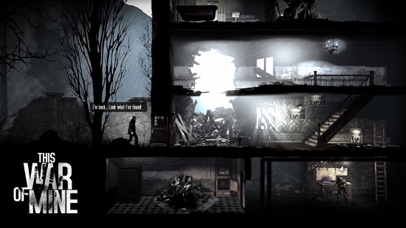
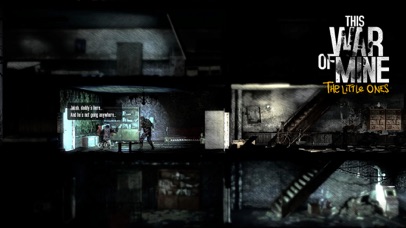
In This War Of Mine you do not play as an elite soldier, rather a group of civilians trying to survive in a besieged city; struggling with lack of food, medicine and constant danger from snipers and hostile scavengers. The game provides an experience of war seen from an entirely new angle.
The pace of This War of Mine is imposed by the day and night cycle. During the day snipers outside stop you from leaving your refuge, so you need to focus on maintaining your hideout: crafting, trading and taking care of your survivors. At night, take one of your civilians on a mission to scavenge through a set of unique locations for items that will help you stay alive.
Make life-and-death decisions driven by your conscience. Try to protect everybody from your shelter or sacrifice some of them for longer-term survival. During war, there are no good or bad decisions; there is only survival. The sooner you realize that, the better.
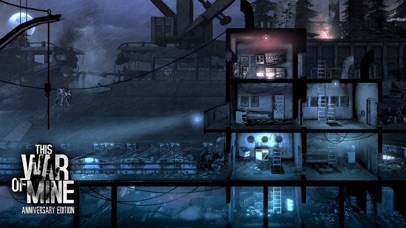
This War of Mine: Anniversary Edition
It's been two years since This War of Mine global release and we're still expanding the experience. This new free DLC, created especially for the Anniversary Edition, adds new characters, new locations to explore, and most importantly - a whole new ending, leading to a different outcome to the game. The dilemma though remains the same – how far will you go, to protect the ones you care about?
Key Features:
• Inspired by real-life events
• Control your survivors and manage your shelter
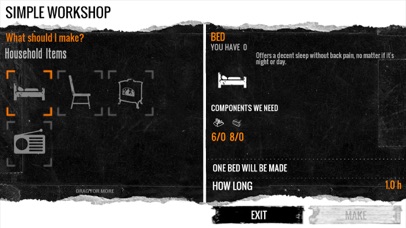
• Craft weapons, alcohol, beds or stoves – anything that helps you survive
• Make decisions - an often unforgiving and emotionally difficult experience
• Randomized world and characters every time you start a new game
• Charcoal-stylized aesthetics to complement the game's theme
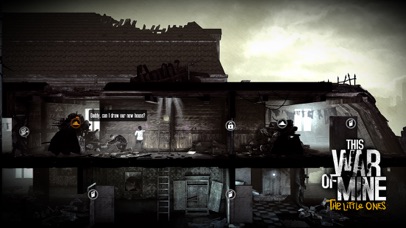
This War of Mine experience is now broadened with "The Little Ones" expansion. "The Little Ones" explores the hardships of wartime survival as seen from an entirely new perspective―that of a child. This DLC puts you in charge of a group of adults and children stuck in a besieged city, struggling with basic necessities. TWoM: The Little Ones focuses not only on the reality of enduring war, but also on how even in times of conflict, kids are still kids: they laugh, cry, play, and see the world differently. In addition to thinking about survival, you'll have to summon your inner child to understand how to protect the little ones. Their youth, and their future, are in your hands.
• Experience the biggest expansion to This War of Mine
• Protect innocent children
• Craft toys, play with kids, and be the caretaker they need
• Meet new adult civilians in scenarios with children
PLEASE NOTE: This game is optimized for latest devices. While playing on older devices such as iPhone 4s or iPad 2 you might experience lower frame rates.
- iPhone أو iPad بجيلبريك أو بدون جيلبريك.
- Sideloadly أو بدائلها.
- كمبيوتر يعمل بنظام Windows/macOS/Linux مع تثبيت iTunes.
الخطوة 1: قم بتنزيل ملف .IPA المعدّل مسبقًا من الرابط أعلاه إلى الكمبيوتر الخاص بك. للتنزيل من تطبيق iOSGods App، اطلع على دليل تنزيل IPA من تطبيق iOSGods App الذي يتضمن مثالًا بالفيديو.
الخطوة 2: قم بتنزيل Sideloadly وتثبيته على جهاز Windows أو Mac.
الخطوة 3: افتح Sideloadly على الكمبيوتر، ووصّل جهاز iOS الخاص بك، وانتظر حتى يظهر اسم جهازك داخل Sideloadly.
الخطوة 4: بمجرد التعرّف على جهاز iDevice الخاص بك، اسحب ملف .IPA المعدّل الذي قمت بتنزيله وأفلِته داخل تطبيق Sideloadly.
الخطوة 5: أدخل البريد الإلكتروني لحساب Apple Account الخاص بك، ثم اضغط على «Start». سيُطلب منك بعد ذلك إدخال كلمة المرور. تابع وأدخل المعلومات المطلوبة.
الخطوة 6: انتظر حتى ينتهي Sideloadly من تحميل/تثبيت ملف IPA المعدّل. في حال واجهت أي مشاكل أثناء التثبيت، يرجى قراءة الملاحظة أدناه.
الخطوة 7: بعد اكتمال التثبيت ورؤية التطبيق على الشاشة الرئيسية، انتقل إلى Settings → General → Profiles / VPN & Device Management. ثم اضغط على البريد الإلكتروني الذي أدخلته في الخطوة 6، ثم اضغط على «الوثوق بـ [email protected]».
الخطوة 8: الآن انتقل إلى الشاشة الرئيسية وافتح التطبيق الذي تم تثبيته للتو وسيعمل كل شيء بشكل صحيح. قد تحتاج إلى اتباع تعليمات إضافية خاصة بكل تطبيق داخل النافذة المنبثقة للتعديل أثناء اللعب.
ملاحظة: بدءًا من iOS/iPadOS 16 وما بعده، يجب تفعيل وضع المطور (Developer Mode). بالنسبة لحسابات Apple Developer المجانية، ستحتاج إلى تكرار هذه العملية كل 7 أيام. إذا كانت لديك أي أسئلة أو مشاكل، يرجى قراءة قسم الأسئلة الشائعة حول Sideloadly في الموضوع.