تسجيل الدخول مطلوب
سجّل الدخول بحساب iOSGods للمتابعة.
Hack Features:
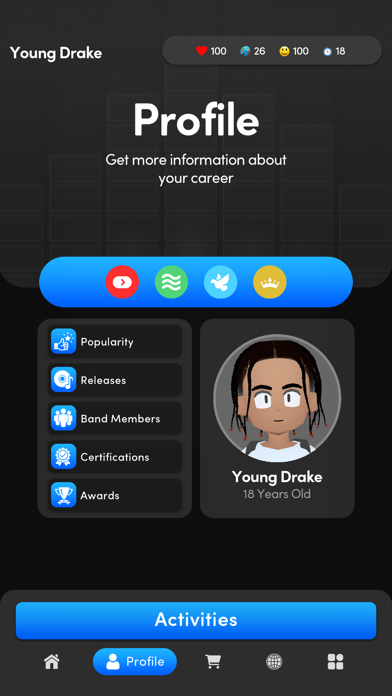
- Unlimited money (buy shirt in shop)
- Unlimited creativity
- Unlimited health
- Unlimited happiness
- Rockstar Plus Activated! (If not work click Restore Purchase button)
قم بتنزيل Music Wars Rockstar: Rap Life iOS Mod IPA من الروابط أعلاه. اضغط على زر التثبيت واتبع التعليمات لتثبيت هذا التعديل لـ iOS على iPhone أو iPad أو Apple Silicon.
هل تحتاج إلى مزيد من المساعدة؟ راجع الأسئلة الشائعة لتطبيق iOSGods للحصول على إجابات مفصلة ونصائح لاستكشاف الأخطاء.
From the creator of the long-running Music Wars music industry simulation series comes the latest entry, Music Wars Rockstar!
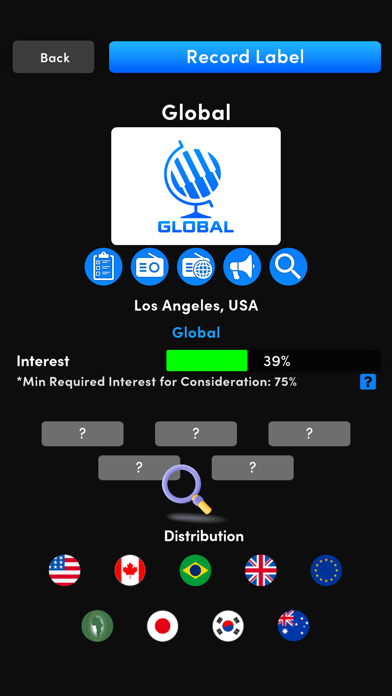
In Music Wars Rockstar, the story of your artist is yours to create. Choose what they look like, what their background is, what type of music you play, and go into the industry writing and recording your own songs. Partner with a label to reach a wider audience, or go your own route and stay independent. Build a social network full of friends who will gladly appear on your songs or invite you to perform on theirs, or start beef with others and write the next big diss track, stoking the social media flame and building your reputation while tearing others down.

CREATE YOUR OWN LEGACY
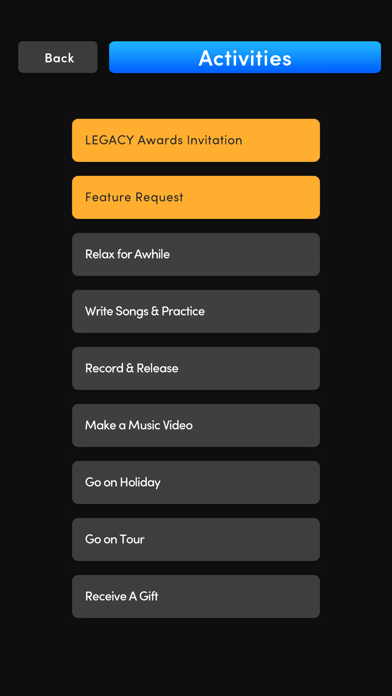
Create your character with an expansive 3D character creator, choose from one of 16 starting stories that help form who your artist is and where they came from, and begin your career with one of over 30 different music genres ranging from Pop and Hip Hop to Rock and Electronica.
DOMINATE THE CHARTS
Try to get your artist to the top of the charts, with 12 charts spanning 4 regions and 3 release types (Singles, Albums, Streaming).
GET NOMINATED (AND WIN)
Will you receive the recognition you deserve? Become nominated and win awards for your singles, albums, and even music videos!
START BEEF WITH OTHER ARTISTS
Utilize social media to befriend other artists, or turn them into bitter rivals.
CREATE YOUR OWN MERCH EMPIRE
Create your own custom merch, with up to 10 different types of customizable merch, including T-Shirts, Hoodies, Vinyl, and more. Sell them on the road when playing live shows, or in your own upgradeable webstore!
FILM MUSIC VIDEOS
Shoot your own music videos and upload them directly to the internet for your fans, and critics, to see. Watch as reaction videos appear in your feed, letting you know what the internet thinks of your music!
AND SO MUCH MORE
Music Wars Rockstar receives frequent game updates, adding more new features to the game. So many, we can’t even begin to list them all on one page, and it’s only just beginning! More updates will continue going forward into 2023 and we hope that you’ll join us for them! Follow us on Twitter @musicwarsempire, or join the forum at www.musicwars.app for all the latest news on updates.
This app uses Apple's standard EULA, available at https://www.apple.com/legal/internet-services/itunes/dev/stdeula/
- iPhone أو iPad بجيلبريك أو بدون جيلبريك.
- Sideloadly أو بدائلها.
- كمبيوتر يعمل بنظام Windows/macOS/Linux مع تثبيت iTunes.
الخطوة 1: قم بتنزيل ملف .IPA المعدّل مسبقًا من الرابط أعلاه إلى الكمبيوتر الخاص بك. للتنزيل من تطبيق iOSGods App، اطلع على دليل تنزيل IPA من تطبيق iOSGods App الذي يتضمن مثالًا بالفيديو.
الخطوة 2: قم بتنزيل Sideloadly وتثبيته على جهاز Windows أو Mac.
الخطوة 3: افتح Sideloadly على الكمبيوتر، ووصّل جهاز iOS الخاص بك، وانتظر حتى يظهر اسم جهازك داخل Sideloadly.
الخطوة 4: بمجرد التعرّف على جهاز iDevice الخاص بك، اسحب ملف .IPA المعدّل الذي قمت بتنزيله وأفلِته داخل تطبيق Sideloadly.
الخطوة 5: أدخل البريد الإلكتروني لحساب Apple Account الخاص بك، ثم اضغط على «Start». سيُطلب منك بعد ذلك إدخال كلمة المرور. تابع وأدخل المعلومات المطلوبة.
الخطوة 6: انتظر حتى ينتهي Sideloadly من تحميل/تثبيت ملف IPA المعدّل. في حال واجهت أي مشاكل أثناء التثبيت، يرجى قراءة الملاحظة أدناه.
الخطوة 7: بعد اكتمال التثبيت ورؤية التطبيق على الشاشة الرئيسية، انتقل إلى Settings → General → Profiles / VPN & Device Management. ثم اضغط على البريد الإلكتروني الذي أدخلته في الخطوة 6، ثم اضغط على «الوثوق بـ [email protected]».
الخطوة 8: الآن انتقل إلى الشاشة الرئيسية وافتح التطبيق الذي تم تثبيته للتو وسيعمل كل شيء بشكل صحيح. قد تحتاج إلى اتباع تعليمات إضافية خاصة بكل تطبيق داخل النافذة المنبثقة للتعديل أثناء اللعب.
ملاحظة: بدءًا من iOS/iPadOS 16 وما بعده، يجب تفعيل وضع المطور (Developer Mode). بالنسبة لحسابات Apple Developer المجانية، ستحتاج إلى تكرار هذه العملية كل 7 أيام. إذا كانت لديك أي أسئلة أو مشاكل، يرجى قراءة قسم الأسئلة الشائعة حول Sideloadly في الموضوع.