Cần đăng nhập
Đăng nhập bằng tài khoản iOSGods để tiếp tục.
Hack Features:
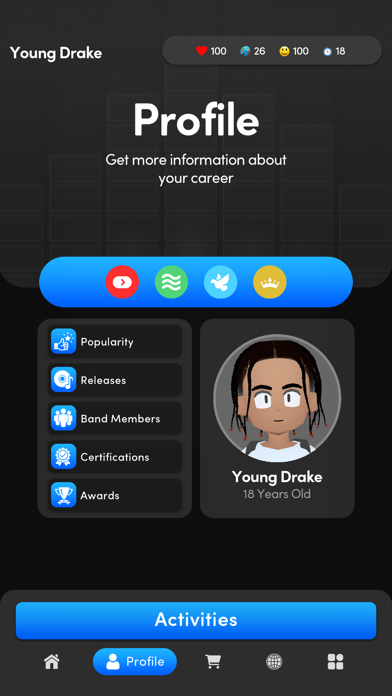
- Unlimited money (buy shirt in shop)
- Unlimited creativity
- Unlimited health
- Unlimited happiness
- Rockstar Plus Activated! (If not work click Restore Purchase button)
Tải Music Wars Rockstar: Rap Life iOS Mod IPA từ các liên kết ở trên. Nhấn nút cài đặt và làm theo hướng dẫn để cài bản hack iOS lên iPhone, iPad hoặc Apple Silicon.
Cần thêm trợ giúp? Hãy xem Câu hỏi thường gặp ứng dụng iOSGods để có câu trả lời chi tiết và mẹo khắc phục sự cố.
From the creator of the long-running Music Wars music industry simulation series comes the latest entry, Music Wars Rockstar!
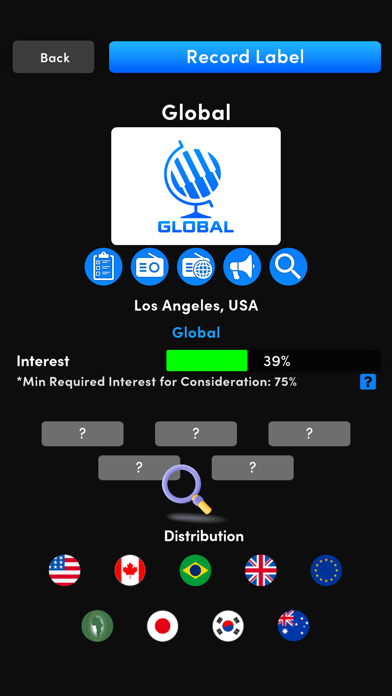
In Music Wars Rockstar, the story of your artist is yours to create. Choose what they look like, what their background is, what type of music you play, and go into the industry writing and recording your own songs. Partner with a label to reach a wider audience, or go your own route and stay independent. Build a social network full of friends who will gladly appear on your songs or invite you to perform on theirs, or start beef with others and write the next big diss track, stoking the social media flame and building your reputation while tearing others down.
CREATE YOUR OWN LEGACY
Create your character with an expansive 3D character creator, choose from one of 16 starting stories that help form who your artist is and where they came from, and begin your career with one of over 30 different music genres ranging from Pop and Hip Hop to Rock and Electronica.
DOMINATE THE CHARTS
Try to get your artist to the top of the charts, with 12 charts spanning 4 regions and 3 release types (Singles, Albums, Streaming).
GET NOMINATED (AND WIN)
Will you receive the recognition you deserve? Become nominated and win awards for your singles, albums, and even music videos!
START BEEF WITH OTHER ARTISTS
Utilize social media to befriend other artists, or turn them into bitter rivals.
CREATE YOUR OWN MERCH EMPIRE
Create your own custom merch, with up to 10 different types of customizable merch, including T-Shirts, Hoodies, Vinyl, and more. Sell them on the road when playing live shows, or in your own upgradeable webstore!
FILM MUSIC VIDEOS
Shoot your own music videos and upload them directly to the internet for your fans, and critics, to see. Watch as reaction videos appear in your feed, letting you know what the internet thinks of your music!
AND SO MUCH MORE
Music Wars Rockstar receives frequent game updates, adding more new features to the game. So many, we can’t even begin to list them all on one page, and it’s only just beginning! More updates will continue going forward into 2023 and we hope that you’ll join us for them! Follow us on Twitter @musicwarsempire, or join the forum at www.musicwars.app for all the latest news on updates.
This app uses Apple's standard EULA, available at https://www.apple.com/legal/internet-services/itunes/dev/stdeula/
- iPhone hoặc iPad chưa jailbreak/đã đóng hoặc đã jailbreak.
- Sideloadly hoặc các lựa chọn thay thế.
- Máy tính chạy Windows/macOS/Linux đã cài iTunes.
BƯỚC 1: Tải tệp .IPA đã được hack sẵn từ liên kết phía trên về máy tính của bạn. Để tải từ iOSGods App, hãy xem Hướng dẫn tải IPA bằng iOSGods App của chúng tôi, có kèm ví dụ bằng video.
BƯỚC 2: Tải Sideloadly và cài đặt trên Windows hoặc Mac của bạn.
BƯỚC 3: Mở Sideloadly trên máy tính, kết nối thiết bị iOS của bạn và chờ cho đến khi tên thiết bị hiển thị trong Sideloadly.
BƯỚC 4: Khi thiết bị iOS của bạn đã được nhận diện, hãy kéo tệp .IPA đã chỉnh sửa mà bạn tải về và thả vào ứng dụng Sideloadly.
BƯỚC 5: Nhập email Apple Account của bạn, sau đó nhấn "Start." Bạn sẽ được yêu cầu nhập mật khẩu. Hãy cung cấp các thông tin cần thiết.
BƯỚC 6: Chờ Sideloadly hoàn tất quá trình sideload/cài đặt tệp IPA đã hack. Nếu gặp sự cố trong quá trình cài đặt, vui lòng đọc lưu ý bên dưới.

BƯỚC 7: Khi cài đặt hoàn tất và bạn thấy ứng dụng trên Màn hình chính, bạn cần truy cập Cài đặt → Cài đặt chung → Hồ sơ / VPN & Quản lý thiết bị. Tại đó, nhấn vào email bạn đã nhập ở bước 6, rồi nhấn "Tin cậy [email protected]".

BƯỚC 8: Bây giờ hãy về Màn hình chính và mở ứng dụng vừa cài đặt, mọi thứ sẽ hoạt động bình thường. Bạn có thể cần làm theo hướng dẫn riêng của từng ứng dụng trong cửa sổ popup của bản hack trong game.
LƯU Ý: Trên iOS/iPadOS 16 trở lên, bạn phải bật Chế độ nhà phát triển. Với tài khoản Apple Developer miễn phí, bạn sẽ cần lặp lại quy trình này mỗi 7 ngày. Nếu bạn có thắc mắc hoặc gặp sự cố, hãy đọc mục FAQ về Sideloadly trong chủ đề của chúng tôi.