تسجيل الدخول مطلوب
سجّل الدخول بحساب iOSGods للمتابعة.

Hack Features:
- PREMIUM
قم بتنزيل Slidebox - Photo Manager Hack modded IPA من الروابط أعلاه. اضغط على زر التثبيت واتبع التعليمات لتثبيت هذا التعديل لـ iOS على iPhone أو iPad أو Apple Silicon.
هل تحتاج إلى مزيد من المساعدة؟ راجع الأسئلة الشائعة لتطبيق iOSGods للحصول على إجابات مفصلة ونصائح لاستكشاف الأخطاء.
Organize your photos with quick & simple gestures!
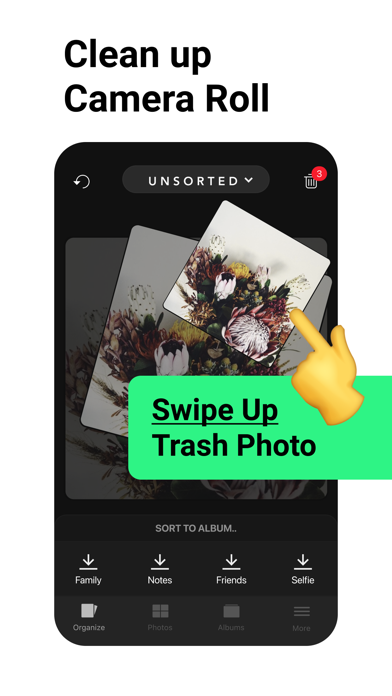
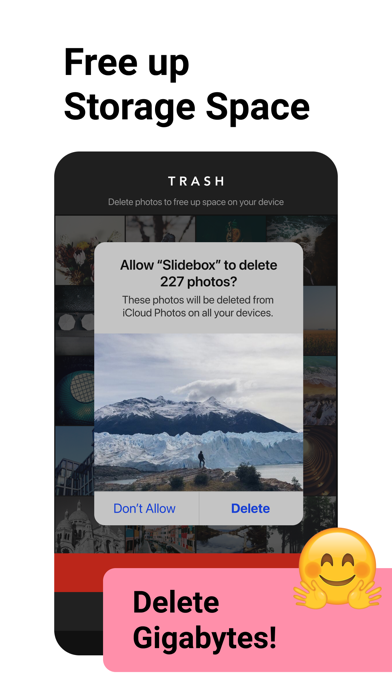
- Delete: Trash unwanted photos with a swipe of a finger
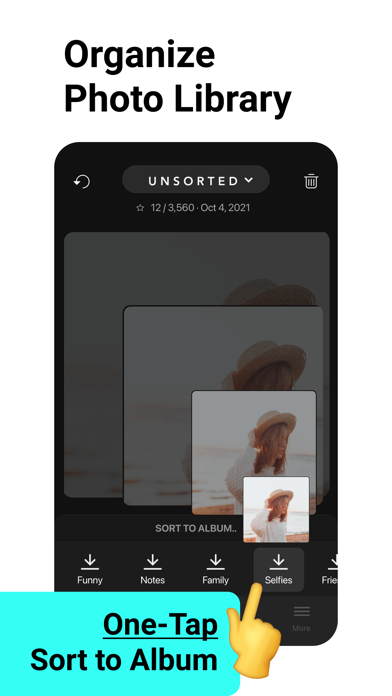
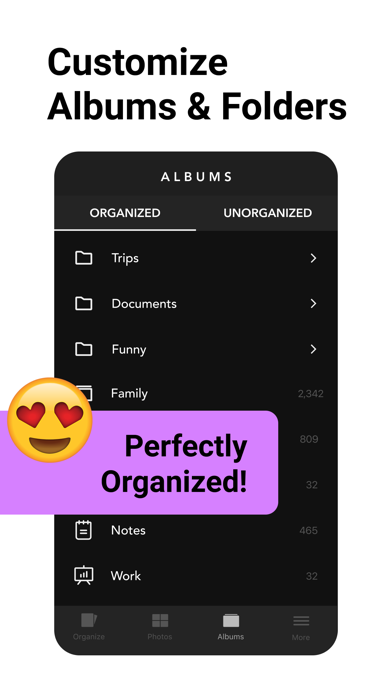
- Organize: Sort photos into albums with a single tap
- Compare: Swipe similar photos back and forth to compare
- Favorite: Mark special photos as your favorites
Slidebox interacts directly with your Photos App, so any changes you make are reflected seamlessly on your iPhone and iCloud.
Get Slidebox now and start organizing!
----- More Features -----
- Undo last action
- Gif Support
- Print to Walgreens (available in select US cities)
----- In-App Purchases -----
We offer in-app purchases for Slidebox, which includes 10,000+ photos and album cloud storage and additional features. The amount will be charged to your iTunes account and will vary by plan and country. The total price will displayed prominently before completing your purchase.
Slidebox subscriptions purchased in the app renew monthly or yearly depending on your plan. The plan is priced at $4.99USD monthly (pricing may vary in countries outside U.S.). In order to avoid renewal, you must turn off auto-renew at least 24 hours before your subscription ends. This can be done at any time from your iTunes account settings. Slidebox does not offer any free trials for these subscriptions.
In-App Purchase Subscription Fine Details (US):
• Title of service: Slidebox
• Length of subscription: Annual Subscription (USD 49.99), Monthly Subscription (USD 4.99)
• Payment will be charged to iTunes Account at confirmation of purchase
• Subscription automatically renews unless auto-renew is turned off at least 24-hours before the end of the current period
• Account will be charged for renewal within 24-hours prior to the end of the current period, and identify the cost of the renewal
• Subscriptions may be managed by the user and auto-renewal may be turned off by going to the user's Account Settings after purchase
• Any unused portion of a free trial period, if offered, will be forfeited when the user purchases a subscription to that publication, where applicable
• A link to the terms of use: http://slidebox.co/terms.html
• A privacy policy link: http://slidebox.co/privacy.html
Additionally, users without backup can purchase the full version through our one-time in-app purchase to support future development and to get all the features in the future forever!
Terms of Service: http://slidebox.co/terms.html
Privacy Policy: http://slidebox.co/privacy.html
Contact: [email protected]
- iPhone أو iPad بجيلبريك أو بدون جيلبريك.
- Sideloadly أو بدائلها.
- كمبيوتر يعمل بنظام Windows/macOS/Linux مع تثبيت iTunes.
الخطوة 1: قم بتنزيل ملف .IPA المعدّل مسبقًا من الرابط أعلاه إلى الكمبيوتر الخاص بك. للتنزيل من تطبيق iOSGods App، اطلع على دليل تنزيل IPA من تطبيق iOSGods App الذي يتضمن مثالًا بالفيديو.
الخطوة 2: قم بتنزيل Sideloadly وتثبيته على جهاز Windows أو Mac.
الخطوة 3: افتح Sideloadly على الكمبيوتر، ووصّل جهاز iOS الخاص بك، وانتظر حتى يظهر اسم جهازك داخل Sideloadly.
الخطوة 4: بمجرد التعرّف على جهاز iDevice الخاص بك، اسحب ملف .IPA المعدّل الذي قمت بتنزيله وأفلِته داخل تطبيق Sideloadly.
الخطوة 5: أدخل البريد الإلكتروني لحساب Apple Account الخاص بك، ثم اضغط على «Start». سيُطلب منك بعد ذلك إدخال كلمة المرور. تابع وأدخل المعلومات المطلوبة.
الخطوة 6: انتظر حتى ينتهي Sideloadly من تحميل/تثبيت ملف IPA المعدّل. في حال واجهت أي مشاكل أثناء التثبيت، يرجى قراءة الملاحظة أدناه.
الخطوة 7: بعد اكتمال التثبيت ورؤية التطبيق على الشاشة الرئيسية، انتقل إلى Settings → General → Profiles / VPN & Device Management. ثم اضغط على البريد الإلكتروني الذي أدخلته في الخطوة 6، ثم اضغط على «الوثوق بـ [email protected]».
الخطوة 8: الآن انتقل إلى الشاشة الرئيسية وافتح التطبيق الذي تم تثبيته للتو وسيعمل كل شيء بشكل صحيح. قد تحتاج إلى اتباع تعليمات إضافية خاصة بكل تطبيق داخل النافذة المنبثقة للتعديل أثناء اللعب.
ملاحظة: بدءًا من iOS/iPadOS 16 وما بعده، يجب تفعيل وضع المطور (Developer Mode). بالنسبة لحسابات Apple Developer المجانية، ستحتاج إلى تكرار هذه العملية كل 7 أيام. إذا كانت لديك أي أسئلة أو مشاكل، يرجى قراءة قسم الأسئلة الشائعة حول Sideloadly في الموضوع.