تسجيل الدخول مطلوب
سجّل الدخول بحساب iOSGods للمتابعة.
سجّل الدخول بحساب iOSGods للمتابعة.

Slidebox هو تطبيق لإدارة الصور يتيح لك تنظيم ومقارنة واختيار أفضل صورك من مكتبتك باستخدام إيماءات بديهية، وهذا Mod IPA يفتح المميزات المدفوعة مجاناً. امسح لحذف الصور غير المرغوبة، واضغط لفرز الصور في ألبومات، وقارن الصور المتشابهة جنباً إلى جنب، كل ذلك مع التكامل السلس مع تطبيق الصور و iCloud.
- Premium مفتوح → الوصول إلى جميع المميزات المدفوعة بدون تكلفة
يأتي هذا التطبيق أيضًا مع iGameGod، مما يتيح لك الوصول إلى Auto Touch لأتمتة المهام المتكررة، وApp Speed Manager لضبط سرعة اللعب، وتعديل القيم عبر Memory Engine، والمزيد من أدوات ألعاب iOS القوية.
قم بتنزيل Slidebox - Photo Manager Hack modded IPA من الروابط أعلاه. اضغط على زر التثبيت واتبع التعليمات لتثبيت هذا التعديل لـ iOS على iPhone أو iPad أو Apple Silicon.
هل تحتاج إلى مزيد من المساعدة؟ راجع الأسئلة الشائعة لتطبيق iOSGods للحصول على إجابات مفصلة ونصائح لاستكشاف الأخطاء.
Organize & Clean Up Your Photos with Slidebox – The Ultimate Photo Cleaner & Album Organizer!
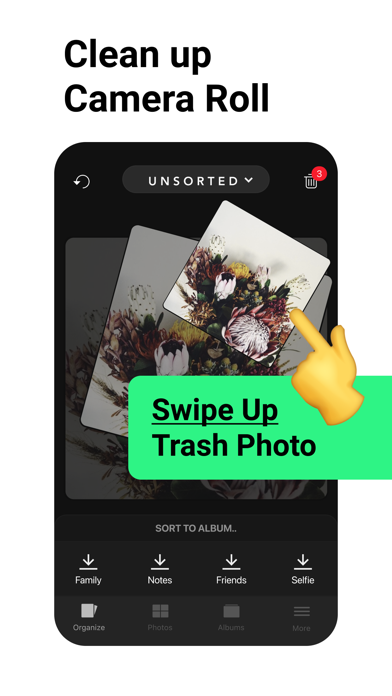
Slidebox makes managing your photos quick, easy, and satisfying. Say goodbye to clutter and hello to a neatly organized library with just a swipe! Whether you're looking to delete photos, organize albums, or compare duplicate photos, Slidebox is your go-to photo guru for fast and effortless photo cleanup.
Key Features to Declutter and Organize Your Photos:
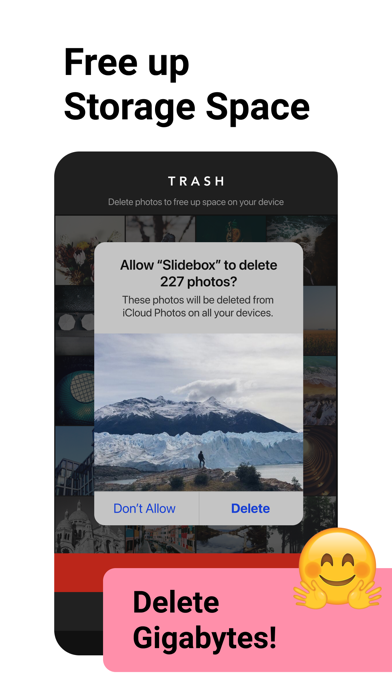
- Delete Photos: Easily remove unwanted pics with a simple swipe, freeing up storage instantly.
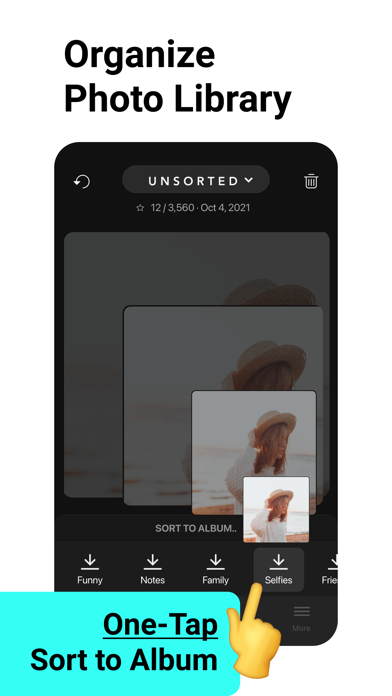
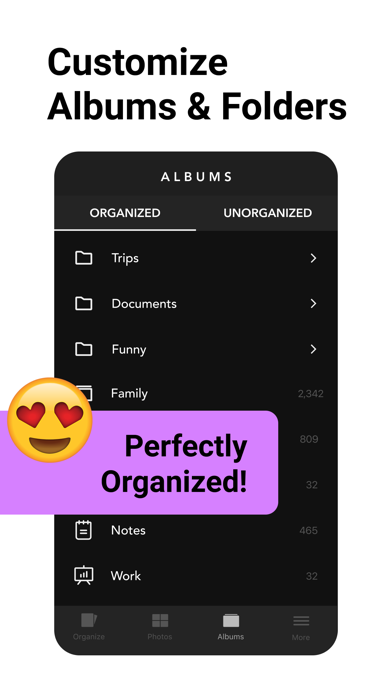
- Album Organizer: Sort photos into albums with a single tap to keep your memories organized.
- Compare Similar Photos: Swipe between duplicate photos to decide which ones to keep.
- Favorite Moments: Mark your best photos as favorites for quick access.
- Undo Actions: Quickly reverse any action, so organizing your photos is stress-free.
Slidebox works directly with your Photos App, so any changes you make will sync seamlessly across your iPhone and iCloud. No hassle, no confusion – just a smooth, organized photo library.
If your camera roll needs a cleanup, Slidebox is the photo cleaner and album organizer you've been waiting for! With simple swipes and quick gestures, you can take control of your photo storage, remove duplicates, and finally enjoy an organized gallery. Download Slidebox now and experience how easy deleting, sorting, and storing photos can be.
In-App Purchases
Slidebox offers in-app purchases for users needing additional storage and features, including 10,000+ photos and album cloud storage. All charges are made through your iTunes account, with pricing varying by plan and country. The total price will be clearly displayed before you complete your purchase.
Slidebox subscriptions renew automatically, either monthly or annually, depending on your plan. Monthly subscriptions are priced at $4.99 USD, while annual subscriptions cost $49.99 USD (prices may vary outside the U.S.). To avoid renewal, turn off auto-renew at least 24 hours before the end of your current subscription period in your iTunes Account Settings. Slidebox does not offer free trials for these subscriptions.
If you prefer a one-time purchase option, you can unlock the full version of Slidebox permanently, which includes all future features and supports ongoing app development.
Contact: [email protected]
Terms of Use: http://slidebox.co/terms.html
Privacy Policy: http://slidebox.co/privacy.html
- iPhone أو iPad بجيلبريك أو بدون جيلبريك.
- Sideloadly أو بدائلها.
- كمبيوتر يعمل بنظام Windows/macOS/Linux مع تثبيت iTunes.
الخطوة 1: قم بتنزيل ملف .IPA المعدّل مسبقًا من الرابط أعلاه إلى الكمبيوتر الخاص بك. للتنزيل من تطبيق iOSGods App، اطلع على دليل تنزيل IPA من تطبيق iOSGods App الذي يتضمن مثالًا بالفيديو.
الخطوة 2: قم بتنزيل Sideloadly وتثبيته على جهاز Windows أو Mac.
الخطوة 3: افتح Sideloadly على الكمبيوتر، ووصّل جهاز iOS الخاص بك، وانتظر حتى يظهر اسم جهازك داخل Sideloadly.
الخطوة 4: بمجرد التعرّف على جهاز iDevice الخاص بك، اسحب ملف .IPA المعدّل الذي قمت بتنزيله وأفلِته داخل تطبيق Sideloadly.
الخطوة 5: أدخل البريد الإلكتروني لحساب Apple Account الخاص بك، ثم اضغط على «Start». سيُطلب منك بعد ذلك إدخال كلمة المرور. تابع وأدخل المعلومات المطلوبة.
الخطوة 6: انتظر حتى ينتهي Sideloadly من تحميل/تثبيت ملف IPA المعدّل. في حال واجهت أي مشاكل أثناء التثبيت، يرجى قراءة الملاحظة أدناه.
الخطوة 7: بعد اكتمال التثبيت ورؤية التطبيق على الشاشة الرئيسية، انتقل إلى Settings → General → Profiles / VPN & Device Management. ثم اضغط على البريد الإلكتروني الذي أدخلته في الخطوة 6، ثم اضغط على «الوثوق بـ [email protected]».
الخطوة 8: الآن انتقل إلى الشاشة الرئيسية وافتح التطبيق الذي تم تثبيته للتو وسيعمل كل شيء بشكل صحيح. قد تحتاج إلى اتباع تعليمات إضافية خاصة بكل تطبيق داخل النافذة المنبثقة للتعديل أثناء اللعب.
ملاحظة: بدءًا من iOS/iPadOS 16 وما بعده، يجب تفعيل وضع المطور (Developer Mode). بالنسبة لحسابات Apple Developer المجانية، ستحتاج إلى تكرار هذه العملية كل 7 أيام. إذا كانت لديك أي أسئلة أو مشاكل، يرجى قراءة قسم الأسئلة الشائعة حول Sideloadly في الموضوع.