تسجيل الدخول مطلوب
سجّل الدخول بحساب iOSGods للمتابعة.
سجّل الدخول بحساب iOSGods للمتابعة.
هذا التهكير لـ Taichi Panda يزيل عوائق أوقات الانتظار وحدود الموارد، مما يتيح لك تسلسل المهارات فوراً والإطلاق بدون توقف في معارك الزنزانات السريعة. بمجرد تفعيل Mod IPA، يتحول القتال من تجربة تكتيكية محسوبة إلى هجوم نقي بدون انقطاع، مثالي للاعبين الذين يريدون التركيز على إثارة القتال بدلاً من انتظار إعادة تحميل القدرات.
- بدون وقت انتظار المهارات → أطلق القدرات فوراً بدون انتظار
- مانا لا نهائي → لا تنفد الموارد أثناء المعركة
- وضع الإله → لا تتلقى أضراراً من الأعداء
- قتل بضربة واحدة → اهزم أي عدو بضربة واحدة
يأتي هذا التطبيق أيضًا مع iGameGod، مما يتيح لك الوصول إلى Auto Touch لأتمتة المهام المتكررة، وApp Speed Manager لضبط سرعة اللعب، وتعديل القيم عبر Memory Engine، والمزيد من أدوات ألعاب iOS القوية.
قم بتنزيل Taichi Panda Hack modded IPA من الروابط أعلاه. اضغط على زر التثبيت واتبع التعليمات لتثبيت هذا التعديل لـ iOS على iPhone أو iPad أو Apple Silicon.
هل تحتاج إلى مزيد من المساعدة؟ راجع الأسئلة الشائعة لتطبيق iOSGods للحصول على إجابات مفصلة ونصائح لاستكشاف الأخطاء.
The new update: Elemental Power has come out!
==============================================================
Touch Arcade – “A stand-out in RPG genre!”
App Advice – “An intense and fast-paced dungeon crawler!”
148 Apps – “Make this the Year of the Panda!”
Inside X Game*Spark – “Best of Social/Mobile E3 2015”
==Features==
The Journey Begins
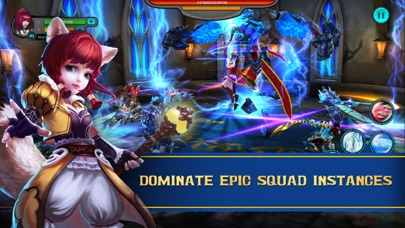
Grab your sword and battle hordes of crazy creatures, magical mysteries, and sinister specters on an action-filled journey to become the ultimate legend! Prove you have what it takes in a goofy and thrilling action adventure MMO rendered with PC game quality 3D graphics and full-body motion capture technology.
Slash Through Opponents
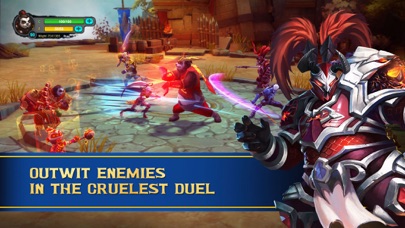
True power lies within, unleash your hero and fight through to infinity! Battle through unique levels wielding blades, magic, and fists to bash enemies into oblivion with a fun, fast-paced action combat system. Master the unique skills of 6 distinct heroes to defeat enemies and become the ultimate champion of Avzar!
Discover Powerful Gear
Build up a powerful hero through strength and cunning in an RPG adventure! Collect and upgrade gear, skills, pets and mounts to increase your might and unlock your inner potential. Do you have what it takes to become a Taichi Legend?
Battle Online and Rule the Land
Join in online PvP and co-op with other players! Take on powerful bosses, and become a hero alongside allies in Team Instances. Battle in the arena, join Guilds for online Guild competition and co-op, or enter the fray in 25v25 Battle Royale PvP. Capture territory in Warpath, and rise to the top in team arena PvP League!
==Connect==
Visit our official site to learn more about Taichi Panda: http://panda.snail.com/en
Join the Taichi Panda community and learn more on Facebook and our official Forum
Facebook Page: https://www.facebook.com/TaichiPandaOfficial
Community Forum: http://pandabbs.snail.com/

- iPhone أو iPad بجيلبريك أو بدون جيلبريك.
- Sideloadly أو بدائلها.
- كمبيوتر يعمل بنظام Windows/macOS/Linux مع تثبيت iTunes.
الخطوة 1: قم بتنزيل ملف .IPA المعدّل مسبقًا من الرابط أعلاه إلى الكمبيوتر الخاص بك. للتنزيل من تطبيق iOSGods App، اطلع على دليل تنزيل IPA من تطبيق iOSGods App الذي يتضمن مثالًا بالفيديو.
الخطوة 2: قم بتنزيل Sideloadly وتثبيته على جهاز Windows أو Mac.
الخطوة 3: افتح Sideloadly على الكمبيوتر، ووصّل جهاز iOS الخاص بك، وانتظر حتى يظهر اسم جهازك داخل Sideloadly.
الخطوة 4: بمجرد التعرّف على جهاز iDevice الخاص بك، اسحب ملف .IPA المعدّل الذي قمت بتنزيله وأفلِته داخل تطبيق Sideloadly.
الخطوة 5: أدخل البريد الإلكتروني لحساب Apple Account الخاص بك، ثم اضغط على «Start». سيُطلب منك بعد ذلك إدخال كلمة المرور. تابع وأدخل المعلومات المطلوبة.
الخطوة 6: انتظر حتى ينتهي Sideloadly من تحميل/تثبيت ملف IPA المعدّل. في حال واجهت أي مشاكل أثناء التثبيت، يرجى قراءة الملاحظة أدناه.
الخطوة 7: بعد اكتمال التثبيت ورؤية التطبيق على الشاشة الرئيسية، انتقل إلى Settings → General → Profiles / VPN & Device Management. ثم اضغط على البريد الإلكتروني الذي أدخلته في الخطوة 6، ثم اضغط على «الوثوق بـ [email protected]».
الخطوة 8: الآن انتقل إلى الشاشة الرئيسية وافتح التطبيق الذي تم تثبيته للتو وسيعمل كل شيء بشكل صحيح. قد تحتاج إلى اتباع تعليمات إضافية خاصة بكل تطبيق داخل النافذة المنبثقة للتعديل أثناء اللعب.
ملاحظة: بدءًا من iOS/iPadOS 16 وما بعده، يجب تفعيل وضع المطور (Developer Mode). بالنسبة لحسابات Apple Developer المجانية، ستحتاج إلى تكرار هذه العملية كل 7 أيام. إذا كانت لديك أي أسئلة أو مشاكل، يرجى قراءة قسم الأسئلة الشائعة حول Sideloadly في الموضوع.