Login necessário
Entre com sua conta iOSGods para continuar.
Entre com sua conta iOSGods para continuar.
- PREMIUM
Este app também vem com iGameGod, oferecendo acesso ao Auto Touch para automatizar tarefas repetitivas, App Speed Manager para ajustar a velocidade do jogo, edição de valores com Memory Engine e outras ferramentas avançadas para jogos iOS.
Baixe Pixel Art - Color by Number Hack modded IPA dos links acima. Toque no botão de instalação e siga as instruções para instalar este hack iOS no seu iPhone, iPad ou Apple Silicon.
Precisa de mais ajuda? Confira nossas Perguntas frequentes sobre o app iOSGods para respostas detalhadas e dicas de solução de problemas.
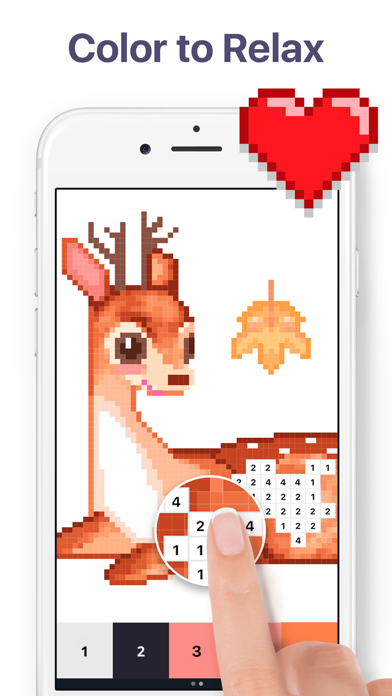
Horas de relaxamento e diversão! Descubra mais de 40.000 ilustrações ou crie sua própria arte em pixel. Pinte. Relaxe. Aproveite!
Características:
- Conheça um novo recurso - Jardim de Flores! Pinte objetos exclusivos, construa seu jardim e receba recompensas. Mergulhe em um novo munto meta dentro do Pixel Art!
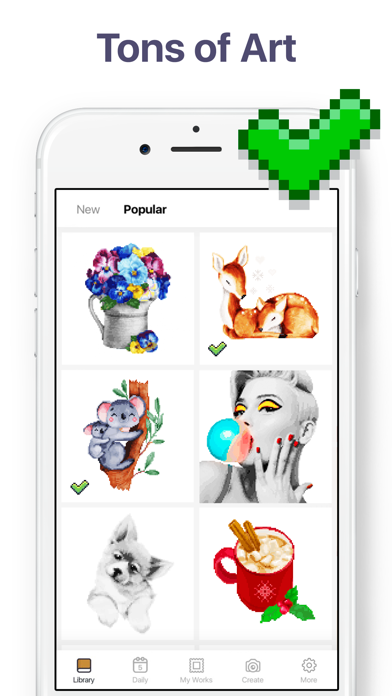
- Grande variedade de páginas para colorir para todos os gostos: Mandalas, Padrões, Animais, Pássaros, Flores, Lugares, Alimentos e muito mais;
- Muitas imagens incríveis. Explore uma coleção de novas imagens atualizada diariamente para você colorir;
- Participe dos eventos, dê cor a fotos temáticas exclusivas e receba obras de arte originais e aceleradores!
- Colora em 3D. Obtenha uma incrível experiência colorindo com imagens em 3D;
- Câmera do Pixel Art. Tire selfies ou use qualquer foto para colorir suas próprias imagens pixeladas!
- Várias ferramentas para colorir. Use a Varinha Mágica para pintar várias células vizinhas do mesmo número, e a Mancha de Cor para colorir várias células vizinhas de qualquer número;
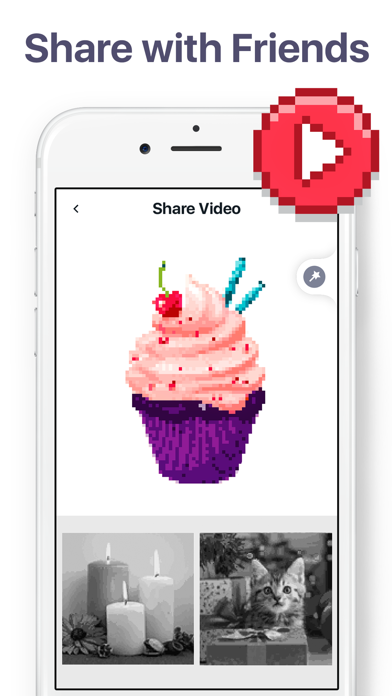
- Compartilhamento rápido. Compartilhe seu vídeo time-lapse com seus amigos em redes sociais ou e-mail com apenas uma toque;
- Fácil de colorir. Desfrute de um design intuitivo e um bom funcionamento do Pixel Art.
Pintar nunca foi tão fácil! Sem o estresse de escolher as cores. Apenas relaxe e divirta-se!
Pixel Art Premium
A assinatura Pixel Art Premium permite que você desbloqueie tudo, acesse atualizações diárias e remove os anúncios.
O pagamento será cobrado na conta Apple ID, na confirmação da compra. A assinatura é renovada automaticamente, a menos que a renovação automática seja desativada pelo menos 24 horas antes do fim do período vigente. A conta será cobrada pela renovação em até 24 horas antes do fim do período vigente. As assinaturas podem ser gerenciadas por você e a renovação automática pode ser desligada em Configurações de Conta, da Apple ID. Para mais informações, por favor, visite o link https://support.apple.com/pt-br/HT202039. Durante o período gratuito de avaliação, o que não for utilizado será perdido quando o usuário comprar uma assinatura.
EULA: https://easybrain.com/terms.html
Política de privacidade: https://easybrain.com/policy.html
- iPhone ou iPad sem jailbreak/jailed ou com jailbreak.
- Sideloadly ou alternativas.
- Computador com Windows/macOS/Linux e iTunes instalado.
PASSO 1: Baixe o arquivo .IPA pré-hackeado do link acima para o seu computador. Para baixar pelo iOSGods App, veja nosso Tutorial de download de IPA do iOSGods App, que inclui um exemplo em vídeo.
PASSO 2: Baixe o Sideloadly e instale-o no seu Windows ou Mac.
PASSO 3: Abra o Sideloadly no seu computador, conecte seu dispositivo iOS e aguarde até que o nome do dispositivo apareça no Sideloadly.
PASSO 4: Assim que seu iDevice for reconhecido, arraste o arquivo .IPA modificado que você baixou e solte-o no aplicativo Sideloadly.
PASSO 5: Digite o e-mail da sua Apple Account e pressione “Start”. Em seguida, será solicitada a sua senha. Prossiga e forneça as informações solicitadas.
PASSO 6: Aguarde o Sideloadly finalizar o sideload/instalação do IPA hackeado. Se houver problemas durante a instalação, leia a observação abaixo.
PASSO 7: Quando a instalação estiver concluída e você vir o app na Tela de Início, será necessário acessar Ajustes → Geral → Perfis / Gerenciamento de VPN e Dispositivo. Lá, toque no e-mail que você inseriu no passo 6 e, em seguida, toque em “Confiar em [email protected]”.
PASSO 8: Agora vá para a Tela de Início e abra o app recém-instalado; tudo deve funcionar normalmente. Você pode precisar seguir instruções adicionais específicas no popup do hack dentro do jogo.
OBSERVAÇÃO: No iOS/iPadOS 16 e versões posteriores, você deve ativar o Modo de Desenvolvedor. Para contas Apple Developer gratuitas, será necessário repetir este processo a cada 7 dias. Se tiver dúvidas ou problemas, leia nossa seção de FAQ do Sideloadly no tópico.