로그인 필요
계속하려면 iOSGods 계정으로 로그인하세요.
계속하려면 iOSGods 계정으로 로그인하세요.
- PREMIUM
이 앱에는 iGameGod도 포함되어 있어 반복 작업을 자동화하는 Auto Touch, 게임 속도를 조절할 수 있는 App Speed Manager, Memory Engine 값 편집 등 강력한 iOS 게임 도구를 사용할 수 있습니다.
위의 링크에서 Pixel Art - Color by Number Hack modded IPA을 다운로드합니다. 설치 버튼을 누르고 화면 안내에 따라 iPhone, iPad 또는 Apple Silicon에 이 iOS 앱 해킹을 설치합니다.
더 많은 도움이 필요하신가요? 자세한 답변과 문제 해결 팁은 iOSGods 앱 자주 묻는 질문을 확인하세요.
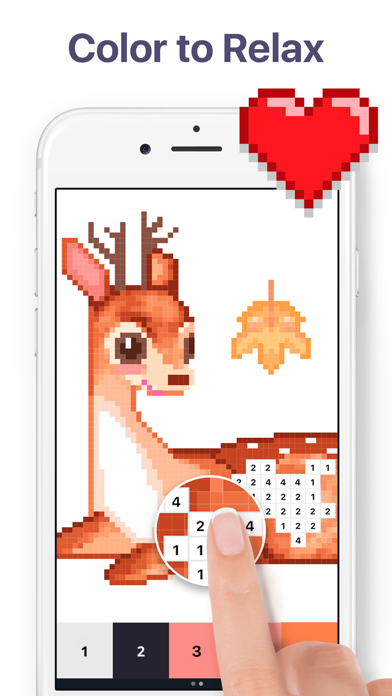
Get hours of relaxation and fun! Discover more than 40,000 artworks or create your own pixel art. Color. Relax. Enjoy!
Features:
- Meet a brand new feature - Flower Garden! Colour unique objects, build your own garden and get rewards. Dive into a new meta world inside Pixel Art!
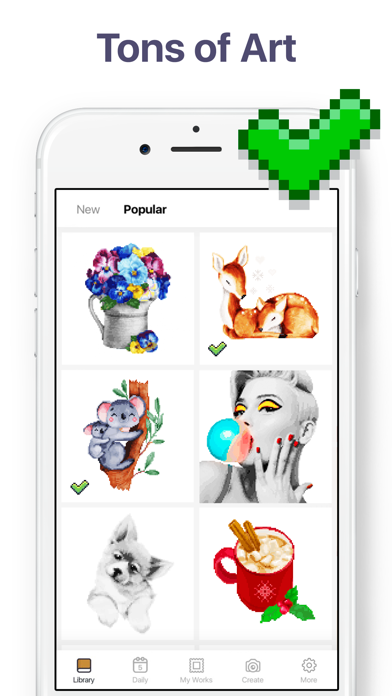
- Great variety of coloring pages for any taste: Mandalas, Patterns, Animals, Birds, Flowers, Places, Food and many others;
- Tons of amazing pictures. Explore daily updated collection of new images for you to color;
- Take part in the events, color unique thematic pics and get original artworks & boosters!
- 3D coloring. Get an amazing coloring experience with 3D images;
- Pixel Art Camera. Take selfies or use any photos to color your own pixel pictures!
- Various coloring tools. Use Magic Wand to paint multiple neighboring cells of the same number and Color Splash to color multiple neighboring cells of any numbers;
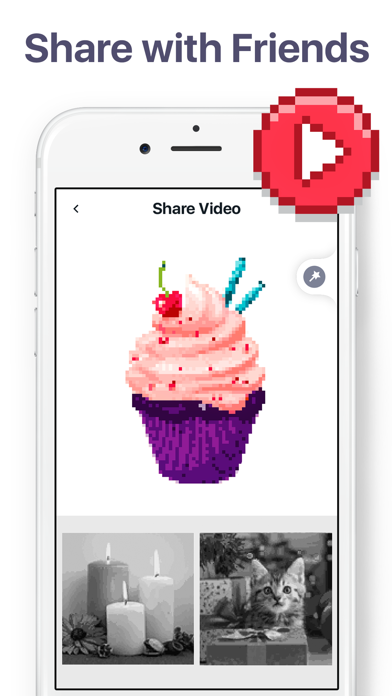
- Quick sharing. Share your timelapse video with friends on social networks or email in just one tap;
- Easy coloring. Enjoy intuitive design and smooth performance of Pixel Art.
Painting has never been easier! No stress of picking up colors. Just relax and enjoy!
Pixel Art Premium
Pixel Art Premium Subscription allows you to unlock everything, access daily updates and remove ads.
Payment will be charged to Apple ID Account at confirmation of purchase. Subscription automatically renews unless auto-renew is turned off at least 24-hours before the end of the current period. Account will be charged for renewal within 24-hours prior to the end of the current period. Subscriptions may be managed by you and auto-renewal may be turned off by going to Apple ID Account Settings. For more information please visit the link https://support.apple.com/en-us/HT202039. Unused portion of a free-trial period will be forfeited when a user decides to subscribe.
EULA: https://easybrain.com/terms.html
Privacy Policy: https://easybrain.com/policy.html
- 탈옥/제일 또는 탈옥된 iPhone 또는 iPad가 필요합니다.
- Sideloadly 또는 대체 도구가 필요합니다.
- iTunes가 설치된 Windows/macOS/Linux 컴퓨터가 필요합니다.
1단계: 위 링크에서 미리 해킹된 .IPA 파일을 컴퓨터에 다운로드합니다. iOSGods App에서 다운로드하려면 동영상 예시가 포함된 iOSGods App IPA 다운로드 튜토리얼를 참고하십시오.
2단계: Sideloadly를 다운로드하여 Windows 또는 Mac에 설치합니다.
3단계: 컴퓨터에서 Sideloadly를 실행하고 iOS 기기를 연결한 후, Sideloadly에 기기 이름이 표시될 때까지 기다립니다.
4단계: iDevice가 인식되면, 다운로드한 모드된 .IPA 파일을 Sideloadly 애플리케이션에 끌어다 놓습니다.
5단계: Apple Account 이메일을 입력한 후 “Start”를 누릅니다. 그러면 비밀번호를 입력하라는 메시지가 표시됩니다. 요청된 정보를 제공해 주십시오.
6단계: Sideloadly가 해킹된 IPA의 사이드로드/설치를 완료할 때까지 기다리십시오. 설치 중 문제가 발생하면 아래 참고 사항을 읽어 주십시오.
7단계: 설치가 완료되어 홈 화면에서 앱이 보이면 설정 → 일반 → 프로파일 / VPN 및 기기 관리 경로로 이동해야 합니다. 그곳에서 6단계에서 입력한 이메일을 탭한 다음 “[email protected] 신뢰”를 탭하십시오.
8단계: 이제 홈 화면으로 돌아가 새로 설치된 앱을 열면 모든 것이 정상적으로 작동할 것입니다. 게임 내 해킹 팝업에서 앱별 추가 안내를 따라야 할 수도 있습니다.
참고: iOS/iPadOS 16 이상에서는 개발자 모드를 활성화해야 합니다. 무료 Apple Developer 계정의 경우 이 과정을 7일마다 반복해야 합니다. 질문이나 문제가 있는 경우 해당 토픽의 Sideloadly FAQ 섹션를 읽어보십시오.