로그인 필요
계속하려면 iOSGods 계정으로 로그인하세요.
Hack Features
- Auto Play
- Best move arrow
- Limit Strength*
You need to enable "Limit Strength" to use the options below:
- Stockfish Elo (Max 3190)
- Move Time Seconds (Stockfish thinking time per move)
- Search Depth (0 uses move time instead and max is 99)
- Hash MB (Stockfish hash size)
- Skill Level (-1 disables, 0-20 sets Stockfish skill)
USE AT YOUR OWN RISK, POSSIBLE BAN
위의 링크에서 Chess - Play & Learn Online iOS Mod IPA을 다운로드합니다. 설치 버튼을 누르고 화면 안내에 따라 iPhone, iPad 또는 Apple Silicon에 이 iOS 앱 해킹을 설치합니다.
더 많은 도움이 필요하신가요? 자세한 답변과 문제 해결 팁은 iOSGods 앱 자주 묻는 질문을 확인하세요.
Play chess lessons online with over 250M players from around the world!
Chess is known as the best strategy board game in the world!
Enjoy unlimited 3D offline pocket chess games and improve your chess rating with 500,000+ puzzles, more than 20 million chess games a day, lessons, and over 100 powerful bot opponents. Unlock your inner chess master today!
PLAY CHESS ONLINE:
- 2 Player online chess mode is entirely free to enjoy with your friends.
- Join tournaments with players online or friends and become a master.
- Play games in real-time from one minute per game to 30 minutes or longer with friends.
- Review your strategy and game lessons and lay out daily correspondence in online chess.
- Play exciting chess variants in our app: chess960 (Fischer-Random), blitz chess, puzzle rush, bullet chess, puzzle battle, or blindfold.
CHESS PUZZLES:
- Enjoy 500,000 + unique puzzles.
- Rated mode automatically adjusts to your skill level to help you improve.
- Race the clock with a timer to beat your high score in Puzzle Rush.
- Practice puzzles with specific themes in this strategy board game (checkmate in 1, in 2, in 3, blindfold, endgames, fork, skewer, sacrifice, timer, etc.)
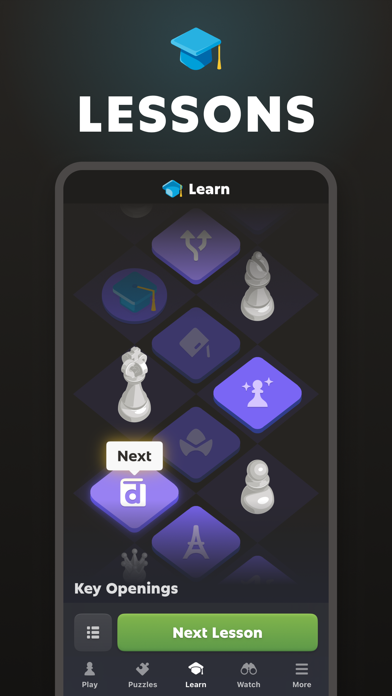
CHESS LESSONS:
- Hundreds of quality chess lessons and online videos made by masters (Learn and practice your skills with chess problems)
- Interactive puzzles tutorials with tips and game recommendations.
- Learn all the chess rules and strategies in a step-by-step lesson plan (opening, endgame...)
CHESS COACHING:
- Learn from helpful and immersive visual chess coach lessons.
- Review your games with the coach and learn the strategy of the board game for every move.
- Play games with the coach, who will guide you through the fundamentals move by move and provide helpful hints as you play.
PLAY CHESS ONLINE AGAINST THE COMPUTER:
- Choose the level of computer opponent you want to play and set a timer.
- Analyze your chess games offline and learn to see where you went wrong and how you can improve.
CHESS COMMUNITY:
- Join a community of more than 200M online chess players. Find friends!
- More than 20M games played each day.
- Compete to get your own rating and try to join the best player online chess leaderboards against other players.
- Watch the most popular superstars: Hikaru, GothamChess, or Magnus!
... and MUCH MORE:
- Play chess games offline against the computer and the clock with a timer.
- Articles by the best coaches and masters.
- Explore openings like Queen´s Gambit or Sicilian Defense.
- Challenge and play with your friends in an online chess game.
- Choose from 20+ board themes and 3D pieces.
- Get in-depth performance stats about your games, puzzles, and lessons.
Playing pocket chess online has never been so easy!
Chess.com is the place to play chess games online with your friends and other players!
Share your suggestions and comments. Our support team is happy to help you 24 hours a day, 365 days a year!
ABOUT CHESS.COM:
Chess.com was created by chess players and people who love chess!
Team: http://www.chess.com/about
- 탈옥/제일 또는 탈옥된 iPhone 또는 iPad가 필요합니다.
- Sideloadly 또는 대체 도구가 필요합니다.
- iTunes가 설치된 Windows/macOS/Linux 컴퓨터가 필요합니다.
1단계: 위 링크에서 미리 해킹된 .IPA 파일을 컴퓨터에 다운로드합니다. iOSGods App에서 다운로드하려면 동영상 예시가 포함된 iOSGods App IPA 다운로드 튜토리얼를 참고하십시오.
2단계: Sideloadly를 다운로드하여 Windows 또는 Mac에 설치합니다.
3단계: 컴퓨터에서 Sideloadly를 실행하고 iOS 기기를 연결한 후, Sideloadly에 기기 이름이 표시될 때까지 기다립니다.
4단계: iDevice가 인식되면, 다운로드한 모드된 .IPA 파일을 Sideloadly 애플리케이션에 끌어다 놓습니다.
5단계: Apple Account 이메일을 입력한 후 “Start”를 누릅니다. 그러면 비밀번호를 입력하라는 메시지가 표시됩니다. 요청된 정보를 제공해 주십시오.
6단계: Sideloadly가 해킹된 IPA의 사이드로드/설치를 완료할 때까지 기다리십시오. 설치 중 문제가 발생하면 아래 참고 사항을 읽어 주십시오.

7단계: 설치가 완료되어 홈 화면에서 앱이 보이면 설정 → 일반 → 프로파일 / VPN 및 기기 관리 경로로 이동해야 합니다. 그곳에서 6단계에서 입력한 이메일을 탭한 다음 “[email protected] 신뢰”를 탭하십시오.
8단계: 이제 홈 화면으로 돌아가 새로 설치된 앱을 열면 모든 것이 정상적으로 작동할 것입니다. 게임 내 해킹 팝업에서 앱별 추가 안내를 따라야 할 수도 있습니다.
참고: iOS/iPadOS 16 이상에서는 개발자 모드를 활성화해야 합니다. 무료 Apple Developer 계정의 경우 이 과정을 7일마다 반복해야 합니다. 질문이나 문제가 있는 경우 해당 토픽의 Sideloadly FAQ 섹션를 읽어보십시오.