تسجيل الدخول مطلوب
سجّل الدخول بحساب iOSGods للمتابعة.
سجّل الدخول بحساب iOSGods للمتابعة.
تتيح لك ميزات التشغيل التلقائي وسهم الحركة الأفضل في هذا Chess - Play & Learn Online iOS Mod IPA أتمتة الحركات وتصور الاستراتيجيات المثلى، مما يحول طريقة تعاملك مع المباريات عبر الإنترنت ضد أكثر من 250 مليون لاعب حول العالم.
سواء كنت تعمل على تحسين تصنيفك من خلال أكثر من 500000 لغز أو تختبر نفسك ضد أكثر من 100 خصم آلي، فإن هذا التعديل يغير منحنى التعلم، يمكنك الآن دراسة المواضع باستخدام تحليل Stockfish المدمج، وضبط قوة المحرك لمطابقة مستوى مهارتك، والتحكم في وقت التفكير لكل حركة للتحضير الأعمق.
- التشغيل التلقائي → ينفذ الحركات تلقائياً أثناء اللعب
- سهم الحركة الأفضل → يبرز الحركة المثلى على رقعة الشطرنج
- تحديد القوة* → يفتح عناصر تحكم محرك Stockfish المتقدمة (فعّل هذا أولاً للوصول إلى الخيارات أدناه)
- Stockfish Elo (الحد الأقصى 3190) → اضبط قوة لعب المحرك على أي مستوى تصنيف
- وقت الحركة بالثواني (وقت تفكير Stockfish لكل حركة) → تحكم في المدة التي يحللها المحرك لكل موضع
- عمق البحث (0 يستخدم وقت الحركة بدلاً من ذلك والحد الأقصى هو 99) → اضبط مدى عمق حساب المحرك للتنويعات
- Hash MB (حجم ذاكرة Stockfish) → خصص الذاكرة لتحليل المحرك
- مستوى المهارة (-1 يعطّل، 0-20 يضبط مهارة Stockfish) → اضبط بدقة صعوبة المحرك من المبتدئ إلى الماهر
استخدم على مسؤوليتك الخاصة، قد يحدث حظر
يأتي هذا التطبيق أيضًا مع iGameGod، مما يتيح لك الوصول إلى Auto Touch لأتمتة المهام المتكررة، وApp Speed Manager لضبط سرعة اللعب، وتعديل القيم عبر Memory Engine، والمزيد من أدوات ألعاب iOS القوية.
قم بتنزيل Chess - Play & Learn Online iOS Mod IPA من الروابط أعلاه. اضغط على زر التثبيت واتبع التعليمات لتثبيت هذا التعديل لـ iOS على iPhone أو iPad أو Apple Silicon.
هل تحتاج إلى مزيد من المساعدة؟ راجع الأسئلة الشائعة لتطبيق iOSGods للحصول على إجابات مفصلة ونصائح لاستكشاف الأخطاء.
Play chess online with over 250 million players from around the world!
Chess, ajedrez, xadrez, satranç, شطرنج, scacchi, schach, șah, šachy, şahmat… no matter the language, no matter the name, it's known as the best strategy game in the world
Enjoy free unlimited 3d chess games and improve your chess rating with 500,000+ tactics puzzles, interactive lessons and videos, and over 100 powerful computer opponents. Unlock your inner chess master today!
PLAY CHESS ONLINE FOR FREE:
- 2-player chess mode completely free to enjoy with your friends
- Meet new friends and chat while you play
- Join tournaments with thousands of other players online
- Play games in real-time from one minute per game to 30 minutes or longer
- Play daily correspondence online chess online for low-pressure games on your own schedule
- Try all these exciting chess variants in our app: Chess960 (Fischer-Random), Puzzle Rush, Puzzle Battle or blindfold chess…
- Enjoy also other chess variants: bullet chess, 3-check, king of the hill, crazyhouse, doubles (bughouse), fog of war & more…
CHESS TACTICS & CHESS PUZZLES:
- Enjoy 500,000+ unique chess puzzles
- Rated mode automatically adjusts to your skill level to help you improve
- Race the clock to beat your high score in Puzzle Rush
- Practice puzzles with specific themes in learning mode (Mate in 1, mate in 2, mate in 3, perpetual check, endgames, pin, fork, skewer, sacrifice, etc.)
CHESS LESSONS:
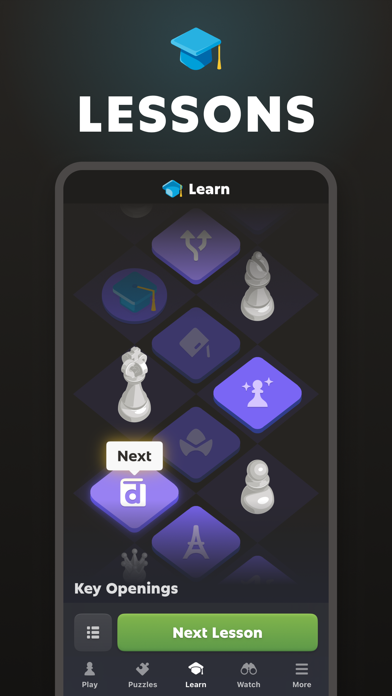
- Hundreds of quality chess lessons and chess videos made by masters (learn all the chess moves and practice your skills with chess problems).
- Interactive chess training tutorials with tips and recommendations
- Learn chess rules and strategies in a step-by-step lesson plan (opening, middlegame, and endgame)
GAMES AGAINST COACH:
- Learn from a helpful and immersive visual chess coach.
- Review your games with the coach and learn the strategy behind every move.
- Play games with the coach, who will guide you through the fundamentals move by move and provide helpful hints as you play.
PLAY CHESS ONLINE AGAINST THE COMPUTER:
- Choose the level of computer opponent you want to play
- Analyze your chess games to see where you went wrong and how you can improve
- See the toughest opponent you can beat!
CHESS COMMUNITY:
- Join a community of more than 200 million online chess players
- More than 20 million chess games played each day
- Meet players of all levels from beginner to grandmaster
- Compete to get your own rating in the online chess leaderboards and join the best players.
- Watch the most popular chess superstars with millions of followers. Hikaru, GothamChess, Botez, Magnus and more!
... and MUCH MORE:
- Play chess games offline against the computer
- Articles by the best authors, coaches, and chess trainers
- Develop an unbeatable opening repertoire with the opening explorer (Queen´s Gambit, Caro-Kann Defense, Sicilian Defense, etc.)
- Offline chess with your friends
- Send messages and challenge your play chess with friends to a free chess game
- Choose from 20+ board themes, 2D & 3D chess pieces, and backgrounds
- Get in-depth performance stats about your games, puzzles and lessons
- Enjoy the most active community forums anywhere
Playing chess online has never been so easy!
Chess is the most popular game of all time! And Chess.com is the #1 place to play online with your friends and other players from all over the world or play chess offline whenever you want!
Please share your suggestions and comments with us. Our support team is happy to help you 24 hours a day, 365 days a year!
ABOUT CHESS.COM:
Chess.com is created by chess players and people who love chess!
Terms of Use: https://www.chess.com/legal/user-agreement
Team: http://www.chess.com/about
Facebook: http://www.facebook.com/chess
Twitter: http://twitter.com/chesscom
YouTube: http://www.youtube.com/wwwchesscom
TwitchTV: http://www.twitch.com/chess
- iPhone أو iPad بجيلبريك أو بدون جيلبريك.
- Sideloadly أو بدائلها.
- كمبيوتر يعمل بنظام Windows/macOS/Linux مع تثبيت iTunes.
الخطوة 1: قم بتنزيل ملف .IPA المعدّل مسبقًا من الرابط أعلاه إلى الكمبيوتر الخاص بك. للتنزيل من تطبيق iOSGods App، اطلع على دليل تنزيل IPA من تطبيق iOSGods App الذي يتضمن مثالًا بالفيديو.
الخطوة 2: قم بتنزيل Sideloadly وتثبيته على جهاز Windows أو Mac.
الخطوة 3: افتح Sideloadly على الكمبيوتر، ووصّل جهاز iOS الخاص بك، وانتظر حتى يظهر اسم جهازك داخل Sideloadly.
الخطوة 4: بمجرد التعرّف على جهاز iDevice الخاص بك، اسحب ملف .IPA المعدّل الذي قمت بتنزيله وأفلِته داخل تطبيق Sideloadly.
الخطوة 5: أدخل البريد الإلكتروني لحساب Apple Account الخاص بك، ثم اضغط على «Start». سيُطلب منك بعد ذلك إدخال كلمة المرور. تابع وأدخل المعلومات المطلوبة.
الخطوة 6: انتظر حتى ينتهي Sideloadly من تحميل/تثبيت ملف IPA المعدّل. في حال واجهت أي مشاكل أثناء التثبيت، يرجى قراءة الملاحظة أدناه.
الخطوة 7: بعد اكتمال التثبيت ورؤية التطبيق على الشاشة الرئيسية، انتقل إلى Settings → General → Profiles / VPN & Device Management. ثم اضغط على البريد الإلكتروني الذي أدخلته في الخطوة 6، ثم اضغط على «الوثوق بـ [email protected]».
الخطوة 8: الآن انتقل إلى الشاشة الرئيسية وافتح التطبيق الذي تم تثبيته للتو وسيعمل كل شيء بشكل صحيح. قد تحتاج إلى اتباع تعليمات إضافية خاصة بكل تطبيق داخل النافذة المنبثقة للتعديل أثناء اللعب.
ملاحظة: بدءًا من iOS/iPadOS 16 وما بعده، يجب تفعيل وضع المطور (Developer Mode). بالنسبة لحسابات Apple Developer المجانية، ستحتاج إلى تكرار هذه العملية كل 7 أيام. إذا كانت لديك أي أسئلة أو مشاكل، يرجى قراءة قسم الأسئلة الشائعة حول Sideloadly في الموضوع.