Потрібен вхід
Увійдіть у свій обліковий запис iOSGods, щоб продовжити.
Hack Features:
- PRO
Завантажте UDictionary Translator Hack modded IPA за посиланнями вище. Натисніть кнопку встановлення та дотримуйтесь інструкцій, щоб встановити цей хак iOS на iPhone, iPad або Apple Silicon.
Потрібна додаткова допомога? Перегляньте наш Поширені запитання про застосунок iOSGods для детальних відповідей та порад з усунення несправностей.
** 100,000,000 users across 150 countries. **
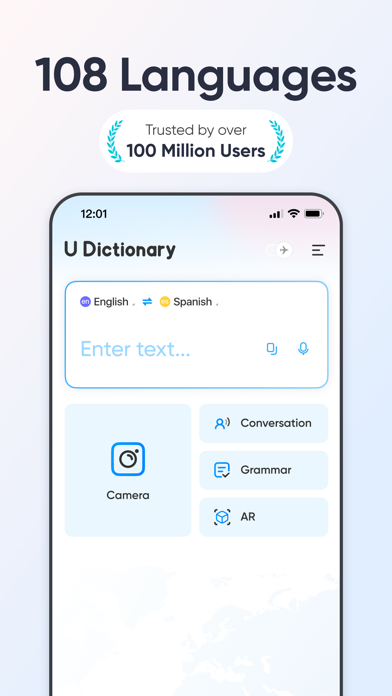
U-Dictionary is an efficient translation and dictionary app. Effortlessly translate texts, pictures, or conversations in 108 languages. Get translation instantly whether you're learning a new language or traveling abroad. Help remove your language barriers anytime anywhere.
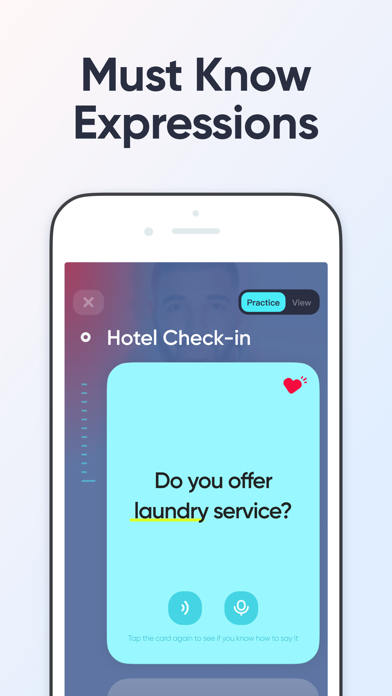
U-Dictionary takes in originally developed dictionaries, Collins COBUILD Advanced Dictionary, WordNet Dictionary, Bilingual Examples, Native Examples, Synonyms, Antonyms, Etymology Dictionary and so on.
FEATURES:
• Text Translation: Get translation of any pair within 108 languages.
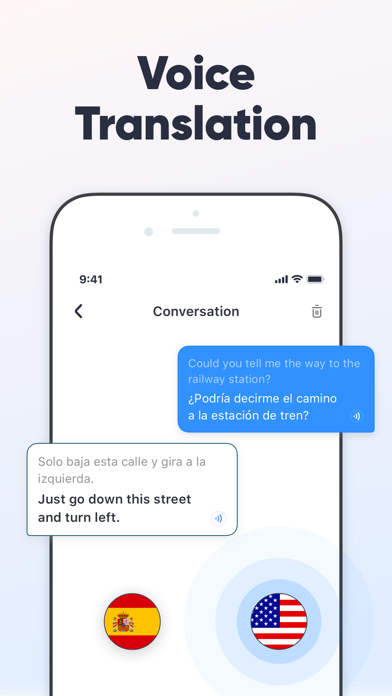
• Voice Translation: Translate bilingual conversations in 33 languages, 47 accents.
• Authoritative Dictionary: Built-in Concise Dictionary, Collins Advanced Dictionary and WordNet Dictionary.
• Perfect English Pronunciation: Native UK (British) and US (American) accent. Listen and Learn.
• Native Examples: Authentic sentences collected from famous international news websites.
• English Learning: Rich English learning materials
• 13 Display Languages: Read in your native language.
• Impressive UI: Clear and beautiful interface. Enjoy your journey.
Get UDictionary Premium and enjoy:
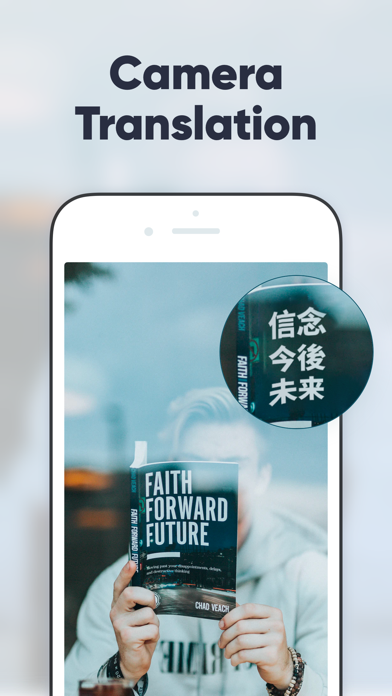
• Camera Translation: Snap to translate without typing by hand. 100 languages are available.
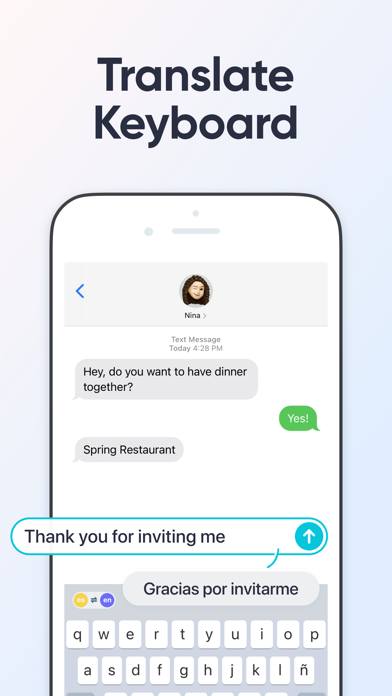
• Translate Keyboard: Write and translate instantly within your favorite apps. Chat without borders.
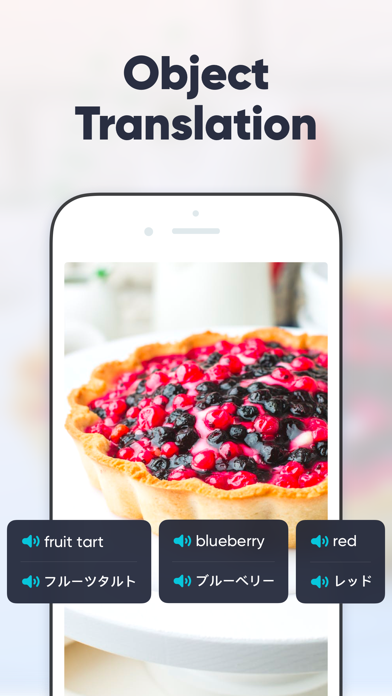
• Object Translation: Scan an object and recognize it smartly. Get to know anything around you immediately.
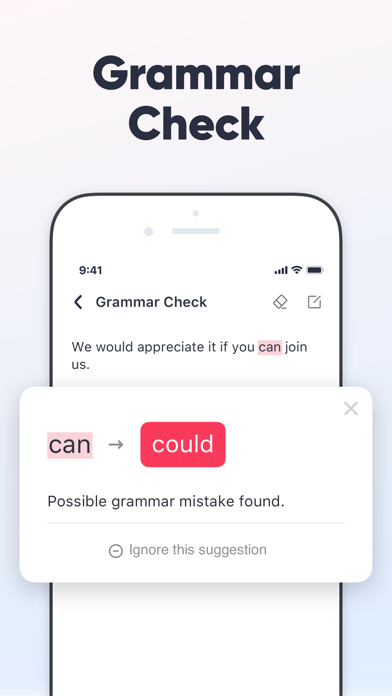
• Grammar Check: Enter or paste English text and check it with one click. Enjoy mistake-free writing!
• Offline Mode: Free from network limits. Travel abroad without having to pay expensive roaming charges.
Desktop/Mobile Web: http://www.u-dictionary.com
Articles from Blog: http://udictionaryblog.wordpress.com
Contact Us:
Connect with us on any of the following Social Media:
https://facebook.com/UDictionary/
http://www.youtube.com/c/UDictionary
https://plus.google.com/ UDictionary
https://twitter.com/Udictionaryforu/
https://instagram.com/udictionaryforu
Have queries?
Email us at [email protected]
Supported languages for translation:
Afrikaans, Albanian, Arabic, Armenian, Azerbaijani, Basque, Belarusian, Bengali, Bosnian, Bulgarian, Catalan, Cebuano, Chichewa, Chinese Simplified, Chinese Traditional, Croatian, Czech, Danish, Dutch, English, Esperanto, Estonian, Filipino, Finnish, French, Galician, Georgian, German, Greek, Gujarati, Haitian Creole, Hausa, Hebrew, Hindi, Hmong, Hungarian, Icelandic, Igbo, Indonesian, Irish, Italian, Japanese, Javanese, Kannada, Kazakh, Khmer, Korean, Lao, Latin, Latvian, Lithuanian, Macedonian, Malagasy, Malay, Malayalam, Maltese, Maori, Marathi, Mongolian, Myanmar (Burmese), Nepali, Norwegian, Persian, Polish, Portuguese, Punjabi, Romanian, Russian, Serbian, Sesotho, Sinhala, Slovak, Slovenian, Somali, Spanish, Sundanese, Swahili, Swedish, Tajik, Tamil, Telugu, Thai, Turkish, Ukrainian, Urdu, Uzbek, Vietnamese, Welsh, Yiddish, Yoruba, Zulu.
-----
Auto-Renewable Subscription Terms:
* You can cancel the subscription anytime by turning off auto-renewal through your iTunes account settings. This must be done 24 hours before the end of the subscription period to avoid being charged. The cancellation will take effect the day after the last day of the current subscription period, and you will be downgraded to the free service.
* Account will be charged for renewal within 24-hours prior to the end of the current period, and identify the cost of the renewal.
Privacy Policy: http://inter.youdao.com/cloudfront/vip-pay/privacy.html
Terms of Services: http://inter.youdao.com/cloudfront/vip-pay/terms.html
- iPhone або iPad без джейлбрейку/у заводському стані або з джейлбрейком.
- Sideloadly або альтернативи.
- Комп'ютер під керуванням Windows/macOS/Linux із встановленим iTunes.
КРОК 1: Завантажте попередньо зламаний .IPA-файл за посиланням вище на свій комп'ютер. Щоб завантажити з iOSGods App, перегляньте наш Посібник із завантаження IPA в iOSGods App, який містить відеоприклад.
КРОК 2: Завантажте Sideloadly і встановіть його на своєму Windows або Mac.
КРОК 3: Відкрийте Sideloadly на комп'ютері, підключіть свій iOS-пристрій і зачекайте, поки назва пристрою з'явиться у Sideloadly.
КРОК 4: Коли ваш iDevice буде розпізнано, перетягніть завантажений модифікований .IPA-файл і відпустіть його в застосунок Sideloadly.
КРОК 5: Введіть електронну пошту вашого Apple Account, потім натисніть «Start». Після цього вас попросять ввести пароль. Введіть необхідні дані.
КРОК 6: Зачекайте, доки Sideloadly завершить sideload/встановлення зламаного IPA. Якщо під час встановлення виникнуть проблеми, прочитайте примітку нижче.
КРОК 7: Коли встановлення завершено й ви побачите застосунок на головному екрані, перейдіть до Налаштування → Загальні → Профілі / VPN і керування пристроєм. Там натисніть на електронну пошту, яку ви ввели на кроці 6, а потім натисніть «Довіряти [email protected]».
КРОК 8: Тепер перейдіть на головний екран і відкрийте щойно встановлений застосунок — усе має працювати належним чином. Можливо, доведеться виконати додаткові інструкції для конкретного застосунку в спливаючому вікні хака в грі.
ПРИМІТКА: У iOS/iPadOS 16 і пізніших версіях потрібно увімкнути режим розробника. Для безкоштовних облікових записів Apple Developer цей процес доведеться повторювати кожні 7 днів. Якщо у вас є запитання або проблеми, прочитайте наш розділ FAQ зі Sideloadly у темі.