Anmeldung erforderlich
Melden Sie sich mit Ihrem iOSGods-Konto an, um fortzufahren.
Laden Sie nPlayer Plus modded IPA über die obigen Links herunter. Tippen Sie auf den Installations-Button und folgen Sie den Anweisungen, um diese iOS-App auf Ihrem iPhone, iPad oder Apple Silicon zu installieren.
Brauchen Sie mehr Hilfe? In unseren iOSGods App häufig gestellten Fragen finden Sie ausführliche Antworten und Tipps zur Fehlerbehebung.
** nPlayer officially supports DTS (DTS HD ), DTS Headphone:X, Dolby (AC3, E-AC3).
** The 'Upgrade' In-App is just only for the users who already purchased nPlayer of the version 2.6.5 or the previous version. The first time buyer can use the full functions without any upgrade.(In-App purchase is not necessary!)
** nPlayer is the universal app. You can install it in any other iOS device without additional purchase.
** nPlayer Plus officially supports Dolby Audio codec and Dolby Sound Effect. But if you don't mind using Dolby Audio codec embedded in iOS, please update your iOS to 9.3 version or later and purchase nPlayer in the lower price.
- You don't need to convert video files to MP4 to play them in your mobile device. nPlayer enable you to play all kinds of video formats and codecs without file converting efforts.
- You don't need to store video files in your device with limited storage space. nPlayer's powerful and various network technologies will help you to stream them from remote devices.
- With your finger tip, you can adjust playback position, move to previous and next subtitle position, adjust location and font size of subtitles, control volume and brightness.
- Experience nPlayer, thousands of users recommendations.
* Features
- Supports officially DTS audio codec (DTS HD)
- Supports officially Dolby audio codec (AC3, E-AC3)
- Supports Dolby Mobile Surround Sound
- Supports iXpand Drive
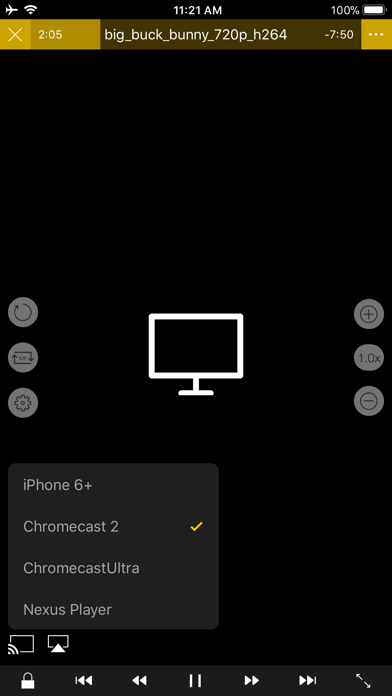
- Supports Chromecast
- Supports video cast for Smart TV
- Supports HDMI output
- Supports video files : MP4, MOV, MKV, AVI, WMV, ASF, FLV, OGV, RMVB, TP etc.
- Supports audio files : MP3, WAV, WMA, FLAC, APE etc.
- Supports subtitle files : SMI, SRT, SSA, IDX, SUB, LRC, SUP, MLP2 etc.
- Supports image files : JPG, PNG, BMP, GIF, TIFF etc.
- Supports playlist files : CUE, M3U, PLS
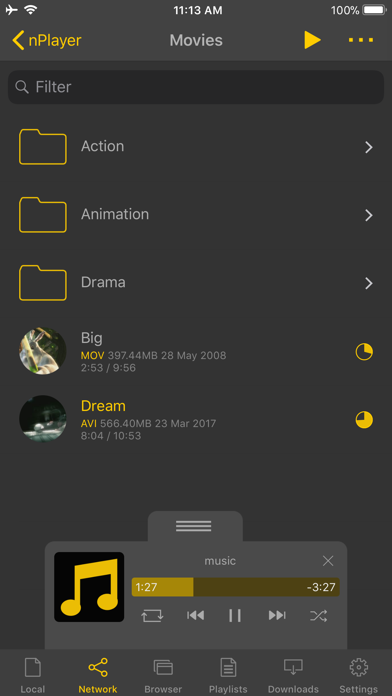
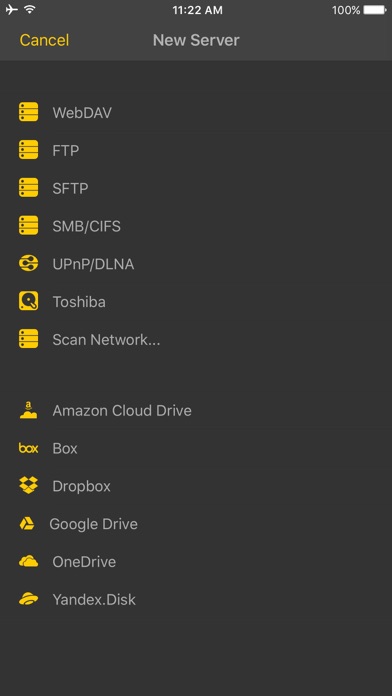
- Supports WebDAV, FTP, SFTP, HTTP, SMB/CIFS, NFS
- Supports UPnP/DLNA (supports subtitles if DLNA server provides subtitles information.)
- Supports cloud service (Box, Dropbox, Google Drive, OneDrive, Yandex.Disk)
- Supports in-app web browser
- Supports iTunes video/audio play (except for DRM contents)
- Supports videos and pictures in Album
- Playback speed control : 0.5x ~ 4.0x
- Resume playback
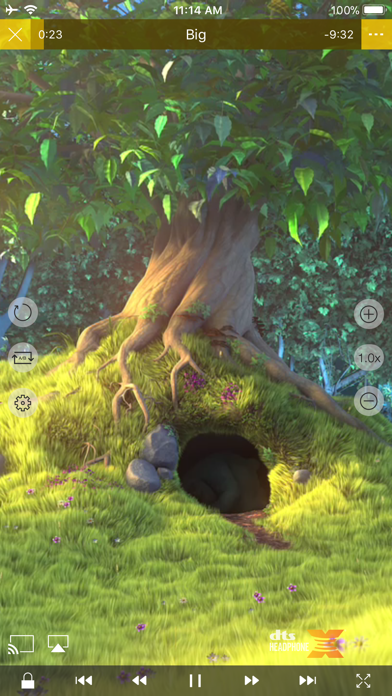
- AB repeat(specific section repetition)
- Screen lock
- Supports HEVC/H.264/MPEG4 Hardware acceleration
- Supports 3D video mode
- Screen flip horizontally, vertically. brightness and saturation control
- Aspect ratio : Default, 1:1, 3:2, 4:3, 5:3, 16:9, 1.85:1 etc
- Supports multi-track audio
- Supports audio boost
- Supports audio sync
- Supports lyrics display
- Supports Dolby, DTS HDMI Bitstream (Passthru)
- Supports embedded subtitles
- Supports multi-track subtitles
- Supports user’s selection of subtitle files
- Supports addition of optional subtitle files while playback
- Supports subtitles font, color, shadow, outline customization
- Supports subtitles sync
- Supports external subtitle fonts
- Supports SAMI(SMI) tag
- Supports SSA/ASS with full styling, embedded subtitles
- File management : Delete, Move, Rename, Create a folder
- Playlist management : Add, Delete, Modify
- Supports recently played list
- Folder lock
- Supports Open-in
- Supports UI theme
* Gesture Features
- Tap : Menu
- Double tap : Pop-up play
- Drag horizontally : Playback position adjustment
- Drag vertically on right half of the screen : Volume control
- Drag vertically on left half of the screen : Brightness control
- Pinch on the screen : Screen size adjustment
- Drag horizontally on subtitle text : Move to previous/next subtitle text
- Drag vertically on subtitle text : Subtitle position adjustment
- Pinch on subtitle text : Subtitle font size adjustment
- Supports finger gesture customization
- Nicht-Jailbroken/Jailed oder Jailbroken iPhone oder iPad.
- Sideloadly oder Alternativen.
- Computer mit Windows/macOS/Linux und installiertem iTunes.
SCHRITT 1: Laden Sie die vorinstallierte .IPA-Datei über den obigen Link auf Ihren Computer herunter. Zum Herunterladen aus der iOSGods-App siehe unser iOSGods App IPA Download-Tutorial mit Videobeispiel.
SCHRITT 2: Laden Sie Sideloadly herunter und installieren Sie es auf Ihrem Windows oder Mac.
SCHRITT 3: Öffnen Sie Sideloadly auf Ihrem Computer, verbinden Sie Ihr iOS-Gerät und warten Sie, bis Ihr Gerätename in Sideloadly erscheint.
SCHRITT 4: Sobald Ihr iDevice erkannt wird, ziehen Sie die heruntergeladene gemoddete .IPA-Datei in die Sideloadly-Anwendung.
SCHRITT 5: Geben Sie Ihre Apple-Account-E-Mail ein und drücken Sie „Start". Sie werden dann nach Ihrem Passwort gefragt. Geben Sie die erforderlichen Informationen ein.
SCHRITT 6: Warten Sie, bis Sideloadly das Sideloading/Installieren der gehackten IPA abgeschlossen hat. Bei Problemen während der Installation lesen Sie bitte den Hinweis unten.
SCHRITT 7: Sobald die Installation abgeschlossen ist und die App auf Ihrem Home-Bildschirm angezeigt wird, müssen Sie zu Einstellungen → Allgemein → Profile / VPN & Geräteverwaltung gehen. Tippen Sie dort auf die E-Mail, die Sie in Schritt 6 eingegeben haben, und dann auf „Trust [email protected]".
SCHRITT 8: Gehen Sie nun zu Ihrem Home-Bildschirm und öffnen Sie die neu installierte App – alles sollte einwandfrei funktionieren. Möglicherweise müssen Sie weitere App-spezifische Anweisungen im Hack-Popup im Spiel befolgen.
HINWEIS: iOS/iPadOS 16 und höher: Sie müssen den Entwicklermodus aktivieren. Bei kostenlosen Apple Developer-Accounts müssen Sie diesen Vorgang alle 7 Tage wiederholen. Bei Fragen oder Problemen lesen Sie bitte unsere Sideloadly-FAQ-Sektion im Thema.