تسجيل الدخول مطلوب
سجّل الدخول بحساب iOSGods للمتابعة.
سجّل الدخول بحساب iOSGods للمتابعة.
nPlayer Plus هو تطبيق تشغيل وسائط عام Mod IPA يوفر تشغيل فيديو وصوت متقدم على جهاز iOS الخاص بك بدون قيود الدفع. يفتح هذا التهكير المجاني التطبيق المدفوع بالكامل، مما يتيح لك الاستمتاع بدعم الترميز المتقدم بما في ذلك DTS وDolby Audio وDolby Sound Effects عبر أي iPhone أو iPad متوافق.
يأتي هذا التطبيق أيضًا مع iGameGod، مما يتيح لك الوصول إلى Auto Touch لأتمتة المهام المتكررة، وApp Speed Manager لضبط سرعة اللعب، وتعديل القيم عبر Memory Engine، والمزيد من أدوات ألعاب iOS القوية.
قم بتنزيل nPlayer Plus modded IPA من الروابط أعلاه. اضغط على زر التثبيت واتبع التعليمات لتثبيت هذا التعديل لـ iOS على iPhone أو iPad أو Apple Silicon.
هل تحتاج إلى مزيد من المساعدة؟ راجع الأسئلة الشائعة لتطبيق iOSGods للحصول على إجابات مفصلة ونصائح لاستكشاف الأخطاء.
** nPlayer officially supports DTS (DTS HD ), DTS Headphone:X, Dolby (AC3, E-AC3).
** nPlayer is the universal app. You can install it in any other iOS device without additional purchase.
** nPlayer Plus officially supports Dolby Audio codec and Dolby Sound Effect. But if you don't mind using Dolby Audio codec embedded in iOS, please update your iOS to 9.3 version or later and purchase nPlayer in the lower price.
- You don't need to convert video files to MP4 to play them in your mobile device. nPlayer enable you to play all kinds of video formats and codecs without file converting efforts.
- You don't need to store video files in your device with limited storage space. nPlayer's powerful and various network technologies will help you to stream them from remote devices.
- With your finger tip, you can adjust playback position, move to previous and next subtitle position, adjust location and font size of subtitles, control volume and brightness.
- Experience nPlayer, thousands of users recommendations.
* Features
- Supports officially DTS audio codec (DTS HD)
- Supports officially Dolby audio codec (AC3, E-AC3)
- Supports Dolby Mobile Surround Sound
- Supports iXpand Drive
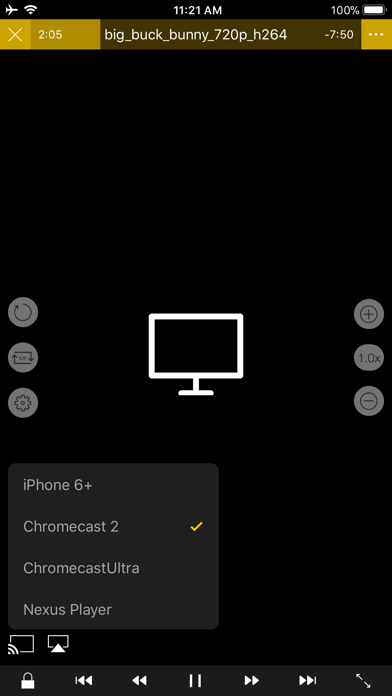
- Supports Chromecast
- Supports video cast for Smart TV
- Supports HDMI output
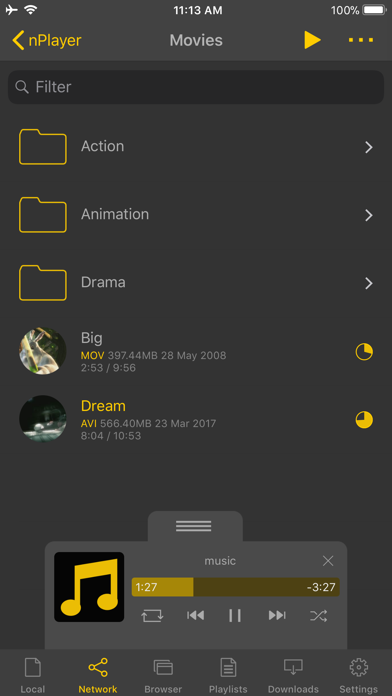
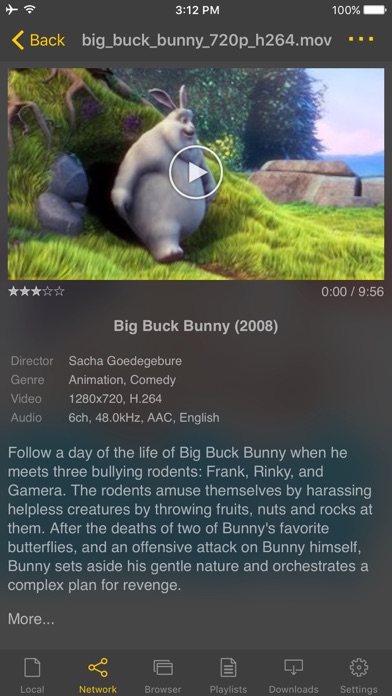
- Supports video files : MP4, MOV, MKV, AVI, WMV, ASF, FLV, OGV, RMVB, TP etc.
- Supports audio files : MP3, WAV, WMA, FLAC, APE etc.
- Supports subtitle files : SMI, SRT, SSA, IDX, SUB, LRC, SUP, MLP2 etc.
- Supports image files : JPG, PNG, BMP, GIF, TIFF etc.
- Supports playlist files : CUE, M3U, PLS
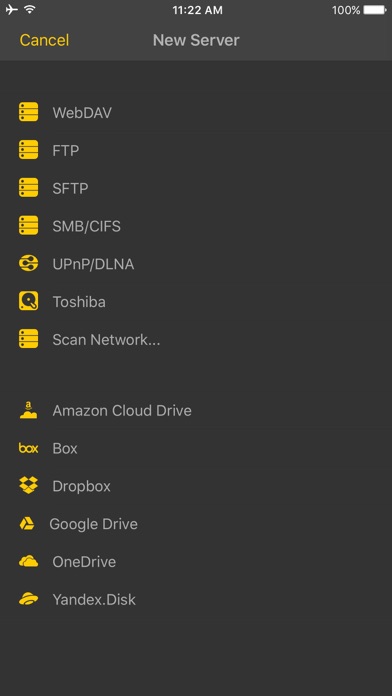
- Supports WebDAV, FTP, SFTP, HTTP, SMB/CIFS, NFS
- Supports UPnP/DLNA (supports subtitles if DLNA server provides subtitles information.)
- Supports cloud service (Box, Dropbox, OneDrive, Yandex.Disk)
- Supports in-app web browser
- Supports iTunes video/audio play (except for DRM contents)
- Supports videos and pictures in Album
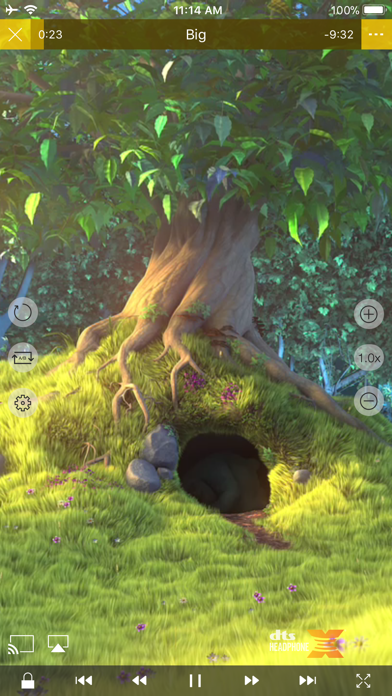
- Playback speed control : 0.5x ~ 4.0x
- Resume playback
- AB repeat(specific section repetition)
- Screen lock
- Supports AV1/HEVC/H.264/MPEG4 Hardware acceleration
- Supports 3D video mode
- Screen flip horizontally, vertically. brightness and saturation control
- Aspect ratio : Default, 1:1, 3:2, 4:3, 5:3, 16:9, 1.85:1 etc
- Supports multi-track audio
- Supports audio boost
- Supports audio sync
- Supports lyrics display
- Supports Dolby, DTS HDMI Bitstream (Passthru)
- Supports embedded subtitles
- Supports multi-track subtitles
- Supports user’s selection of subtitle files
- Supports addition of optional subtitle files while playback
- Supports subtitles font, color, shadow, outline customization
- Supports subtitles sync
- Supports external subtitle fonts
- Supports SAMI(SMI) tag
- Supports SSA/ASS with full styling, embedded subtitles
- File management : Delete, Move, Rename, Create a folder
- Playlist management : Add, Delete, Modify
- Supports recently played list
- Folder lock
- Supports Open-in
- Supports UI theme
* Gesture Features
- Tap : Menu
- Double tap : Pop-up play
- Drag horizontally : Playback position adjustment
- Drag vertically on right half of the screen : Volume control
- Drag vertically on left half of the screen : Brightness control
- Pinch on the screen : Screen size adjustment
- Drag horizontally on subtitle text : Move to previous/next subtitle text
- Drag vertically on subtitle text : Subtitle position adjustment
- Pinch on subtitle text : Subtitle font size adjustment
- Supports finger gesture customization
- iPhone أو iPad بجيلبريك أو بدون جيلبريك.
- Sideloadly أو بدائلها.
- كمبيوتر يعمل بنظام Windows/macOS/Linux مع تثبيت iTunes.
الخطوة 1: قم بتنزيل ملف .IPA المعدّل مسبقًا من الرابط أعلاه إلى الكمبيوتر الخاص بك. للتنزيل من تطبيق iOSGods App، اطلع على دليل تنزيل IPA من تطبيق iOSGods App الذي يتضمن مثالًا بالفيديو.
الخطوة 2: قم بتنزيل Sideloadly وتثبيته على جهاز Windows أو Mac.
الخطوة 3: افتح Sideloadly على الكمبيوتر، ووصّل جهاز iOS الخاص بك، وانتظر حتى يظهر اسم جهازك داخل Sideloadly.
الخطوة 4: بمجرد التعرّف على جهاز iDevice الخاص بك، اسحب ملف .IPA المعدّل الذي قمت بتنزيله وأفلِته داخل تطبيق Sideloadly.
الخطوة 5: أدخل البريد الإلكتروني لحساب Apple Account الخاص بك، ثم اضغط على «Start». سيُطلب منك بعد ذلك إدخال كلمة المرور. تابع وأدخل المعلومات المطلوبة.
الخطوة 6: انتظر حتى ينتهي Sideloadly من تحميل/تثبيت ملف IPA المعدّل. في حال واجهت أي مشاكل أثناء التثبيت، يرجى قراءة الملاحظة أدناه.
الخطوة 7: بعد اكتمال التثبيت ورؤية التطبيق على الشاشة الرئيسية، انتقل إلى Settings → General → Profiles / VPN & Device Management. ثم اضغط على البريد الإلكتروني الذي أدخلته في الخطوة 6، ثم اضغط على «الوثوق بـ [email protected]».
الخطوة 8: الآن انتقل إلى الشاشة الرئيسية وافتح التطبيق الذي تم تثبيته للتو وسيعمل كل شيء بشكل صحيح. قد تحتاج إلى اتباع تعليمات إضافية خاصة بكل تطبيق داخل النافذة المنبثقة للتعديل أثناء اللعب.
ملاحظة: بدءًا من iOS/iPadOS 16 وما بعده، يجب تفعيل وضع المطور (Developer Mode). بالنسبة لحسابات Apple Developer المجانية، ستحتاج إلى تكرار هذه العملية كل 7 أيام. إذا كانت لديك أي أسئلة أو مشاكل، يرجى قراءة قسم الأسئلة الشائعة حول Sideloadly في الموضوع.