Inloggen vereist
Log in met je iOSGods-account om door te gaan.
Log in met je iOSGods-account om door te gaan.

Leer piano spelen door echte nummers te spelen met Simpia, een gratis Mod IPA die premiumfuncties ontgrendelt voor muziekstudenten op iOS. Deze educatieve hack past zich aan uw vaardigheidsniveau aan, of u nu volledig beginner bent of uw techniek verfijnt, en werkt naadloos met elk akoestisch, digitaal of MIDI-toetsenbord om u direct feedback te geven terwijl u meespeelt.
- Premium → alle betaalde functies ontgrendeld
Download Simpia – Learn piano by songs iOS Mod IPA via de bovenstaande links. Tik op de installatieknop en volg de instructies om deze iOS-app-hack op je iPhone, iPad of Apple Silicon te installeren.
Meer hulp nodig? Bekijk onze Veelgestelde vragen over de iOSGods-app voor uitgebreide antwoorden en probleemoplossingstips.
Before you start: To use all features of the app, you’ll need a real piano or a musical keyboard.
Simpia is the fun, easy, and effective way to learn piano—from absolute beginner to confident pianist. Whether you're just starting or looking to enhance your skills, Simpia adapts to your level and helps you improve rapidly.
Play Your First Song Today
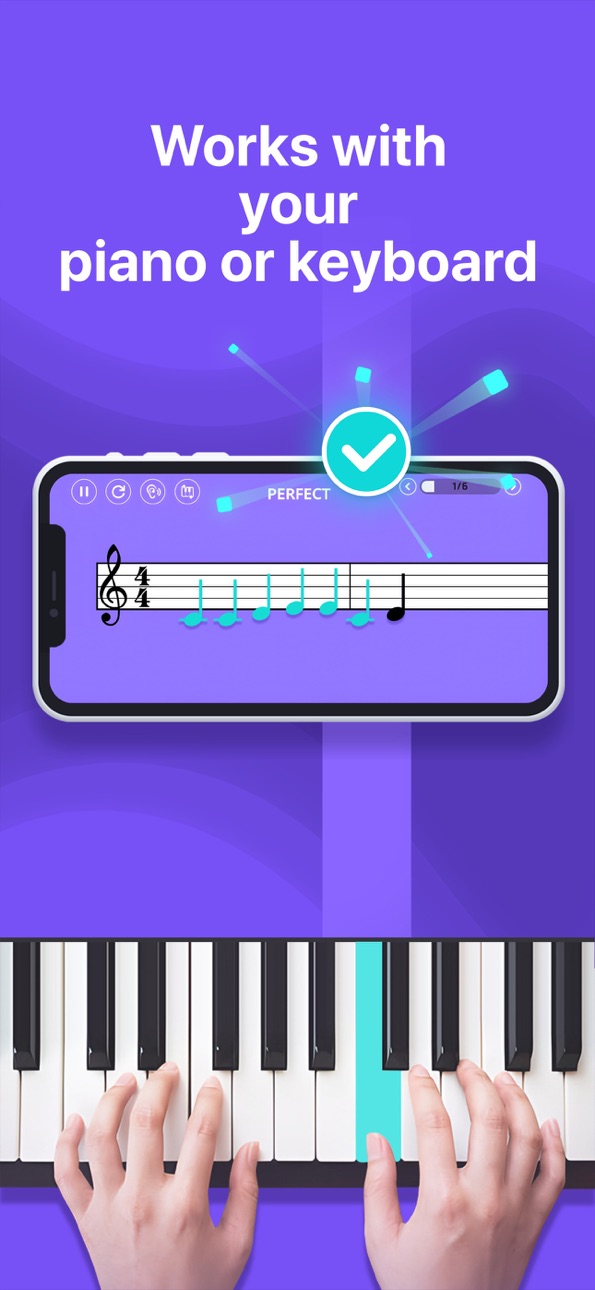
Simpia works perfectly with any piano or keyboard, whether acoustic, digital, or MIDI controller. Simply place your device nearby, play along, and receive instant, precise feedback on your notes and rhythm.
Why Choose Simpia?
- A step-by-step courses from beginner to advanced, crafted by professional educators and suitable for every level.
- Instant AI feedback that tells you right away whether each note you play is correct.
- Experience a variety of music genres, from classical to popular songs.
- Personalized Learning: Customized daily workouts tailored specifically to your skill level and musical goals.
- Advanced Tools: Comprehensive AI, MIDI and Bluetooth MIDI support for enhanced practice sessions.
Get Started Free!
Enjoy daily limited time free for all lessons and songs.
Or Start your free trial today and experience all we have to offer!
Upgrade to Premium for
- Full access to all courses & advanced lesson features.
- Complete song library and exclusive lessons
- Personalized daily learning content with daily workout and tutor
- Advanced AI feedback with MIDI and Bluetooth MIDI integration.
- Unlimited, unrestricted daily practice sessions.
Simpia Subscription:
Enjoy unlimited access to all courses and features with flexible Monthly, 3-Month or Annual plans (prices displayed in-app).The subscription is linked to your Apple ID and works on any iOS device using that account. Payment is charged to your Apple ID at purchase, and the plan renews automatically at the current price within 24 hours before each term ends unless you disable auto-renew at least 24 hours in advance in Settings › Apple ID › Subscriptions. You can manage or cancel your plan there at any time. Any unused portion of a free trial is forfeited when you subscribe. Subscriptions stay active until the end of the paid period and can’t be cancelled mid-cycle.
Questions or feedback? We're always happy to hear from you directly via our in-app "Have a Question" support chat.
Download now and play your first song today!
*** HAVE FUN! ***
Private Policy: https://smulie.io/privacy-policy/
Copyright/Claims/Issues: [email protected]
Screenshots © respectieve eigenaren · App Store

iOSGods is niet verbonden aan, onderschreven door of gesponsord door Apple Inc., Google LLC of de ontwikkelaars van de hier vermelde apps. Apple, iOS en App Store zijn handelsmerken van Apple Inc. Android en Google Play zijn handelsmerken van Google LLC. Alle overige app-namen, iconen, afbeeldingen en handelsmerken behoren toe aan hun respectieve eigenaren.
- Niet-jailbroken/jailed of jailbroken iPhone of iPad.
- Sideloadly of alternatieven.
- Computer met Windows/macOS/Linux en iTunes geïnstalleerd.
STAP 1: Download het vooraf gehackte .IPA-bestand via de link hierboven naar uw computer. Om het te downloaden vanuit de iOSGods App, bekijk onze iOSGods App IPA-downloadhandleiding met een videovoorbeeld.
STAP 2: Download Sideloadly en installeer het op uw Windows of Mac.
STAP 3: Open Sideloadly op uw computer, sluit uw iOS-apparaat aan en wacht tot de naam van uw apparaat in Sideloadly verschijnt.
STAP 4: Zodra uw iDevice is herkend, sleept u het gedownloade gemodde .IPA-bestand naar de Sideloadly-applicatie.
STAP 5: Voer het e-mailadres van uw Apple Account in en druk op “Start”. U wordt vervolgens gevraagd om uw wachtwoord in te voeren. Geef de gevraagde informatie op.
STAP 6: Wacht tot Sideloadly het sideloaden/installeren van de gehackte IPA heeft voltooid. Als er problemen zijn tijdens de installatie, lees dan onderstaande opmerking.
STAP 7: Zodra de installatie is voltooid en u de app op uw beginscherm ziet, gaat u naar Instellingen → Algemeen → Profielen / VPN- en apparaatbeheer. Tik daar op het e-mailadres dat u in stap 6 hebt ingevoerd en tik vervolgens op “Vertrouw [email protected]”.
STAP 8: Ga nu naar uw beginscherm en open de zojuist geïnstalleerde app; alles zou correct moeten werken. Mogelijk moet u verdere app-specifieke instructies volgen in de hack-popup in het spel.
OPMERKING: Op iOS/iPadOS 16 en later moet u Ontwikkelaarsmodus inschakelen. Voor gratis Apple Developer-accounts moet u dit proces elke 7 dagen herhalen. Als u vragen of problemen hebt, lees dan onze Sideloadly FAQ-sectie van het onderwerp.
Hack Features:
- Inf Coins (Spend)
App Installation Instructions:
---------------------------------------------------------
----------------------------------------------------------
If you require more information or help, please read our Frequently Asked Questions topic on iOSGods.com.
----------------------------------------------------------
--------------------------------------------------