Cần đăng nhập
Đăng nhập bằng tài khoản iOSGods để tiếp tục.
Đăng nhập bằng tài khoản iOSGods để tiếp tục.

Các loại tiền tệ không giới hạn và mua trong ứng dụng miễn phí cung cấp cho bạn quyền truy cập tức thì vào tất cả các nâng cấp trong hack tower defense này. Tower vs Goblins Mod APK cho phép bạn xây dựng và nâng cấp pháo đài của mình mà không cần phải chơi lâu, vì vậy bạn có thể tập trung vào chiến lược chống lại các làn sóng yêu tinh vô tận.
- Tiền tệ không giới hạn → chi tiêu tự do cho các nâng cấp và phòng thủ
- IAP miễn phí (sử dụng cho Noads) → mở khóa các mục cao cấp mà không cần thanh toán
Tải Tower vs Goblins Mod APK từ nút ở trên. Sau khi nhấn tải, chỉ cần làm theo hướng dẫn để cài APK đã mod lên thiết bị Android hoặc trình giả lập.
Cần trợ giúp? Hãy xem Câu hỏi thường gặp Android để có câu trả lời chi tiết và mẹo khắc phục sự cố.
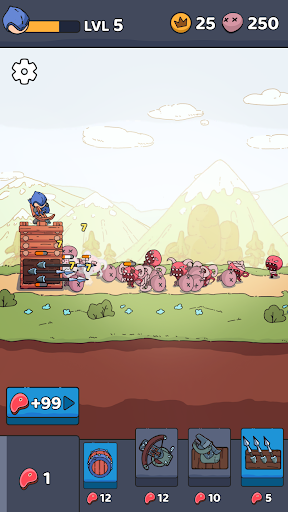
Show your strategy skills in a unique tower defense game and protect your base against waves of goblins wielding the goblin sword.
Discover an unforgettable gaming experience of TD games with interesting levels, improvements and strategic challenges. Encounter various enemy raids on your difficult path, upgrade your hero and base to stop them all!
Endless fun is waiting for you in Spire vs Goblins: Tower Defense game — download right now absolutely free.
🏗️ BUILD AND DEFEND
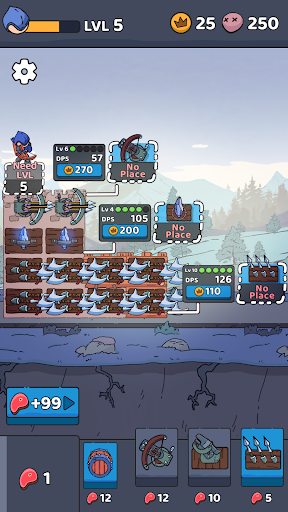
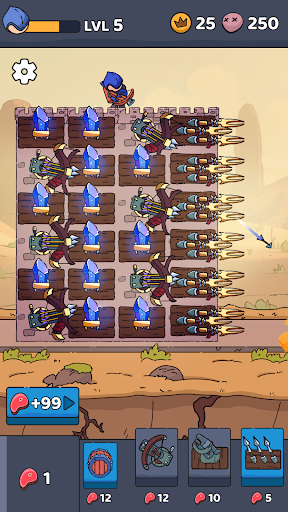
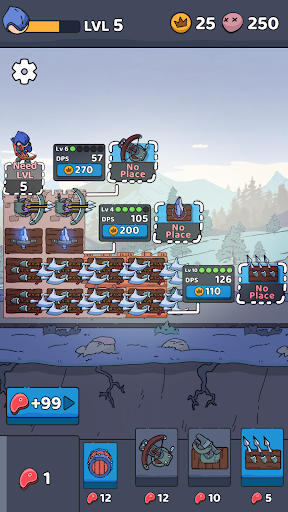
To turn your tower into an impenetrable fortress, with each reflected wave, collect a reward that can be used to add new blocks and a variety of weapons: a spear, a ballista or a magic crystal. Each type of weapon unlocks special skills that will help you stay safe, destroy the enemy base and waves of goblins. You need to build wisely – a lot depends on the position of the blocks in your survival.
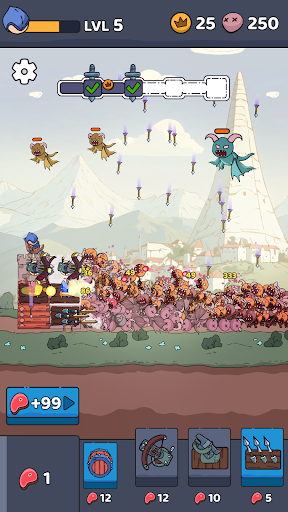
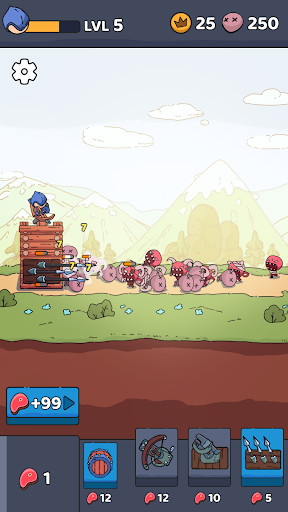
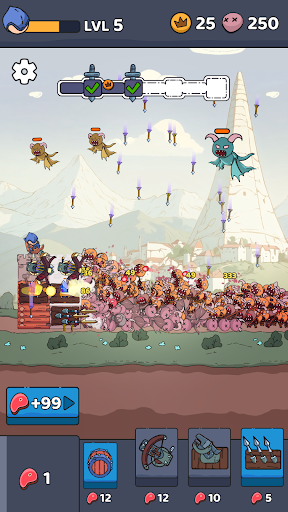
🎯 Aim and shoot – the goblins are attacking! This RPG shooter will constantly keep you in suspense, be ready to skillfully use your bow to protect the tower from flying monsters, dark magicians, terrible demons. Some of them are even armed with the legendary goblin sword, so be sure you’ve properly upgraded your hero and defensive structure to become an epic invincible archer.
🧠 Strategic – Use your sharp wits to fight off enemies as you wander around looking for blocks to add to your tower. It may seem that everything is simple in Tower vs Goblins: RPG Shooter, as in many idle games, but you need to plan ahead and think about how to properly display all the weapons in your fortress. Another important detail is the strategic use of resources and unique abilities.
💪 Level Up – Go through the levels in this TD RPG shooter game and discover awesome upgrades, weapons, and other improvements. After defeating each wave, you are given the opportunity to choose the leveling of the hero to your heart's content: attack power and speed, damage crit, number of arrows and much more! After completing the level, upgrade your fortress: it's up to you to upgrade your defenses and be an impregnable defender or upgrade your weapons and not even let the enemies near you.
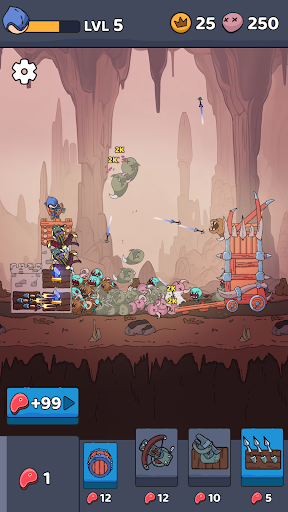
😍 Catchy – it's about the gameplay and especially about the graphics. The cute design and attention to detail makes Tower vs Goblins: Aim and Shoot a very visually appealing adventure that mesmerizes and maintains a chill vibe. The animation of waves of enemies is a special work of art!
🏰 MEDIEVAL EPIC WORLD 🏰
So come on, build your mighty tower, survive and wage war against goblins with the deadly goblin sword in this exciting RPG tower defense game. Travel through different areas to explore new opportunities to protect your fortress and ways to destroy an ever-increasing number of enemies! Dive into the world of non-stop fun TD games full of dangerous monsters, magic, goblin sword duels and castles.