需要登录
请使用您的 iOSGods 账户登录以继续。
请使用您的 iOSGods 账户登录以继续。
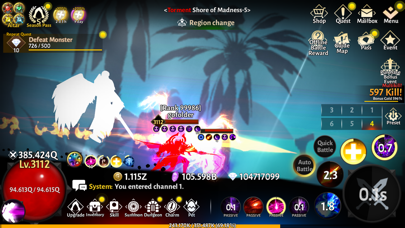
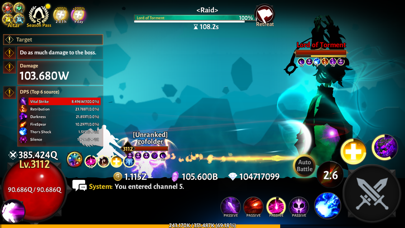
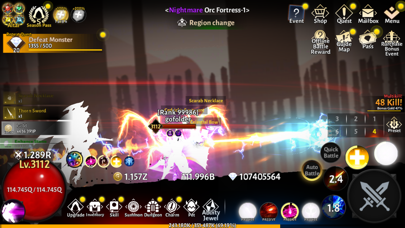
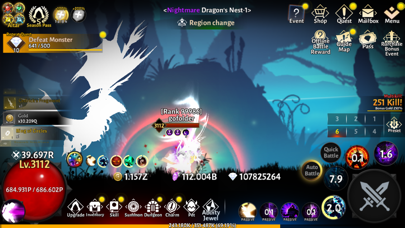
在这款放置RPG中以不朽战士的身份崛起,使用Immortal Rising: Return Event Mod IPA破解版以压倒性的力量击碎敌人。通过战略性的技能组合和华丽的战斗来提升你的角色,同时享受无限制主宰战斗的自由。
使用这个修改版本,你将体验加速的进度和无敌的游戏玩法,让你专注于掌握技能系统以及参与公会和PvP内容,而无需受到磨练的限制。
- 无敌模式 → 在战斗中变得无敌
- 一击必杀 → 瞬间击败敌人
- 高级版本 → 解锁高级功能和内容
- 冻结货币* → 防止游戏过程中货币耗尽
*滥用 = 封禁
此应用还内置 iGameGod,让你能够使用 Auto Touch 自动执行重复操作、通过 App Speed Manager 调节游戏速度、使用 Memory Engine 修改内存数值,以及更多强大的 iOS 游戏工具。
从上方链接下载 Immortal Rising : Return Event iOS Mod IPA。点击安装按钮并按照屏幕提示在 iPhone、iPad 或 Apple Silicon 上安装此 iOS 应用修改版。
需要更多帮助?请查看我们的 iOSGods 应用常见问题解答 获取详细解答和故障排除技巧。
Grow your immortal beyond the limits and defeat true evil!
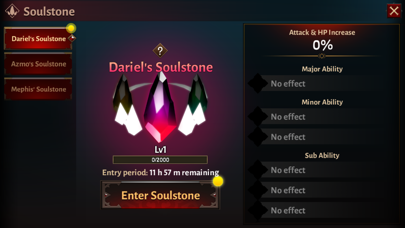
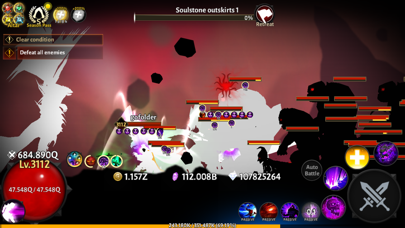
Grow your immortal through various growth content and enjoy the stylish skills and controls.
- Experience simple, easy, and rapid growth in idle RPG
- Farm various goods to achieve growth
- Combine your skills and equipment and strategically use the skill system to get stronger
- Enthralling skill animation and effects for each weapon class
- Grow along with other users through guild content
- Compete with countless users and get rewarded through PvP content
----------------------------------------------------------
[Optional] Notifications: Receive informational and promotional notifications
※ Granting optional permissions is not mandatory to use the service. After giving permission, you can modify or revoke it in your smartphone's settings.
[How to withdraw the access]
* Settings > Select App > Permissions
Help : [email protected]
Facebook :
https://www.facebook.com/mobirixplayen
YouTube :
https://www.youtube.com/user/mobirix1
Instagram :
https://www.instagram.com/mobirix_official/
TikTok :
https://www.tiktok.com/@mobirix_official
- 未越狱/受限或已越狱的 iPhone 或 iPad。
- Sideloadly 或替代方案。
- 运行 Windows/macOS/Linux 且已安装 iTunes 的电脑。
步骤 1: 通过上方链接将已破解的 .IPA 文件下载到您的电脑。如需从 iOSGods App 下载,请参阅我们的 iOSGods App IPA 下载教程,其中包含视频示例。
步骤 2: 下载 Sideloadly 并将其安装到您的 Windows 或 Mac 上。
步骤 3: 在电脑上打开 Sideloadly,连接您的 iOS 设备,等待设备名称在 Sideloadly 中显示。
步骤 4: 当 Sideloadly 识别到您的 iOS 设备后,将下载好的修改版 .IPA 文件拖放到 Sideloadly 应用中。
步骤 5: 输入您的 Apple Account 邮箱,然后点击 "Start"。系统会提示您输入密码,请按要求填写信息。
步骤 6: 等待 Sideloadly 完成已破解 IPA 的旁加载/安装。如果安装过程中出现问题,请阅读下方的注意事项。
步骤 7: 安装完成并在主屏幕上看到该应用后,您需要前往 设置 → 通用 → 描述文件 / VPN 与设备管理。进入后,点击您在第 6 步中输入的邮箱,然后点击 "信任 [email protected]"。
步骤 8: 现在返回主屏幕并打开新安装的应用,一切应可正常运行。您可能需要按照游戏内修改弹窗中的具体说明执行进一步操作。
注意: 在 iOS/iPadOS 16 及更高版本上,您必须 启用开发者模式。对于免费的 Apple Developer 账户,您需要每 7 天重复一次此操作。如有任何疑问或问题,请阅读我们的 主题中的 Sideloadly 常见问题部分。




![[Chiikawa Pocket JP] ちいかわぽけっと iOS Mod IPA](https://is1-ssl.mzstatic.com/image/thumb/Purple211/v4/7c/d8/92/7cd8925f-389f-e95e-d701-314886032cc4/AppIcon-0-0-1x_U007emarketing-0-8-0-85-220.png/100x100bb.jpg)


