로그인 필요
계속하려면 iOSGods 계정으로 로그인하세요.
Hack Features:
- No Ads
- Infinite Currency
- Infinite Population
- Infinite Growth
- No Carbon Gain
- Freeze Structures
위의 링크에서 Game of Earth: Build Your City Hack modded IPA을 다운로드합니다. 설치 버튼을 누르고 화면 안내에 따라 iPhone, iPad 또는 Apple Silicon에 이 iOS 앱 해킹을 설치합니다.
더 많은 도움이 필요하신가요? 자세한 답변과 문제 해결 팁은 iOSGods 앱 자주 묻는 질문을 확인하세요.

Build & manage the virtual city of dreams or nightmares in Game of Earth - the fast-paced city sim management game.
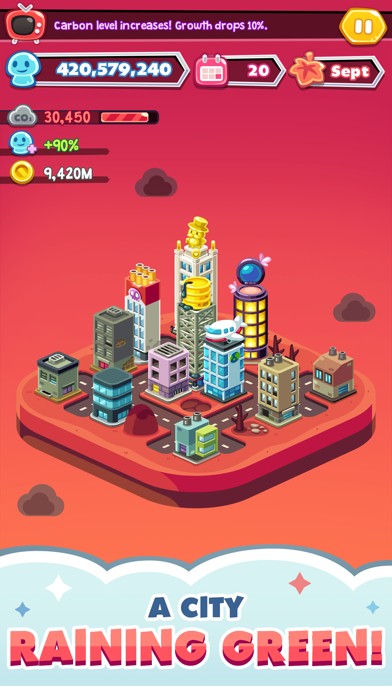
As the president of Earth 2.0, you have ultimate control over what happens in your city. By listening to your advisors, making choices, funding projects and investing, you can turn your city into an eco-friendly paradise or a carbon polluted wasteland.
• MAKE DECISIONS THAT SHAPE YOUR CITY
A key part of managing and building a city is making tough decisions. Luckily, your three advisors are around to give you some – occasionally not so great – advice!
You’ll be given the opportunity to invest and fund projects, make decisions on immigration and public transport, decide how your megacity recycles (or doesn’t) and more. Each decision you make will increase or decrease city growth, carbon pollution and your bank account.
• GO GREEN OR GO MEAN?
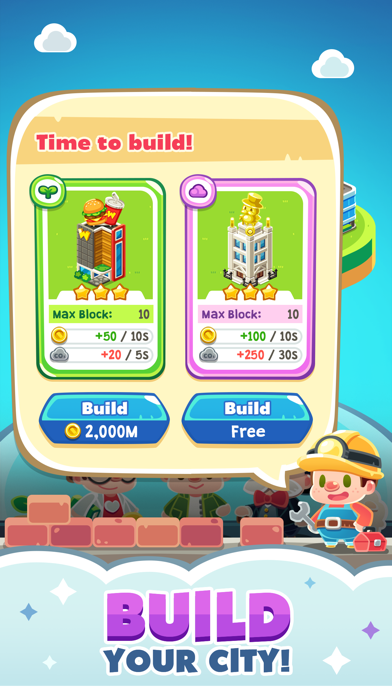
Choose the types of buildings you’d like to construct in your city – do you build cheaper, industrial buildings that produce more money but more pollution, or eco-friendly buildings to help improve the air quality in the city?
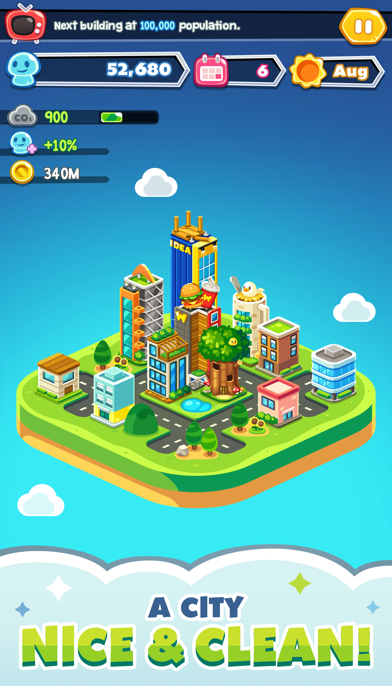
Invest in renewable energy, recycling, public transport and more, or prioritise population growth and money at the cost of carbon pollution. Through making wise decisions, you’ll be able to strike a balance and create a paradise your citizens love to call home!
• MANAGE CITY GROWTH
Balance clean air, citizen growth and treasury funds to keep your virtual city growing at a controlled rate. If population growth rockets out of control, your city may expand too quickly for you to handle! If your funds run out or citizens start leaving your city and your population drops to 0, it’s game over.
Only a lousy president would have a city where nobody lives there!
-----------------------------
GAME OF EARTH – HIGHLIGHTS
-----------------------------
• Endless gameplay – manage your city for as long as possible
• If your population hits 0 or you go bankrupt it’s game over
• Invest, fund projects and make important decisions on policies
• Manage your funds, population growth and pollution to keep your city healthy
• Choose whether to build industrial or eco-friendly buildings
• Dynamic gameplay ensures no two games are identical
• Addictive, fast-paced city sim manager
• Spin the gacha to get rewards & prizes to help you build a better city
• Beautifully designed artwork and changing seasons
Only you – the president of Earth 2.0 – know how to outwit the climate change deniers, greedy capitalists and conspiracy theorists to keep your virtual city growing. With fast-paced, dynamic gameplay, no play through is exactly the same!
You’ll have hours of fun – and frustration – building the city of your dreams in Game of Earth!
MANAGE & BUILD THE ULTIMATE MEGACITY – DOWNLOAD GAME OF EARTH TODAY!
- 탈옥/제일 또는 탈옥된 iPhone 또는 iPad가 필요합니다.
- Sideloadly 또는 대체 도구가 필요합니다.
- iTunes가 설치된 Windows/macOS/Linux 컴퓨터가 필요합니다.
1단계: 위 링크에서 미리 해킹된 .IPA 파일을 컴퓨터에 다운로드합니다. iOSGods App에서 다운로드하려면 동영상 예시가 포함된 iOSGods App IPA 다운로드 튜토리얼를 참고하십시오.
2단계: Sideloadly를 다운로드하여 Windows 또는 Mac에 설치합니다.
3단계: 컴퓨터에서 Sideloadly를 실행하고 iOS 기기를 연결한 후, Sideloadly에 기기 이름이 표시될 때까지 기다립니다.
4단계: iDevice가 인식되면, 다운로드한 모드된 .IPA 파일을 Sideloadly 애플리케이션에 끌어다 놓습니다.
5단계: Apple Account 이메일을 입력한 후 “Start”를 누릅니다. 그러면 비밀번호를 입력하라는 메시지가 표시됩니다. 요청된 정보를 제공해 주십시오.
6단계: Sideloadly가 해킹된 IPA의 사이드로드/설치를 완료할 때까지 기다리십시오. 설치 중 문제가 발생하면 아래 참고 사항을 읽어 주십시오.
7단계: 설치가 완료되어 홈 화면에서 앱이 보이면 설정 → 일반 → 프로파일 / VPN 및 기기 관리 경로로 이동해야 합니다. 그곳에서 6단계에서 입력한 이메일을 탭한 다음 “[email protected] 신뢰”를 탭하십시오.
8단계: 이제 홈 화면으로 돌아가 새로 설치된 앱을 열면 모든 것이 정상적으로 작동할 것입니다. 게임 내 해킹 팝업에서 앱별 추가 안내를 따라야 할 수도 있습니다.
참고: iOS/iPadOS 16 이상에서는 개발자 모드를 활성화해야 합니다. 무료 Apple Developer 계정의 경우 이 과정을 7일마다 반복해야 합니다. 질문이나 문제가 있는 경우 해당 토픽의 Sideloadly FAQ 섹션를 읽어보십시오.