ต้องเข้าสู่ระบบ
เข้าสู่ระบบด้วยบัญชี iOSGods เพื่อดำเนินการต่อ
เข้าสู่ระบบด้วยบัญชี iOSGods เพื่อดำเนินการต่อ
เกมสร้างเมืองกลยุทธ์ที่ปรับแต่งแล้วสำหรับ Game of Earth: Build Your City Hack ช่วยลดความเบื่อหน่ายและโฆษณา ให้คุณมุ่งเน้นไปที่การออกแบบเมืองเสมือนจริงของคุณโดยไม่มีการหยุดชะงักหรือข้อจำกัดทรัพยากร สร้างเมืองในฝันของคุณหรือแผ่นดินร้างทดลองในอัตราของคุณเอง พร้อมสกุลเงินและประชากรไม่จำกัด และไม่มีการลงโทษคาร์บอนที่จะจำกัดวิสัยทัศน์ของคุณ
ไม่ว่าคุณจะเป็นผู้วางแผนเมืองสบาย ๆ หรือผู้ที่ชื่นชอบกลยุทธ์ เวอร์ชัน iOS ที่ปรับแต่งแล้วนี้จะลบความกดดันของการจัดการทรัพยากร เพื่อให้คุณสามารถทดลองอย่างอิสระกับตัวเลือกการออกแบบเมืองและดูว่าการตัดสินใจของคุณจะสร้างรูป Earth 2.0 ได้อย่างไรโดยไม่มีความเสียดสีในการเล่นตามปกติ
- ไม่มีโฆษณา → การเล่นที่ไม่มีการหยุดชะงัก
- สกุลเงินไม่จำกัด → เงินทุนไม่จำกัดเพื่อสร้างและขยาย
- ประชากรไม่จำกัด → ไม่มีข้อจำกัดประชาชน
- การเติบโตไม่จำกัด → การพัฒนาเมืองที่ไม่มีข้อจำกัด
- ไม่มีการเพิ่มคาร์บอน → สร้างโดยไม่มีการลงโทษด้านสิ่งแวดล้อม
- ล็อกโครงสร้าง → ล็อกอาคารในตำแหน่ง
แอปนี้ยังมาพร้อมกับ iGameGod ซึ่งช่วยให้คุณเข้าถึง Auto Touch สำหรับการทำงานซ้ำ ๆ โดยอัตโนมัติ, App Speed Manager สำหรับปรับความเร็วของเกม, การแก้ไขค่าด้วย Memory Engine และเครื่องมือสำหรับเกม iOS ที่ทรงพลังอื่น ๆ อีกมากมาย
ดาวน์โหลด Game of Earth: Build Your City Hack modded IPA จากลิงก์ด้านบน แตะปุ่มติดตั้งและทำตามคำแนะนำบนหน้าจอเพื่อติดตั้งแฮ็กแอป iOS นี้บน iPhone, iPad หรือ Apple Silicon
ต้องการความช่วยเหลือเพิ่มเติม? ดู คำถามที่พบบ่อยของแอป iOSGods สำหรับคำตอบโดยละเอียดและเคล็ดลับการแก้ไขปัญหา
Build & manage the virtual city of dreams or nightmares in Game of Earth - the fast-paced city sim management game.
As the president of Earth 2.0, you have ultimate control over what happens in your city. By listening to your advisors, making choices, funding projects and investing, you can turn your city into an eco-friendly paradise or a carbon polluted wasteland.
• MAKE DECISIONS THAT SHAPE YOUR CITY
A key part of managing and building a city is making tough decisions. Luckily, your three advisors are around to give you some – occasionally not so great – advice!
You’ll be given the opportunity to invest and fund projects, make decisions on immigration and public transport, decide how your megacity recycles (or doesn’t) and more. Each decision you make will increase or decrease city growth, carbon pollution and your bank account.
• GO GREEN OR GO MEAN?
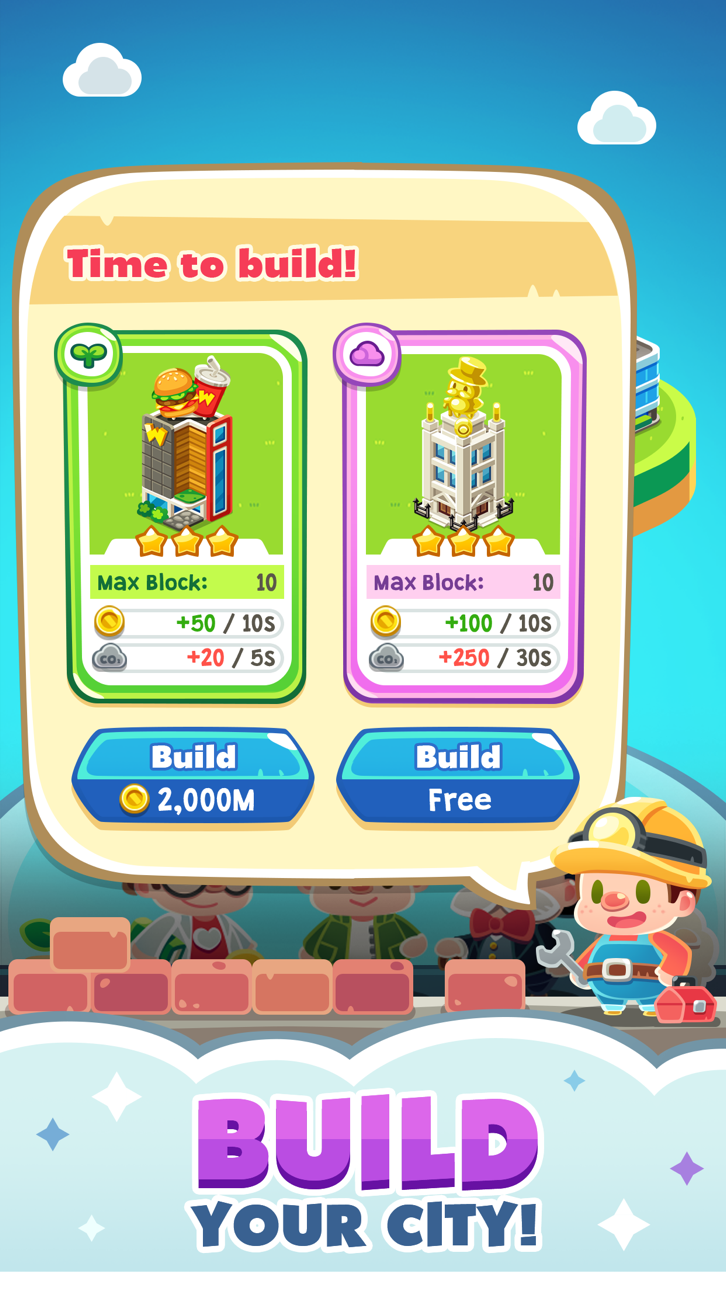
Choose the types of buildings you’d like to construct in your city – do you build cheaper, industrial buildings that produce more money but more pollution, or eco-friendly buildings to help improve the air quality in the city?
Invest in renewable energy, recycling, public transport and more, or prioritise population growth and money at the cost of carbon pollution. Through making wise decisions, you’ll be able to strike a balance and create a paradise your citizens love to call home!
• MANAGE CITY GROWTH
Balance clean air, citizen growth and treasury funds to keep your virtual city growing at a controlled rate. If population growth rockets out of control, your city may expand too quickly for you to handle! If your funds run out or citizens start leaving your city and your population drops to 0, it’s game over.
Only a lousy president would have a city where nobody lives there!
-----------------------------
GAME OF EARTH – HIGHLIGHTS
-----------------------------
• Endless gameplay – manage your city for as long as possible
• If your population hits 0 or you go bankrupt it’s game over
• Invest, fund projects and make important decisions on policies
• Manage your funds, population growth and pollution to keep your city healthy
• Choose whether to build industrial or eco-friendly buildings
• Dynamic gameplay ensures no two games are identical
• Addictive, fast-paced city sim manager
• Spin the gacha to get rewards & prizes to help you build a better city
• Beautifully designed artwork and changing seasons
Only you – the president of Earth 2.0 – know how to outwit the climate change deniers, greedy capitalists and conspiracy theorists to keep your virtual city growing. With fast-paced, dynamic gameplay, no play through is exactly the same!
You’ll have hours of fun – and frustration – building the city of your dreams in Game of Earth!
MANAGE & BUILD THE ULTIMATE MEGACITY – DOWNLOAD GAME OF EARTH TODAY!
ภาพหน้าจอ © เจ้าของแต่ละราย · App Store


iOSGods ไม่มีความเกี่ยวข้อง ไม่ได้รับการรับรอง และไม่ได้รับการสนับสนุนจาก Apple Inc., Google LLC หรือผู้พัฒนาแอปที่แสดงไว้ที่นี่ Apple, iOS และ App Store เป็นเครื่องหมายการค้าของ Apple Inc. Android และ Google Play เป็นเครื่องหมายการค้าของ Google LLC ชื่อแอป ไอคอน ภาพ และเครื่องหมายการค้าอื่นทั้งหมดเป็นทรัพย์สินของเจ้าของแต่ละราย

- iPhone หรือ iPad ที่ไม่ได้เจลเบรก/ไม่ได้เจลเบรก หรือเจลเบรกแล้ว
- Sideloadly หรือทางเลือกอื่น
- คอมพิวเตอร์ที่ใช้ Windows/macOS/Linux และติดตั้ง iTunes ไว้
ขั้นตอนที่ 1: ดาวน์โหลดไฟล์ .IPA ที่แฮกไว้ล่วงหน้าจากลิงก์ด้านบนลงในคอมพิวเตอร์ของคุณ หากต้องการดาวน์โหลดจากแอป iOSGods โปรดดู วิธีดาวน์โหลด IPA ในแอป iOSGods ซึ่งมีตัวอย่างวิดีโอประกอบ
ขั้นตอนที่ 2: ดาวน์โหลด Sideloadly แล้วติดตั้งบน Windows หรือ Mac ของคุณ
ขั้นตอนที่ 3: เปิด Sideloadly บนคอมพิวเตอร์ เชื่อมต่ออุปกรณ์ iOS แล้วรอจนกว่าชื่ออุปกรณ์ของคุณจะปรากฏใน Sideloadly
ขั้นตอนที่ 4: เมื่อ iDevice ของคุณถูกตรวจพบแล้ว ให้ลากไฟล์ .IPA ที่ม็อดมาวางลงในโปรแกรม Sideloadly
ขั้นตอนที่ 5: กรอกอีเมล Apple Account ของคุณ จากนั้นกด "Start" ระบบจะถามรหัสผ่าน กรอกข้อมูลที่จำเป็นให้เรียบร้อย
ขั้นตอนที่ 6: รอจนกว่า Sideloadly จะ sideload/ติดตั้งไฟล์ IPA ที่แฮกเสร็จ หากเกิดปัญหาระหว่างติดตั้ง โปรดอ่านหมายเหตุด้านล่าง
ขั้นตอนที่ 7: เมื่อการติดตั้งเสร็จสิ้นและเห็นแอปบนหน้าจอหลักแล้ว ให้ไปที่ การตั้งค่า → ทั่วไป → โปรไฟล์ / VPN และการจัดการอุปกรณ์ จากนั้นแตะที่อีเมลที่คุณกรอกในขั้นตอนที่ 6 แล้วแตะ "เชื่อถือ [email protected]"
ขั้นตอนที่ 8: จากนั้นไปที่หน้าจอหลักและเปิดแอปที่ติดตั้งใหม่ ทุกอย่างควรทำงานได้ปกติ คุณอาจต้องทำตามคำแนะนำเพิ่มเติมเฉพาะแอปในป๊อปอัปของม็อดในเกม
หมายเหตุ: สำหรับ iOS/iPadOS 16 ขึ้นไป คุณต้อง เปิดโหมดนักพัฒนา (Developer Mode) สำหรับบัญชี Apple Developer แบบฟรี คุณต้องทำขั้นตอนนี้ซ้ำทุก 7 วัน หากมีคำถามหรือพบปัญหา โปรดอ่าน หัวข้อ FAQ ของ Sideloadly ในกระทู้
Game Name iOS Mod IPA is an action adventure game enhanced with powerful gameplay boosts and quality-of-life improvements. Win battles faster, earn rewards quicker, and enjoy uninterrupted play without ads.
- Unlimited Gold - spend freely to unlock premium content
- Damage Multiplier - deal significantly more damage in combat
- Defense Multiplier - take less damage and survive longer
- Reward Multiplier - earn more loot from every battle
- Max Level - instantly reach the highest player rank
- No Ads - play without interruptions or advertisements
This app also comes with iGameGod, giving you access to Auto Touch to automate repetitive tasks, App Speed Manager for adjustable gameplay speed, Memory Engine value editing, and more powerful iOS game tools.
ดาวน์โหลด Game Name Mod IPA จากลิงก์ด้านบน แตะปุ่มติดตั้งและทำตามคำแนะนำบนหน้าจอเพื่อติดตั้งแฮ็กแอป iOS นี้บน iPhone, iPad หรือ Apple Silicon
ต้องการความช่วยเหลือเพิ่มเติม ดู คำถามที่พบบ่อยของแอป iOSGods สำหรับคำตอบโดยละเอียดและเคล็ดลับการแก้ไขปัญหา
----------------------------------------------------------
--------------------------------------------------



![[VIP] Brave Merge - Battle & Defense Hack](https://is1-ssl.mzstatic.com/image/thumb/Purple221/v4/f6/ab/5d/f6ab5d6f-18b3-fea2-6c5b-9e437d0462cb/AppIcon-0-0-1x_U007emarketing-0-8-0-85-220.png/100x100bb.jpg)