需要登入
請使用您的 iOSGods 帳戶登入以繼續。
請使用您的 iOSGods 帳戶登入以繼續。
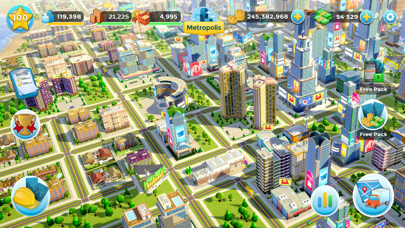
這款城市建設模擬遊戲讓你在 Citytopia® Mod IPA 中設計和擴展自己的大都市,透過策略性地放置房屋、摩天大樓、地標和公園。解鎖社區、發展經濟,並透過這個破解版本滿足市民需求,移除應用內購買障礙,讓你自由建設。
- 免費商店 → 無需花費貨幣即可購買物品
- 無限卡片 → 建築和進度的無限供應
- 免費應用內購買 → 所有應用內購買免費解鎖
此應用程式也內建 iGameGod,讓你可以使用 Auto Touch 自動執行重複操作、透過 App Speed Manager 調整遊戲速度、使用 Memory Engine 修改記憶體數值,以及更多強大的 iOS 遊戲工具。
從上方連結下載 Citytopia® Build Your Own City iOS Mod IPA。點選安裝按鈕並依照畫面指示在 iPhone、iPad 或 Apple Silicon 上安裝此 iOS 應用程式修改版。
需要更多協助?請查看我們的 iOSGods 應用程式常見問題 以獲得詳細解答與疑難排解。
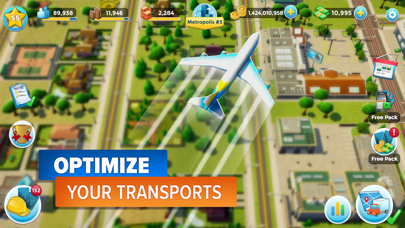
The new city building game from the makers of Rollercoaster Tycoon® Touch™! Design, build and grow your town into the most extraordinary Citytopia®.
KEY FEATURES:
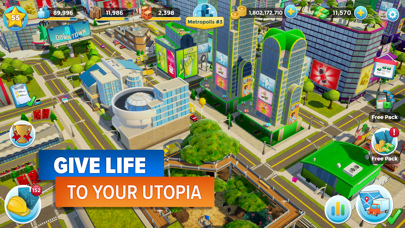
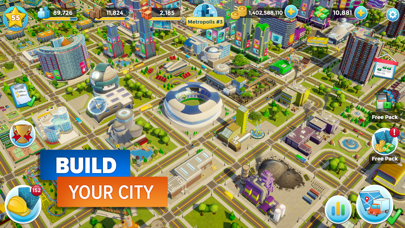
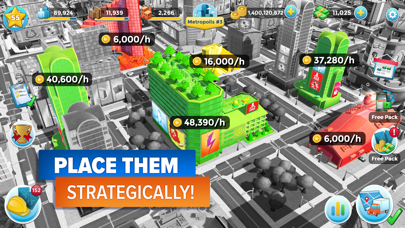
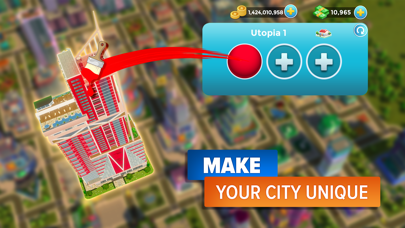
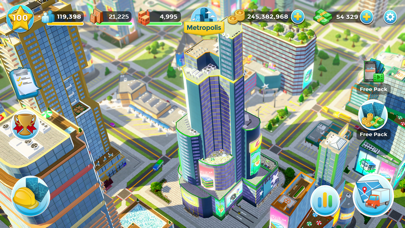
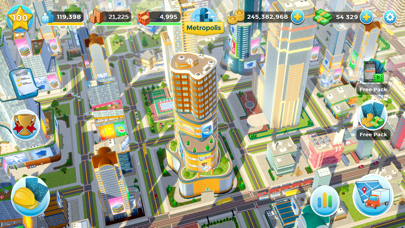
Build your very own AMAZING City: Discover and place houses, skyscrapers, landmarks, factories, beautiful parks and more. Place buildings strategically - each one develops your skyline, attracts more citizens and helps grow your economy.
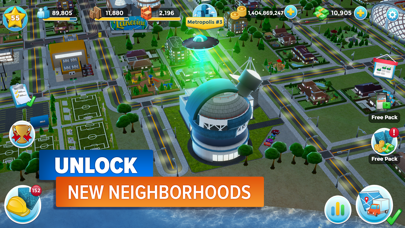
A HUGE Playground: Progressively unlock all the neighbourhoods, buy more real estate, and expand your city from a humble hamlet into a sprawling Citytopia. Satisfy your citizens, who aren’t shy in expressing their thoughts about the town.
Take on CHALLENGING Missions: Complete a constantly-changing set of missions to level up faster. Stock your fleet of trucks and buses to go on transportation quests to earn great boosts in progression.
Collect a WIDE COLLECTION of Cards: Open free packs every day to find new buildings, decorations, vehicles and more. Find cards to unlock new creations and upgrade them to boost existing infrastructure. Discover rare and epic cards with outstanding stats like towering skyscrapers and stunning attractions.
Follow the latest news about your favourite City Building game, Citytopia on Facebook and Twitter!
https://www.facebook.com/Citytopia/
https://twitter.com/Citytopiagame
Have fun!

- 未越獄/受限或已越獄的 iPhone 或 iPad。
- Sideloadly 或替代方案。
- 執行 Windows/macOS/Linux 且已安裝 iTunes 的電腦。
步驟 1: 透過上方連結將已破解的 .IPA 檔案下載到您的電腦。若要從 iOSGods App 下載,請參閱我們的 iOSGods App IPA 下載教學,其中包含影片範例。
步驟 2: 下載 Sideloadly 並將其安裝在您的 Windows 或 Mac 上。
步驟 3: 在電腦上開啟 Sideloadly,連接您的 iOS 裝置,並等待裝置名稱出現在 Sideloadly 中。
步驟 4: 當 Sideloadly 辨識到您的 iOS 裝置後,將下載好的修改版 .IPA 檔案拖曳並放到 Sideloadly 應用程式中。
步驟 5: 輸入您的 Apple Account 電子郵件,然後按下「Start」。系統會要求您輸入密碼,請依指示提供所需資訊。
步驟 6: 等待 Sideloadly 完成已破解 IPA 的旁載/安裝。如果安裝過程中發生問題,請閱讀下方的注意事項。
步驟 7: 安裝完成並在主畫面上看到該應用程式後,您需要前往 設定 → 一般 → 描述檔 / VPN 與裝置管理。進入後,點選您在步驟 6 中輸入的電子郵件,然後點選「信任 [email protected]」。
步驟 8: 現在回到主畫面並開啟新安裝的應用程式,一切應該都能正常運作。您可能需要依照遊戲內破解彈出視窗中的進一步指示操作。
注意: 在 iOS/iPadOS 16 及更新版本上,您必須 啟用開發者模式。若使用免費的 Apple Developer 帳號,您將需要每 7 天重複此程序。如有任何疑問或問題,請閱讀我們的 主題中的 Sideloadly 常見問題區段。



![[Chiikawa Pocket JP] ちいかわぽけっと iOS Mod IPA](https://is1-ssl.mzstatic.com/image/thumb/Purple211/v4/7c/d8/92/7cd8925f-389f-e95e-d701-314886032cc4/AppIcon-0-0-1x_U007emarketing-0-8-0-85-220.png/100x100bb.jpg)


![[Seven Deadly Sins] 七つの大罪 光と闇の交戦 : グラクロ iOS Mod IPA](https://is1-ssl.mzstatic.com/image/thumb/Purple221/v4/ac/e0/43/ace04379-3557-2f16-4960-f19516efa302/AppIcon-1x_U007emarketing-0-8-0-85-220-0.png/100x100bb.jpg)